
What Does a Corporate Office Network Connect?
An enterprise network connects your employees, devices, applications, and data across the office and any other locations your organization uses. Modern enterprise networking relies on a resilient enterprise network infrastructure to keep operations running smoothly.
Your enterprise networking architecture defines how that traffic moves securely between local networks, wide-area links, data centers, and cloud services. A well-designed network architecture also ensures optimal network performance across every operational branch.
How Do LAN, MAN, WAN, and PAN Serve Different Needs?
Each network type covers a different range. A local area network (LAN) connects devices in one office or building, while a metropolitan area network (MAN) links sites across a city. A wide area network (WAN) connects offices across regions or countries, and a personal area network (PAN) links nearby personal devices.
Your LAN supports everyday work such as file access and video calls. When corporate buildings span across a metro area, an enterprise MAN provides high-speed regional transport.
WAN connectivity links branches to shared services, while a PAN might connect a headset to a laptop.
Some offices also adopt 5G as a fast wireless connection for mobile users, remote work, or as a secondary backup link for business continuity.
Which Core Components Make Up the Network?
Your network infrastructure combines physical connections with equipment that directs and distributes traffic. Network switches connect wired devices within the LAN, and routers move traffic between networks, including the office LAN and the WAN.
Servers provide local applications or data storage. Wireless access points deliver enterprise Wi-Fi across office floors.
High-grade structured cabling carries data between workstations, access points, switches, and server rooms. Proper structured cabling also prevents interference and simplifies long-term maintenance.
Plan equipment locations and cable routes around your floor layout so connections reach work areas, meeting rooms, and shared spaces.
How Do Data Centers and Cloud Services Fit In?
Your enterprise network links on-site systems with cloud services so staff can reach the applications and data they need. A data center may host internal servers, while cloud computing runs workloads in cloud networks managed by a service provider.
A hybrid cloud combines on-site resources with public or private cloud services. Operating a hybrid cloud environment requires consistent network architecture and traffic routing to prevent latency issues.
Seamless cloud integration depends on reliable cloud connectivity and clear rules for which users and devices can access each resource.
Effective cloud integration also ensures data moves smoothly between platforms without creating performance bottlenecks. When you map connected office technology, include meeting-room systems and other smart-office devices in the plan.
A smart office building blueprint can help you consider how AV, IT, sensors, and automation fit together.
“Modern corporate infrastructure succeeds only when IT network design and audiovisual systems work as a unified ecosystem,” says Melvin Halpito, Corporate Audio-Visual Expert. “When AV and network backbones are planned together from day one, organizations eliminate latency bottlenecks and guarantee seamless collaboration for every meeting space.”
How Can Offices Design for Performance, Security, and Growth?
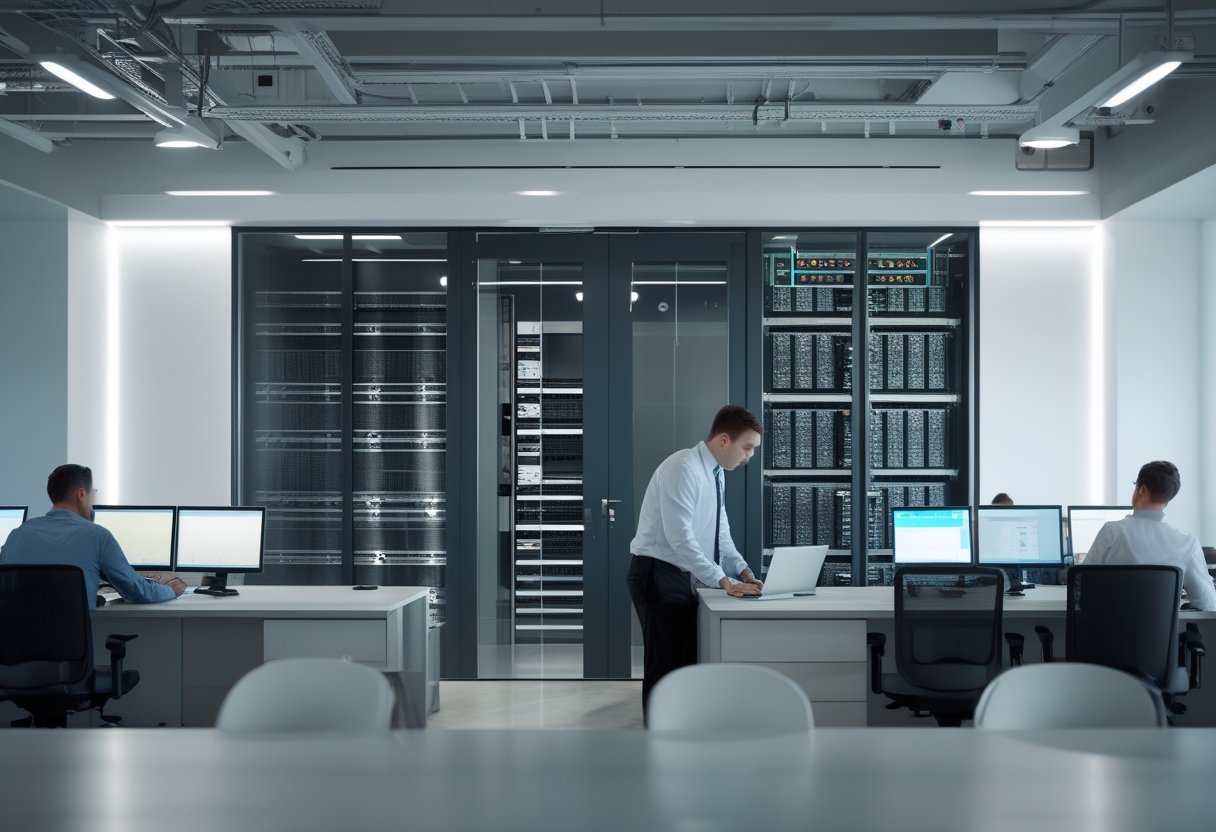
You can design a reliable office network by matching capacity, access, and security controls to the way your organization works. A network assessment gives you a baseline for network performance and helps shape a scalable network architecture that supports growth, remote work, and digital transformation.
What Should a Network Assessment Consider?
Start with the number of users, devices, office locations, and applications that rely on the network. Include peak demand from video meetings, file transfers, cloud apps, and connected equipment.
Map existing cabling, wireless coverage, internet links, and baseline network performance metrics to identify areas where staff experience slowdowns.
Use those findings to set capacity goals and identify single points of failure. A clear network diagram also helps your team plan upgrades and document how each part of the network connects.
How Can Wired and Wireless Access Scale With the Office?
Plan wired access for fixed equipment and wireless access for people who move between work areas. Wi-Fi 6 supports modern office needs, and a site survey helps place wireless access points where they can cover desks, meeting rooms, and shared spaces.
For new devices, allow room in switch capacity and cable pathways for future additions. Power over Ethernet (PoE) lets compatible devices receive power and data over one cable; PoE switches can support access points, cameras, and other equipment. Ubiquiti UniFi is one named option you may assess against your coverage, management, and capacity requirements. Set quality of service (QoS) rules to prioritize business-critical traffic such as voice and video calls.
How Should Branches and Cloud Resources Connect?
Choose WAN connectivity that supports the needs of each location and the applications staff use. Deploying SD-WAN can dynamically manage traffic across available broadband, MPLS, and 5G connections.
Modern SD-WAN technology also optimizes bandwidth and reduces latency for critical cloud tools. Traditional MPLS and VPN tunnels remain valuable options for connecting sites or providing secure remote access.
An enterprise VPN ensures that external staff retain protected encrypted access to internal office workloads.
For cloud resources, check that your routes, bandwidth, and access policies support the services your teams depend on. Build in alternate connectivity where a failed link would interrupt essential work. Right-sizing network failover helps align backup capacity with operational needs.
Which Security and Management Practices Reduce Risk?
Robust network security requires multiple defensive layers to protect sensitive company data. Use enterprise network security controls to limit access and spot unusual activity.
Next-generation firewalls filter incoming and outgoing traffic at network boundaries. In addition to hardware firewalls, network access control checks devices and users before they connect.
Implementing network segmentation isolates critical assets from general office devices. Enforcing strict network segmentation and VLANs separates groups such as staff, guests, and connected equipment.
Configuring dedicated VLANs helps contain broadcast traffic and prevents unauthorized lateral movement between departments.
A zero trust network verifies each access request using identity and context. Zero trust network access (ZTNA) and secure access service edge (SASE) are approaches you can evaluate for users working across office and remote settings.
Centralized network management simplifies administrative oversight across switches, routers, and access points. Continuous network monitoring helps your team track bandwidth health and respond to alerts in real time.
Proactive network monitoring and network controllers help your team review performance, manage policies, and investigate issues quickly. For connected cameras and access systems, corporate security planning should account for both the devices and their network access.
How Can Installation Minimize Disruption to Daily Work?
Plan installation around office schedules and work in phases so essential teams retain access during the change. Confirm cable routes, equipment locations, access requirements, and testing steps with IT and facilities staff before work begins.
Where possible, schedule changes during quieter hours and verify wired and wireless access after each phase. Keep a rollback plan and updated network documentation ready so your team can respond quickly if a change affects an essential service.
Reliable Connectivity Begins With Business Needs

A dependable corporate network starts with a clear view of your users, applications, locations, and security needs. Modern enterprise networking combines reliable cabling, strong firewalls, and automated network management to protect daily workflows.
Use that complete picture to plan capacity, choose how office and cloud resources connect, and set controls your team can manage as the organization grows.
If your office project includes meeting-room AV, MLV Teknologi provides AV equipment supply, consultation, and installation support. Visit mlvteknologi.com to discuss your AV requirements.
Follow MLV Teknologi on Instagram, X, and LinkedIn for updates and technology insights.