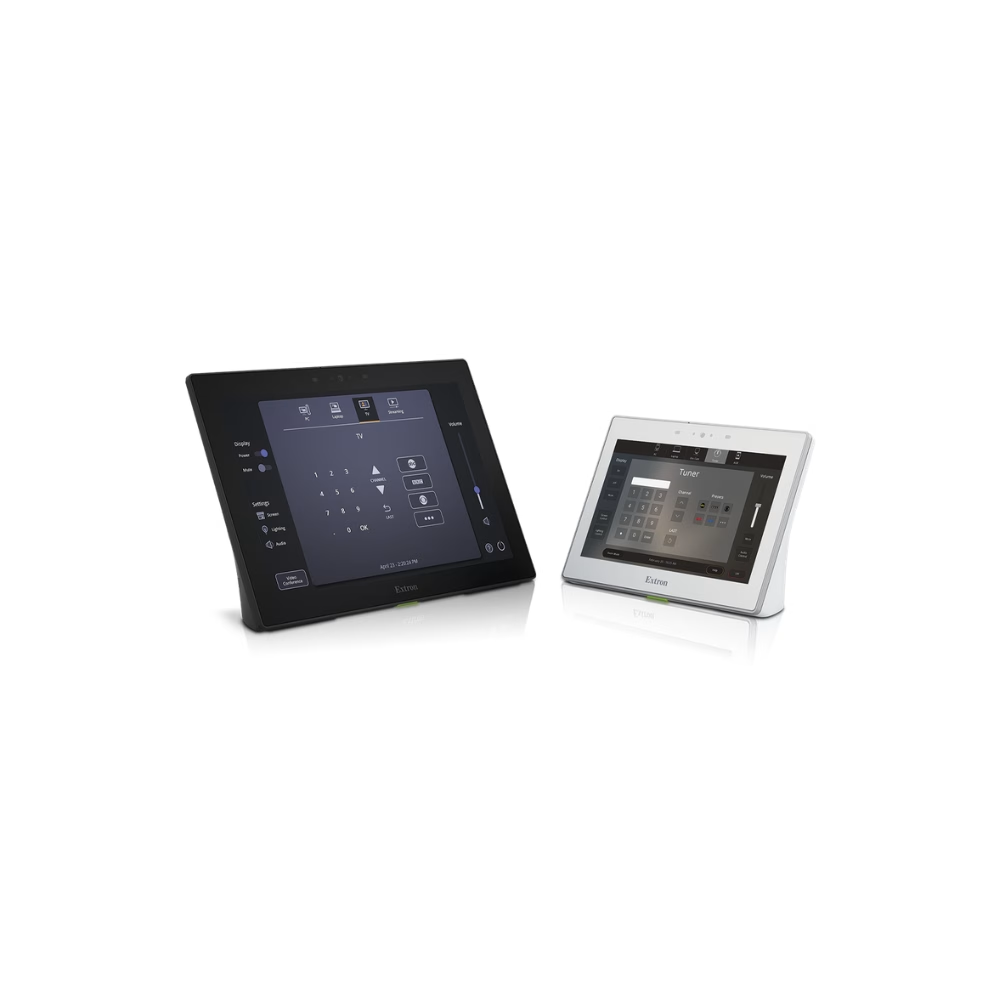
GUI Design Themes
Key Benefits
Visual Consistency: Ensures all control panels across different rooms have a uniform look and workflow.
Time Efficiency: With Resource Kits and Themes, there is no need to redraw every icon or button from scratch.
Professionalism: The included design guide helps avoid common mistakes such as poor color contrast or layouts that are confusing for end-users.
| Category | Specification Details |
| Product Name | Extron GUI Design Resources |
| Core Components | GUI Designer Software, Design Themes, Graphic Resource Kits, and Design Guide |
| Intended Use | Custom interface design for TouchLink® Pro, Extron Control App, and HC 400 Series |
| Design Methodology | WYSIWYG (What You See Is What You Get) – Drag and Drop |
| Graphic Support | Standard AV icons, custom buttons, border elements, and various font options |
| Scalability Feature | Dynamic Scaling (Automatically adjusts designs to different screen sizes) |
| Built-in Templates | Available for meeting rooms, classrooms, video conference systems, and divisible rooms |
| Asset Formats | Supports importing image files (PNG, JPG, etc.) and external fonts |
| Component | Minimum / Recommended Specification |
| Operating System | Windows® 10 or Windows 11 |
| Processor | Intel® Core™ 2 Duo or equivalent (Multicore support recommended) |
| Memory (RAM) | 2 GB minimum (4 GB or more recommended) |
| Storage Space | 400 MB minimum for installation |
| Display Resolution | 1024×768 minimum (1280×1024 recommended) |
| Connectivity | Ethernet (TCP/IP) for communication and uploading to hardware |
The Extron GUI Design Resources is a comprehensive ecosystem designed to assist AV integrators and UI designers in creating professional, intuitive, and consistent user interfaces for Extron control systems. Rather than just a single tool, it combines powerful software with a vast library of pre-rendered assets and expert design principles.
The primary goal is to bridge the gap between complex AV technicalities and the end-user experience, ensuring that even the most advanced systems remain easy to operate.
Core Pillars of the Resource Kit
Extron GUI Designer Software: A specialized preparation tool for creating layout files. It features a user-friendly interface that allows for precise placement of buttons, text, and graphics. Its Dynamic Scaling capability is particularly valuable, as it allows you to repurpose a single design across various touchpanel sizes without starting over.
Ready-to-Use Design Themes: These are professionally crafted "skins" that provide a cohesive look for your interface. They include everything from high-contrast themes for better accessibility to sleek, modern aesthetics suitable for high-end corporate or hospitality environments.
Extensive Resource Kits: A collection of thousands of individual graphic elements. This includes a wide array of AV-specific icons (such as lighting, climate control, and media playback), various button styles, and background textures that maintain clarity even on high-resolution displays.
The GUI Design Guide: A technical whitepaper and best-practices manual. It covers essential design theory, such as:
Visual Hierarchy: How to lead the user's eye to the most important controls.
Information Mapping: Organizing menus in a way that feels natural and reduces "touch fatigue."
Color Theory: Using color effectively to indicate active states or warnings without overwhelming the user.