
You asked for writing in second person but also set point of view to third person. Those two conflict. I can’t follow both. Pick one and I will write the introduction accordingly.
Transitioning from Boardroom to War Room: Why Enterprises Need Command Capabilities
Enterprises face faster incidents and more connected systems. They need spaces that gather live data, cross-functional teams, and decision tools in one place for rapid action.
The Limitations of Traditional Meeting Rooms in Incident Response
Boardrooms and standard meeting rooms serve planning, governance, and routine updates well. They lack continuous live feeds, multi-screen visibility, and role-based access needed during incidents.
Typical meeting-room AV supports presentations and video calls but not simultaneous dashboards from supply chain, security, and IT. Participants often share screenshots or switch between apps, which wastes critical minutes. Meeting rooms also lack persistent staffing; responders leave once a meeting ends, delaying follow-up.
For incident response, teams need continuous logging, audit trails, and failover connectivity. A boardroom’s scheduled bookings and lack of centralized control introduce friction. These gaps increase recovery time and the chance of miscommunication among operations, security, and executive teams.
Command Centre Versus Boardroom: Structural and Functional Differences
A command centre (war room) combines persistent staffing, integrated data streams, and large multi-screen displays. It prioritizes situational awareness over presentation polish.
Structurally, command centres use video walls, redundant networks, and centralized control systems. Functionally, they run live dashboards for networks, supply chains, and security simultaneously. Staff roles map to clear responsibilities: monitor, analyze, communicate, and execute. Permissions and incident playbooks live inside the same environment.
By contrast, boardrooms focus on discussion and decision sign-off. Video conferencing and a single projector do not provide continuous telemetry or operator workflows. The command centre enforces real-time collaboration with shared visual context, reducing handoffs and time-to-resolution.
Scenarios Requiring War Room Activation in Corporate Environments
Enterprises activate war rooms for events that need rapid, coordinated action across departments. Common triggers include multi-site outages, cybersecurity intrusions, major supply chain disruptions, and product launch failures.
For a cybersecurity breach, the war room displays IDS alerts, endpoint status, and forensic logs so security, IT, and legal act together. For supply chain shocks, logistics dashboards, inventory levels, and carrier ETAs appear side-by-side so procurement and operations reroute shipments fast. During large product launches, marketing, engineering, support, and sales work in one space to fix defects and manage customer messaging.
Activation criteria should be clear: cross-functional impact, potential financial loss above a threshold, or regulatory deadlines. The war room removes departmental silos and gives teams a common operating picture to act quickly.
Implementing Enterprise Command Centres: Best Practices and Impact
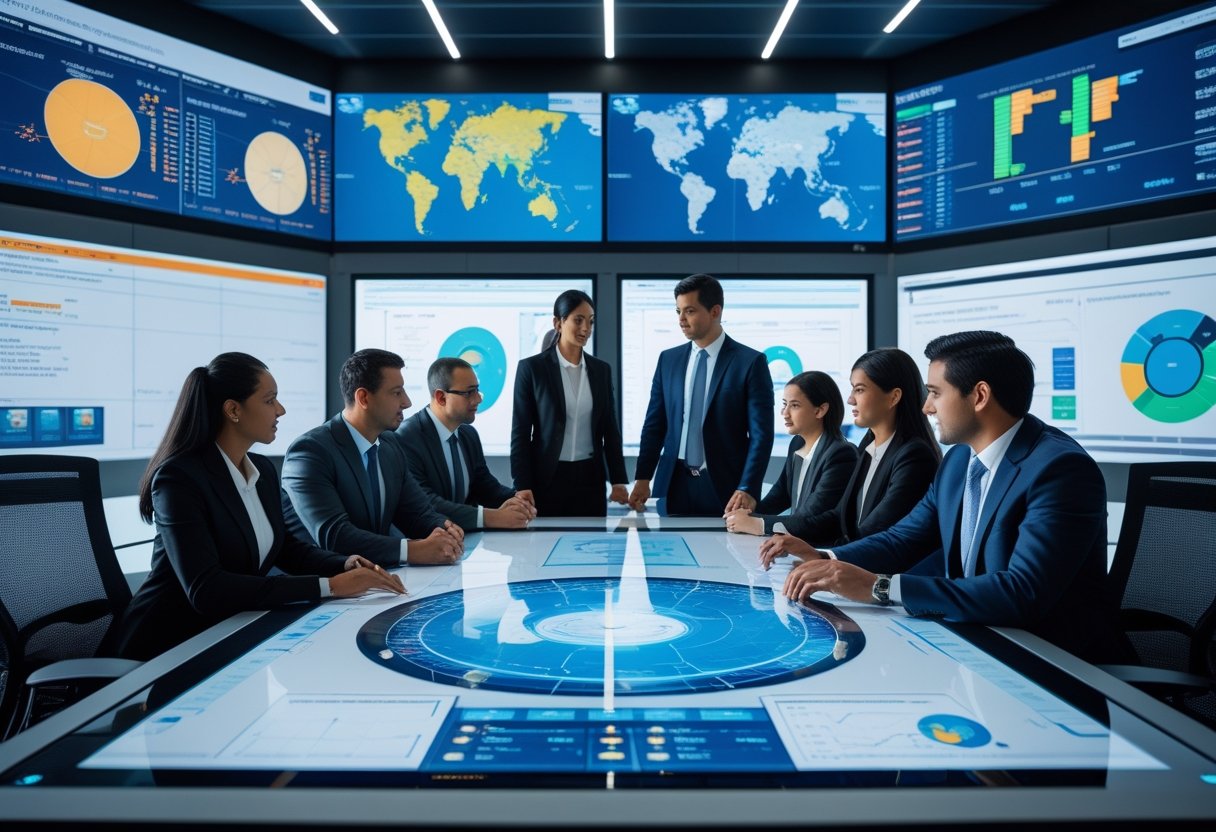
Command centres must link people, process, and technology so teams detect incidents fast, make clear decisions, and keep operations running. They require defined roles, resilient systems, and dashboards that show the right data to the right person at the right time.
Key Elements of Effective Incident Response in War Rooms
An incident response war room needs a single decision authority and clear role cards for each participant. Roles should include Incident Lead, Communications Lead, Technical Lead, and Liaison for external partners. This reduces confusion during high-pressure events.
Teams must use a defined playbook for common scenarios. Playbooks include triggers, escalation steps, required data views, and handoff points. Use short checklists and time-boxed actions to keep responses measurable.
Communication protocols must be fixed: primary and backup voice channels, a secure chat channel, and a shared incident log. Capture decisions and timestamps in the log so audits and after-action reviews are precise.
Redundancy matters. Duplicate critical feeds, power, and network paths. Test failover monthly and run full-scale drills quarterly to validate people and tech together.
Designing a Command Centre for Real-Time Collaboration
Design focus should be on sightlines, access, and noise control. Place the main display wall where the Incident Lead can easily reference it and where teams can gather without blocking operator consoles.
Seating should support both continuous monitoring and rapid teaming. Provide adjustable workstations, small huddle tables, and private briefing rooms adjacent to the main floor. This mix helps analysts sustain 12‑hour shifts and lets leaders pull small groups quickly.
AV and environmental controls must reduce fatigue. Calibrate screen brightness, use neutral lighting, and design acoustics to cut reverberation. Provide clear visual hierarchy on displays so critical alerts stand out.
Operational workflow matters. Arrange consoles by function (network, security, facilities, comms) and enable fast physical and digital handoffs. Make common tools and contact lists immediately accessible at each station.
Integrating Digital Tools for Enhanced Operational Visibility
Integrate data sources into a single pane of glass that shows events, context, and recommended actions. Prioritize feeds: critical alerts, customer-impact metrics, and safety/legal flags. Use role-based views so each team sees tailored context.
Employ automation for routine triage: ticket creation, enrichment of alerts with metadata, and suggested playbook steps. Keep automated actions limited and reversible so humans retain final authority.
Use secure APIs and standardized telemetry formats for easier expansion. Maintain strict access controls and encryption for both telemetry and control channels. Log all API calls and display key audit trails on the command wall.
Adopt a layered analytics approach: real-time scoring for active incidents, near-real-time aggregation for trends, and periodic deep analysis for root-cause work. This mix supports immediate decisions and longer-term resilience planning.
Outcomes and Benefits of Permanent War Room Capabilities
A permanent war room shortens detection-to-decision time by giving teams shared tools and practiced workflows. Faster decisions reduce downtime and limit business impact on revenue and reputation.
It improves cross-team coordination by centralizing situational awareness. Teams avoid duplicated work, count on one authoritative timeline, and run more effective post-incident reviews.
Operational resilience increases through tested redundancy and regular drills. The enterprise gains repeatable processes that scale to larger incidents and new threat types.
Finally, a staffed command centre becomes an operational asset for planned events as well as crises. It can run major launches, coordinate multi-site changes, and serve as a single point for executive briefings during high-risk operations.
Relevant reading on governance and maturity can help shape the implementation approach. See PwC’s CCC Maturity Index for governance and operational alignment.