
by Melvin Halpito | Apr 19, 2026 | Article
Anda bisa mengubah kantor dari beban biaya menjadi aset iklim dan modal dengan teknologi yang sadar energi. Dengan data real-time dari sensor dan platform manajemen energi, Anda akan melihat pengurangan penggunaan energi, bukti kepatuhan ESG, dan peluang penghematan biaya yang nyata. Teknologi kantor yang mengukur dan mengotomasi pemakaian energi memberi ROI cepat sekaligus menurunkan emisi dan biaya operasional.
Pikirkan soal sensor yang mematikan lampu dan HVAC saat ruang kosong, sistem yang mengoptimalkan konsumsi air, dan dashboard yang menghubungkan metrik ESG ke keputusan sewa atau renovasi. Anda akan mendapatkan bukti yang bisa ditunjukkan pada pemangku kepentingan, meningkatkan reputasi perusahaan, dan mengunci penghematan yang terus berjalan.
Ringkasan Utama
- Kantor bisa jadi aset strategi keberlanjutan dengan pengukuran energi yang akurat.
- Otomasi dan sensor memangkas pemborosan dan menurunkan biaya operasional.
- Data ESG membantu kepatuhan, keputusan ruang, dan menarik talenta serta klien.
Peran ESG dan Strategi Berkelanjutan dalam ROI Kantor Modern

Perusahaan yang mengadopsi kebijakan ESG dan strategi keberlanjutan mengurangi biaya operasional, menaikkan nilai merek, dan membuka akses modal lebih baik. Langkah praktis meliputi efisiensi energi, pelaporan yang transparan, dan program sosial yang meningkatkan retensi penyewa dan produktivitas karyawan.
Keterkaitan ESG, Strategi Berkelanjutan, dan Pengembalian Investasi
Implementasi teknologi hemat energi—seperti sensor HVAC, lampu LED terintegrasi, dan sistem manajemen energi—menurunkan konsumsi listrik dan biaya utilitas langsung. Penghematan ini terlihat pada arus kas operasional dan meningkatkan cap rate properti kantor.
Strategi keberlanjutan memperpanjang umur aset lewat retrofit yang menurunkan kebutuhan pemeliharaan. Selain itu, properti dengan sertifikasi hijau sering mendapatkan tingkat hunian lebih tinggi dan sewa premium, sehingga menaikkan valuasi properti.
Poin-poin utama:
- Pengurangan biaya utilitas = ROI operasional lebih cepat.
- Retrofit & manajemen fasilitas = pengeluaran CAPEX lebih efisien.
- Sewa premium & hunian stabil = peningkatan nilai aset jangka panjang.
Dampak ESG pada Nilai Merek dan Akses Modal
Investasi dalam ESG meningkatkan persepsi merek dan mempermudah negosiasi dengan penyewa korporat yang mengutamakan keberlanjutan. Perusahaan properti yang menunjukkan kinerja ESG baik lebih mudah menarik penyewa kelas atas dan mempertahankan tingkat hunian.
Di sisi pembiayaan, lembaga keuangan dan investor institusional memberi kondisi kredit lebih menguntungkan untuk aset dengan metrik ESG kuat. Ini termasuk suku bunga pinjaman lebih rendah, akses ke green bonds, dan peningkatan minat investor yang mencari produk berkelanjutan.
Fakta praktis:
- Brand value yang kuat menurunkan churn penyewa.
- Akses modal lebih murah mempercepat proyek retrofit.
- Investor ESG-minded menaikkan likuiditas pasar untuk aset tersebut.
Transparansi Korporasi dan Laporan ESG untuk Peningkatan Kinerja Keuangan
Pelaporan ESG yang jelas dan terstandar membantu manajemen mengidentifikasi area penghematan dan risiko keuangan yang tersembunyi. Data penggunaan energi, emisi CO2, dan indikator sosial menyediakan dasar untuk keputusan investasi yang mengoptimalkan total biaya kepemilikan.
Transparansi juga memperkuat kepercayaan investor dan kreditur. Laporan berkala sesuai standar internasional memudahkan perbandingan kinerja ESG dan memberi sinyal bahwa perusahaan menjaga tata kelola yang baik.
Tindakan yang direkomendasikan:
- Terapkan sistem pengukuran energi real-time.
- Laporkan metrik ESG dengan standar yang diterima pasar.
- Gunakan hasil laporan untuk perencanaan CAPEX dan manajemen risiko finansial.
Optimalisasi Teknologi Kantor untuk Hemat Energi, Kepatuhan, dan Efisiensi Biaya
Teknologi kantor yang hemat energi menurunkan tagihan listrik, mengurangi emisi gas rumah kaca, dan membantu memenuhi persyaratan kepatuhan. Investasi pada sensor, BMS, dan perangkat efisiensi mendorong ROI melalui penghematan operasional, pengurangan risiko iklim, dan data ESG yang dapat dipakai untuk pelaporan.
Manfaat Teknologi Hemat Energi dalam Pengurangan Biaya Operasional
Teknologi seperti lampu LED terintegrasi dengan sensor gerak dan daylight harvesting menurunkan konsumsi penerangan hingga 40% dibanding sistem lama. Sistem Manajemen Bangunan (BMS) dan kontrol HVAC berbasis jadwal mengurangi beban puncak dan biaya energi waktu nyata.
Penggunaan inverter pada unit pendingin dan perangkat berlabel efisiensi (mis. Energy Star) memperpanjang umur peralatan dan menurunkan biaya pemeliharaan. Mereka juga mengurangi phantom load ketika peralatan diatur ke mode hemat daya.
Perusahaan dapat menghitung ROI sederhana: penghematan energi tahunan dikurangi biaya investasi menghasilkan payback period. Data meteran digital mempercepat verifikasi penghematan untuk laporan keuangan dan klaim pengurangan emisi.
Pengelolaan Risiko Iklim, Regulasi, dan Pengurangan Emisi
Teknologi energi-aware membantu mengukur dan menurunkan GHG emissions secara langsung melalui pengurangan konsumsi listrik dan integrasi energi terbarukan. Data real-time dari IoT dan meter pintar mendukung pelaporan emisi dan kepatuhan pada standar lokal atau target nasional.
Sistem otomatisasi juga mengurangi risiko ketidakpatuhan dengan mencatat operasi dan setelan HVAC, sehingga audit regulator menjadi lebih mudah. Dalam skenario transisi iklim, optimasi beban mengurangi eksposur terhadap fluktuasi harga energi dan denda regulasi.
Penggunaan data emisi yang tervalidasi mendukung klaim ESG dan memudahkan terhubungnya perusahaan dengan instrumen pembiayaan hijau atau insentif pajak.
Investasi Berkelanjutan: Pengaruh pada Kinerja Keuangan dan Pengurangan Limbah
Investasi pada teknologi hemat energi sering kali memberi dampak positif pada neraca melalui pengurangan biaya operasional dan nilai properti yang meningkat. Penyusunan business case yang memasukkan ROI of sustainability dan potensi insentif pajak mempercepat persetujuan investasi.
Teknologi juga menurunkan limbah operasional: peralatan yang efisien membutuhkan penggantian lebih jarang, sementara praktik circularity (perbaikan, reuse, dan daur ulang) mengurangi biaya pengadaan. Digitalisasi inventori dan pemeliharaan prediktif mengurangi pemborosan suku cadang.
Investor ESG melihat laporan kinerja energi dan pengurangan limbah sebagai indikator risiko yang lebih rendah, yang dapat menurunkan biaya modal dan membuka aliran investasi berkelanjutan.
Budaya Perusahaan dan Kepemimpinan untuk Membangun Kantor Berkelanjutan
Kepemimpinan yang menetapkan KPI energi dan memasukkan target ESG ke dalam penilaian manajerial mempercepat adopsi teknologi. Pelatihan karyawan pada cara menggunakan fitur hemat energi—mis. mode tidur perangkat, booking ruang yang memicu HVAC—mengubah perilaku sehari-hari.
Budaya perusahaan yang mendukung transparansi data energi mendorong partisipasi staf; dashboard energi publik di area umum meningkatkan kepatuhan operasional. Pemimpin harus mengaitkan inisiatif ini dengan reward dan pelaporan keberlanjutan untuk memastikan pelaksanaan berkelanjutan.
Perubahan budaya memperkuat klaim ESG dan menyediakan data yang berguna untuk sustainability reporting, yang pada gilirannya memperkuat posisi perusahaan di mata pemangku kepentingan dan investor.
by Melvin Halpito | Apr 18, 2026 | Article
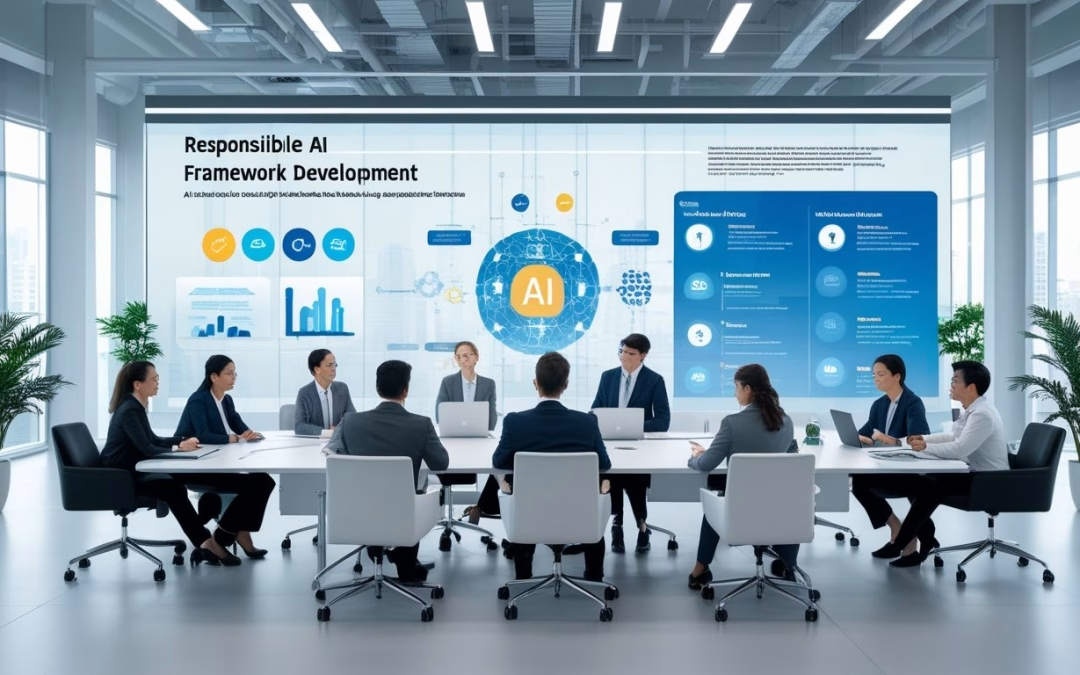
Smart Office mengumpulkan banyak data rapat: rekaman, transkrip, dan ringkasan otomatis. Anda perlu aturan jelas supaya informasi itu aman, akurat, dan adil, terutama saat keputusan bisnis bergantung pada isi rapat. Buat kerangka Responsible AI yang mengatur bagaimana data rapat dikumpulkan, disimpan, dianalisis, dan siapa yang bertanggung jawab untuk hasilnya.
Dengan kebijakan yang tepat, Anda bisa mengurangi bias dalam transkrip, melindungi privasi peserta, dan memastikan ringkasan dapat diaudit jika terjadi kesalahan. Panduan praktis ini menunjukkan langkah-langkah tata kelola, kontrol akses, dan peran yang harus ditetapkan agar teknologi membantu — bukan merugikan — organisasi.
Ringkasan Utama
- Bangun kebijakan yang mengatur siklus hidup data rapat.
- Tetapkan peran dan akuntabilitas untuk penggunaan AI pada transkrip dan ringkasan.
- Terapkan kontrol privasi dan pengujian bias sebelum produksi.
Membangun Kerangka Responsible AI untuk Data Rapat, Transkrip, dan Ringkasan
Kerangka ini mengatur kapan AI boleh dipakai, bagaimana data disamarkan, siapa yang punya akses, dan bagaimana hasil ringkasan bisa diaudit. Fokus pada kontrol teknis (enkripsi, RBAC), proses (consent, review manusia), dan output yang dapat ditindaklanjuti (action items, owner, due date).
Peran AI Generatif dalam Merangkum Rapat dan Tindakan Lanjutan
AI generatif mempercepat pembuatan meeting notes dan meeting recap dengan mengekstrak keputusan, action items, dan insight dari meeting transcripts. Ia harus dilatih pada dataset yang relevan dan dikonfigurasi untuk menandai sumber klaim dengan time-stamp agar reviewer manusia bisa melacak asal pernyataan.
Organisasi wajib menentukan tingkat otomatisasi berdasarkan risiko: gunakan AI untuk weekly ops dan status update, tetapi minta human-in-the-loop untuk rapat HR, legal, atau M&A. Output yang disetujui harus berformat: keputusan — alasan singkat — action item — owner — due date.
Integrasi dengan platform seperti Microsoft Teams dan layanan AI di cloud (mis. Azure) memudahkan deployment, tetapi perlu kebijakan retention, enkripsi, dan opsi BYOK agar data meeting recording dan summaries tidak dipakai untuk training model pihak ketiga tanpa izin.
Transkrip Otomatis, Pencatatan, dan Perlindungan Privasi
Transkripsi otomatis menurunkan beban pencatatan namun memperbesar risiko kebocoran PII. Terapkan redaction otomatis untuk nama, nomor telepon, alamat, dan data sensitif sebelum menyimpan atau mengirim ke layanan AI. Sistem DLP harus memeriksa meeting transcripts dan memberi peringatan bila pola sensitif terdeteksi.
Gunakan RBAC untuk membatasi akses: hanya PIC rapat dan pemilik proyek yang boleh mengakses raw transcript. Simpan hanya meeting notes final sebagai dokumen utama; raw transcript boleh disimpan terbatas waktu atau dimusnahkan untuk rapat berisiko tinggi. Catat audit trail: siapa mengakses, kapan, dan perubahan apa yang dibuat.
Jika memakai cloud AI services, pastikan lokasi data, kebijakan retention, dan apakah vendor menggunakan data untuk melatih LLM. Pilih private deployment atau on-prem untuk rapat sensitif dan aktifkan customer-managed keys bila tersedia.
Strategi AI untuk Kolaborasi dan Efisiensi Smart Office
AI tools harus mendukung workflow, bukan menggantikannya. Rancang integrasi yang mengubah meeting capture menjadi tugas konkret: buat action items otomatis, push-notification ke owner, dan sinkronisasi ke task manager. Sertakan metadata: agenda item, keputusan, risiko, dan dependency agar tim bisa menindaklanjuti cepat.
Tetapkan standar output agar semua notulen konsisten. Contoh format singkat: 1) Keputusan utama; 2) Alasan/data pendukung; 3) Action item + owner + due date. Terapkan versioning dan approval workflow supaya setiap ai-generated summary diverifikasi sebelum distribusi luas.
Gunakan metrik kualitas: factuality (cek sumber), coverage (apakah semua keputusan tercatat), dan actionability (apakah tugas bisa dieksekusi). Ambil sample audit reguler—mis. 1 dari 10 notulen—untuk memonitor performa model dan proses review manusia.
Implementasi Multi-Bahasa dan Dukungan Inklusi dalam AI Meeting
Multi-language support penting untuk tim lintas negara. Terapkan pipeline yang memisahkan speech-to-text, terjemahan, dan summarization sehingga setiap tahap dapat diuji independen. Pastikan terminologi kunci (mis. istilah teknis atau nama produk) dipetakan agar tidak hilang makna dalam meeting summaries.
Sediakan opsi bahasa lokal dan fallback ke bahasa sumber saat terjemahan tidak pasti. Latih model dengan contoh bilingual agar hasil ringkasan mempertahankan konteks budaya dan sopan santun bisnis. Untuk inklusi, aktifkan subtitle real-time dan ringkasan singkat (bullet points) sehingga peserta dengan kebutuhan berbeda bisa mengakses informasi penting.
Dokumentasikan titik risiko bahasa: ambiguitas, idiom, dan istilah domain. Simpan glossary bersama notulen untuk memudahkan penelusuran istilah di audit trail dan untuk consistent terminology across Microsoft Teams, internal platforms, atau layanan AI lain.
Kebijakan dan Tata Kelola AI untuk Lingkungan Smart Office
Organisasi perlu menata aturan, peran, dan kontrol teknis agar data rapat, transkrip, dan ringkasan diproses dengan aman, adil, dan dapat dijelaskan. Kebijakan harus jelas tentang kepemilikan data, akses, audit, dan penilaian risiko sebelum AI dipakai.
Landasan AI Governance dan Standar Internasional
Landasan tata kelola mesti mengacu pada kerangka yang diakui, misalnya ISO/IEC 42001 dan NIST AI Risk Management Framework. Mereka memberi struktur untuk menetapkan kebijakan, peran kepemimpinan, dan siklus hidup AI yang dapat diaudit.
Organisasi harus menuliskan kebijakan AI governance yang mencakup: tujuan penggunaan AI, daftar sistem AI yang disetujui, pemilik bisnis, dan jadwal audit.
Integrasi dengan kebijakan keamanan informasi (mis. ISO 27001) dan perlindungan data pribadi kuat diperlukan untuk mengelola akses ke transkrip rapat dan metadata.
Dokumentasi teknis wajib: desain model, sumber data pelatihan, metrik performa, dan catatan perubahan. Ini mendukung explainability dan akuntabilitas saat terjadi masalah.
Etika, Transparansi, dan Manajemen Risiko dalam Penggunaan AI
Etika dan transparansi harus menjadi bagian dari kebijakan operasional. Tim tata kelola menetapkan prinsip seperti fairness, non-diskriminasi, privasi, dan keterbukaan algoritmik.
Setiap penggunaan AI pada data rapat harus melalui AI Impact Assessment (AIA) yang menilai potensi dampak hukum dan sosial. Hasil AIA menentukan mitigasi dan tingkat persetujuan yang diperlukan.
Transparansi praktis meliputi: label kemampuan AI pada antarmuka (mis. “ringkasan otomatis”), penjelasan singkat tentang basis keputusan model, dan mekanisme banding bila ringkasan atau keputusan salah.
Manajemen risiko mencakup metrik bias, pemantauan pasca-deployment, dan rencana respons insiden untuk kesalahan otomatis yang memengaruhi keputusan sumber daya manusia atau kontrak.
Pencegahan Risiko: Prompt Injection, Bias, dan Keamanan Data
Tindakan pencegahan harus teknis dan kebijakan. Untuk prompt injection, batasi input bebas ke model generatif dengan pra-pemrosesan, validasi konteks, dan sandboxing model dari sistem kritikal.
Untuk bias, jalankan pengujian silang dataset rapat (gender, bahasa, jabatan) dan gunakan metrik fairness. Terapkan proses pelatihan ulang berkala bila ditemukan drift atau ketidakadilan.
Keamanan data wajib: enkripsi end-to-end untuk rekaman dan transkrip, kontrol akses berbasis peran, serta kebijakan retensi dan penghapusan data yang jelas.
Sertifikasi atau audit independen terhadap kebijakan AI governance dan sistem teknis membantu membuktikan kepatuhan terhadap standar internasional dan peraturan seperti EU AI Act.
by Melvin Halpito | Apr 18, 2026 | Article
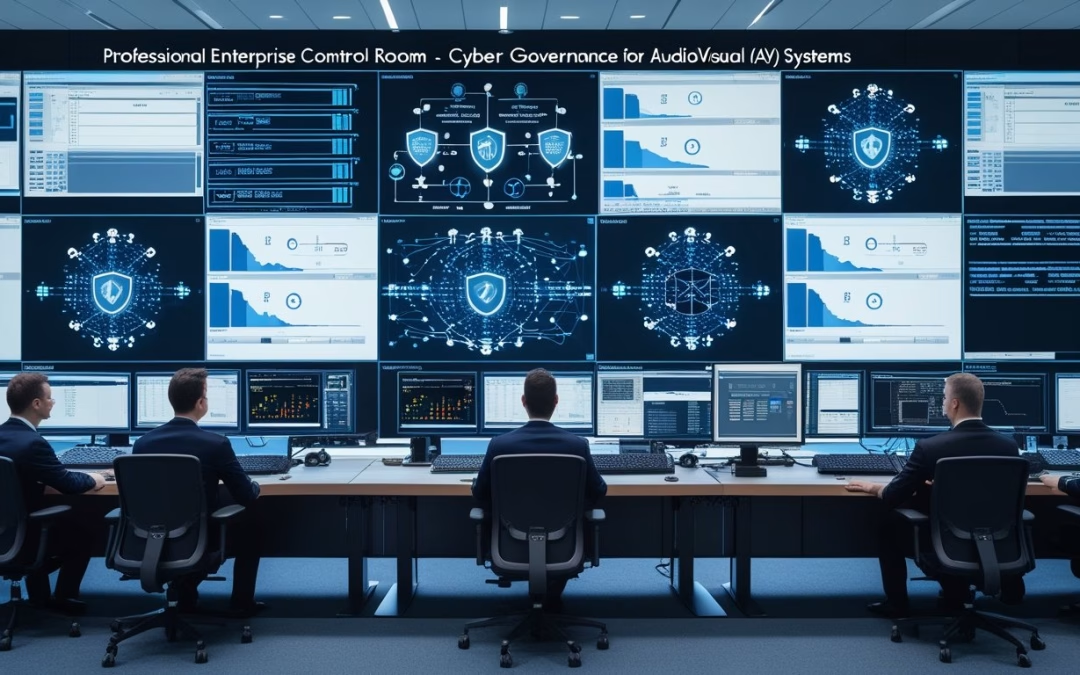
Anda mengelola ruang pertemuan, layar digital, kamera pengawas, atau prosesor audio—semua perangkat ini terhubung ke jaringan dan menjadi pintu masuk potensial bagi serangan. Terapkan prinsip zero‑trust : jangan percaya perangkat, otentikasi setiap koneksi, batasi akses sesuai kebutuhan, dan pantau aktivitas terus‑menerus untuk melindungi aset AV pada skala perusahaan. Kalimat ini memberi Anda langkah langsung yang bisa mulai diterapkan hari ini.
Artikel ini menjelaskan cara menata tata kelola siber untuk kamera, codec, DSP, dan signage sehingga tim TI dan AV bekerja sama untuk menerapkan kontrol identitas, segmentasi jaringan, enkripsi, dan pemantauan. Temukan strategi praktis untuk mengurangi risiko, mematuhi regulasi, dan menjaga pengalaman pengguna tetap mulus tanpa mengorbankan keamanan.
Poin Penting
- Menetapkan kebijakan dan kontrol identitas untuk semua perangkat AV.
- Memisahkan dan mengamankan trafik AV melalui segmentasi dan enkripsi.
- Menerapkan pemantauan berkelanjutan dan proses operasi untuk pengelolaan Zero‑Trust.
Dasar-dasar Zero-Trust untuk AV Enterprise
Zero‑trust menghilangkan kepercayaan bawaan pada perangkat dan jaringan, serta menegakkan verifikasi, segmentasi, dan hak akses minimal untuk setiap permintaan. Praktiknya melibatkan identitas yang kuat, kontrol akses dinamis, dan pemantauan berkelanjutan pada kamera, codec, DSP, dan signage.
Prinsip Utama Zero-Trust dalam Konteks AV
Zero‑trust berarti “jangan pernah percaya, selalu verifikasi” untuk perangkat AV. Setiap kamera, codec, DSP, dan signage harus diautentikasi dan diberi otorisasi per sesi sebelum mengakses jaringan atau stream.
Prinsip least privilege berlaku: perangkat hanya mendapat izin yang perlu untuk fungsi spesifiknya, misalnya hanya mengirim RTSP ke server perekaman tertentu.
NIST SP 800-207 menekankan pengambilan keputusan berbasis konteks. AV harus mengevaluasi atribut seperti firmware, lokasi jaringan, dan status enkripsi sebelum memberi akses.
Micro‑segmentation membatasi blast radius; segmen terpisah untuk kontrol, streaming, dan manajemen meminimalkan dampak bila satu perangkat disusupi.
Penerapan Zero-Trust pada Kamera, Codec, DSP, dan Signage
Implementasi dimulai dengan identitas perangkat unik—sertifikat X.509 atau TPM yang tertanam. Perangkat harus mendukung otentikasi mutlak (MFA untuk admin) dan rotasi kunci otomatis.
Enkripsi end-to-end pada aliran video dan kontrol penting: TLS/DTLS untuk manajemen, SRTP untuk media. Kontrol akses diterapkan lewat kebijakan dinamis yang menilai risiko waktu nyata, seperti versi firmware atau anomali trafik.
Endpoint hardening wajib: nonaktifkan layanan tak terpakai, pasang patch, dan gunakan secure boot bila tersedia. Monitoring kontinu untuk telemetri AV (latensi, failover, pola RTSP) membantu mendeteksi kompromi lebih cepat.
Integrasi ke sistem IAM dan SIEM memastikan kejadian otorisasi dan perubahan konfigurasi terekam serta dapat otomatis memicu tindakan mitigasi.
Perbandingan Model Keamanan Tradisional dan Zero-Trust pada AV
Model tradisional mengandalkan perimeter: kamera di jaringan internal dipercaya setelah terhubung. Hal ini menyisakan risiko ketika perimeter ditembus atau perangkat berpindah jaringan.
Zero‑trust menilai setiap permintaan akses secara independen. Ia memakai identitas, konteks, dan policy engine untuk izin per sesi. Ini mengurangi eksposur saat perangkat berpindah atau saat integrasi cloud dilakukan.
Perbedaan praktis: di model lama satu kredensial admin memberi akses luas; di zero‑trust hak akses dipisah dan dibatasi. Segmentasi mikro dan kontrol per aplikasi menghindari eskalasi lateral antar sistem AV.
Organisasi yang mengadopsi zero‑trust memperoleh visibilitas lebih baik dan kontrol granular terhadap data streaming serta metadata yang sensitif.
Pilar Identitas, Akses, dan Otentikasi di AV IoT
Identitas adalah fondasi: perangkat harus memiliki ID unik dan sertifikat yang dikelola oleh PKI internal atau layanan terkelola. Rotasi sertifikat dan daftar revokasi memperkecil risiko.
Akses dikontrol lewat kebijakan berbasis peran dan konteks. Policy engine menilai atribut seperti lokasi VLAN, integritas firmware, dan waktu permintaan untuk menentukan izin. Prinsip least privilege menuntut pemberian hak minimal untuk fungsi tertentu.
Otentikasi harus kuat: mutual TLS untuk komponen server–perangkat, dan MFA untuk admin. Otentikasi dinamis berguna untuk sesi sementara, seperti troubleshooting vendor dengan akses waktu terbatas.
Semua keputusan akses direkam. Audit, logging, dan integrasi ke NIST‑aligned control frameworks membantu memenuhi regulasi dan mendukung respons insiden yang cepat.
Strategi Implementasi dan Pengelolaan Zero-Trust di Lingkungan AV
Pendekatan ini menekankan verifikasi terus-menerus, segmentasi jaringan, pengelolaan identitas terpusat, dan pemantauan otomatis. Fokusnya pada kamera, codec, DSP, dan perangkat signage dengan kontrol akses ketat dan jaga log untuk respons cepat.
Arsitektur dan Segmentasi Jaringan AV Modern
Arsitektur harus memisahkan domain fungsional: perangkat edge (kamera, codec, DSP, signage), kontrol lokal, dan layanan cloud. Setiap domain berjalan di VLAN atau microsegment terpisah dengan PEP (Policy Enforcement Point) di switch atau gateway.
Gunakan firewall aplikasi, enkripsi TLS untuk aliran video, dan MACsec atau IPsec di link kritis. Terapkan Zero Trust Network Access (ZTNA) untuk remote access dan batasi protokol ke yang diperlukan saja.
Desain jaringan wajib memasukkan policy engine/PDP terpusat yang mengeluarkan keputusan akses berdasarkan konteks: identitas perangkat, lokasi, integritas firmware, dan risiko sesi. Otomasi deployment kebijakan via orchestration mengurangi kesalahan manual.
Manajemen Identitas dan Akses Terintegrasi
Manajemen identitas harus mencakup IAM terpusat untuk pengguna dan perangkat AV. Implementasi wajib meliputi device certificates, sertifikat PKI untuk boot aman, dan MFA untuk operator.
Gunakan continuous authentication: token waktu-nyata, health attestation perangkat, dan pemeriksaan posture sebelum memberi akses. PDP menilai permintaan akses berdasarkan kebijakan granular seperti peran, waktu, dan tingkat ancaman.
Integrasikan IAM dengan katalog aset dan CMDB agar kebijakan menyesuaikan otomatis. Audit akses dan rotasi kunci otomatis menjaga kepatuhan. Perangkat IoT yang tidak mendukung kuat harus ditempatkan di zona dengan kontrol lebih ketat.
Monitoring Berkelanjutan & Respon Insiden pada AV Endpoint
Implementasi SIEM yang menyerap log dari kamera, codec, DSP, gateway, dan policy components memberi visibilitas penuh. Terapkan UBA/UEBA untuk deteksi anomali pada perilaku perangkat dan aliran media.
Gunakan IDS/IPS yang paham protokol AV dan monitoring trafik video untuk mengenali replay atau manipulasi stream. Alarm otomatis harus memicu playbook incident response yang mencakup isolasi perangkat, snapshot forensic, dan patching terkoordinasi.
Automasi dan orkestrasi memungkinkan tindakan cepat: memblokir sesi, memperbarui PDP, dan mengirim notifikasi ke tim SOC. Retain log immutably untuk investigasi dan bukti kepatuhan.
Faktor Kritis dan Penilaian Maturitas Adopsi Zero-Trust
Faktor kritis meliputi dukungan manajemen, peta aset lengkap, dukungan vendor untuk security controls, dan integrasi IAM-SIEM. Keberhasilan bergantung pada kebijakan yang terotomasi, orkestrasi patching, dan telemetry dari perangkat AV.
Gunakan kerangka penilaian maturitas (mis. capability levels) yang mengukur: segmentasi jaringan, coverage IAM, continuous monitoring, automation, dan incident readiness. Nilai baseline lalu tentukan roadmap bertahap: pilot domain, scale ke zona lain, lalu integrasi cloud.
Metrik sukses termasuk waktu deteksi, waktu mitigasi, persentase perangkat bernilai posture compliant, dan pengurangan blast radius saat insiden. Penilaian ulang berkala memastikan adopsi Zero Trust berkembang sesuai ancaman dan teknologi.
by Melvin Halpito | Apr 17, 2026 | Article
You walk into a meeting rooms and expect it to do more than display slides; it should drive action, surface decisions, and push work forward without delay. Modern teams demand rooms that capture clear audio, attribute speakers, summarize outcomes, and kick off follow-ups automatically—so meetings stop being a place where ideas stall and start being a place where work happens.
Bold moves to redesign spaces around intelligence, data, and simple workflows let organizations turn conversations into measurable outcomes. Upgrade rooms with reliable audio, speaker attribution, and AI-driven meeting agents to turn every gathering into a decision engine that saves time and produces results.
They will need to balance technology, analytics, and human habits to make the shift sustainable, not just flashy.
Key Takeaways
- Design spaces to produce clear, actionable outputs from every meeting.
- Invest in audio quality and attribution to enable reliable AI transcription and follow-up.
- Align tools with team habits so technology increases productivity without extra friction.
Transforming Meeting Rooms into Decision Engines
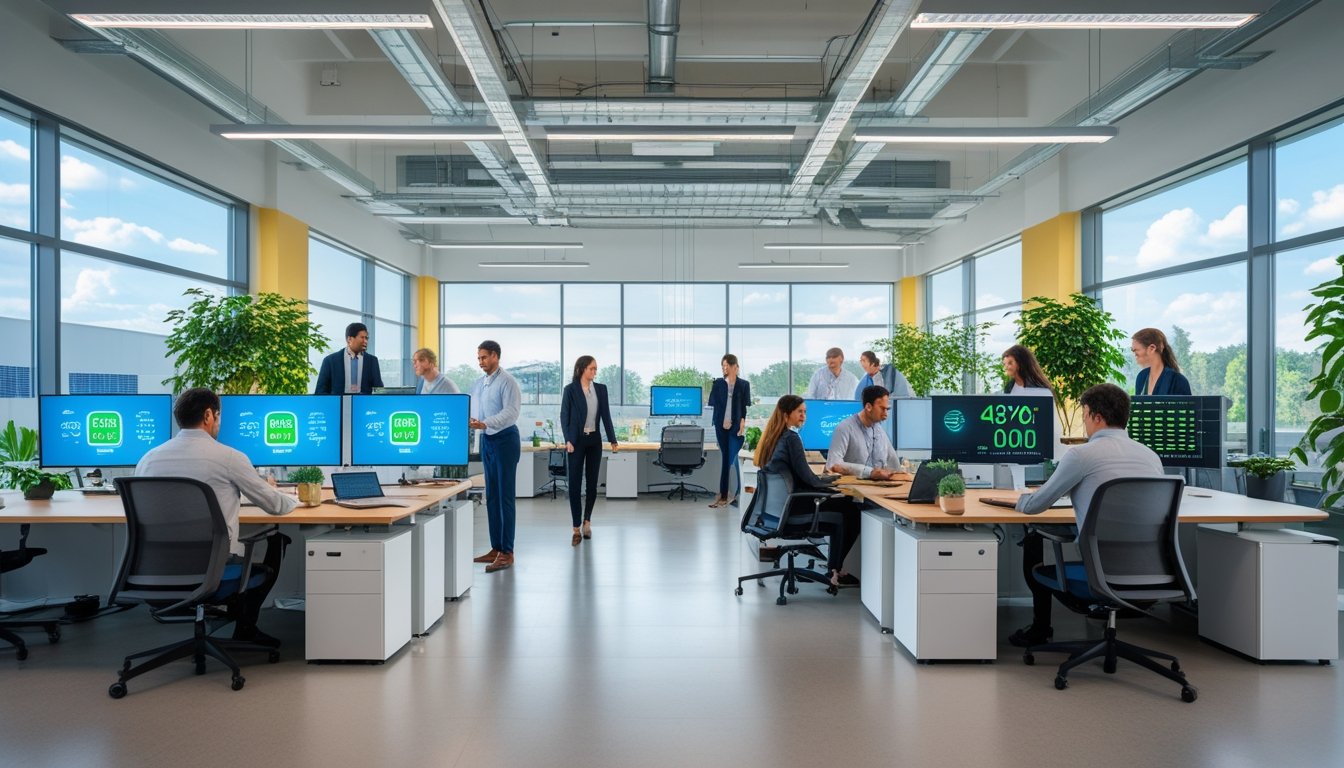
Meeting rooms must stop being passive boxes and become active systems that drive decisions, capture outcomes, and feed business workflows. This requires reliable audio capture, clear speaker attribution, automated notes, and tight links to calendars, task systems, and document stores.
From Passive Spaces to Active Business Infrastructure
Teams expect rooms to do more than host video. They expect rooms to log who said what, create time-stamped action items, and push tasks into systems like Microsoft 365 or project trackers automatically. That means installing multi-mic arrays, real-time speaker attribution, and firmware that prioritizes audio quality for machine transcription.
IT should treat each room as an endpoint in the enterprise data flow. Rooms need identity management, secure service accounts, and policy controls so meeting outputs become auditable business records. This shift converts collaborative spaces into nodes that generate structured, searchable outcomes.
Core Elements of Modern Collaboration Spaces
Modern collaboration spaces combine hardware, software, and process. Hardware: beamforming mics, wide field cameras, and local compute for low-latency processing. Software: meeting agents that transcribe, summarize, and convert decisions into tasks. Process: defined naming, tagging, and retention rules so outputs map to teams and projects.
Designers must also include wayfinding and signage to help users find the right room and confirm its capabilities. A simple UI outside the door can show room type, active services, and whether a meeting will produce AI summaries. That clarity improves user experience and adoption.
Integrating Digital and Physical Work Environments
Decision engines work only when physical and digital layers link. Calendar metadata must flow into the room so the meeting agent loads agendas, relevant docs, and participant roles automatically. Real-time overlays can surface data from CRM, dashboards, or shared drives during discussion.
Security and privacy controls must be embedded: per-meeting consent, selective transcription, and data routing to approved systems. When done right, hybrid work becomes seamless: remote and in-room participants see the same context, and decisions captured in the room trigger downstream workflows across the modern workplace.
Strategic Redesign: Technology, Analytics, and the Human Factor
This section shows how deliberate tech choices, data-driven room management, and human-centered design turn meeting spaces into reliable decision hubs. It focuses on systems that support hybrid teams, measurable space improvements, and better information flow.
Technology Integration for Seamless Hybrid Meetings
They equip rooms with reliable audio, cameras, and content-sharing tools so remote and in-room participants join with equal capability. Install beamforming microphones and ceiling or table arrays to capture speech clearly; pair them with wide-angle pan-tilt-zoom cameras that auto-frame speakers. Use standards-based video conferencing endpoints and cloud-native services to reduce connection failures across vendors.
Digital whiteboards must save content directly to team drives and link to calendar invites. Integrate room-control panels with scheduling systems to prevent double-booking. Prioritize low-latency wired networks and dual-band Wi‑Fi for video traffic. Test interoperability regularly and document fallback steps for presenters to avoid meeting delays.
Designing for Productivity and Innovation
They optimize layout, acoustics, and sightlines so people focus on work, not the room. Use modular furniture and writable surfaces to support quick role changes: whiteboard brainstorming, focused huddle, or formal presentation. Design acoustic treatments—panels, ceiling baffles, and carpeting—to cut reverberation below 0.6 seconds for clear speech.
Arrange displays for equal visibility and place cameras at eye level to improve nonverbal cues. Provide local power, USB-C charging, and single-cable laptop connections. For larger conference centers, include breakout nooks with sound masking and smaller rooms for paired work to sustain creative flow and follow-up decisions.
Utilizing Analytics and Space Audits for Continuous Improvement
They run regular space audits and instrument rooms with usage sensors and meeting telemetry to identify waste and friction. Track metrics like occupancy rates, average meeting length, AV failure incidents, and percentage of hybrid versus in-person meetings. Combine calendar logs with sensor data to spot ghost meetings and underused rooms.
Use dashboards to prioritize fixes: upgrade rooms with high failure rates or retrofit frequently booked rooms lacking content-sharing tools. Run quarterly audits that include manual user feedback to confirm sensor findings. Tie analytics to procurement: buy standardized endpoints for rooms that show the most hybrid use to reduce support costs and improve reliability.
Enhancing Workplace Experience and Information Sharing
They make it easy to find, join, and capture decisions so information moves from meetings into daily work. Create a simple booking taxonomy and map room types to tasks (focus huddle, decision review, all-hands). Automate post-meeting artifacts: record meetings when appropriate, save whiteboard snapshots to project folders, and attach action items to calendar events.
Improve discoverability with room signage that shows available tech and capacity. Train staff on features like shared content streaming and how to push whiteboard snapshots to collaboration platforms. Offer a lightweight support playbook and fast-response help for critical decisions so teams trust meeting spaces to deliver outcomes.
by Melvin Halpito | Apr 17, 2026 | Article
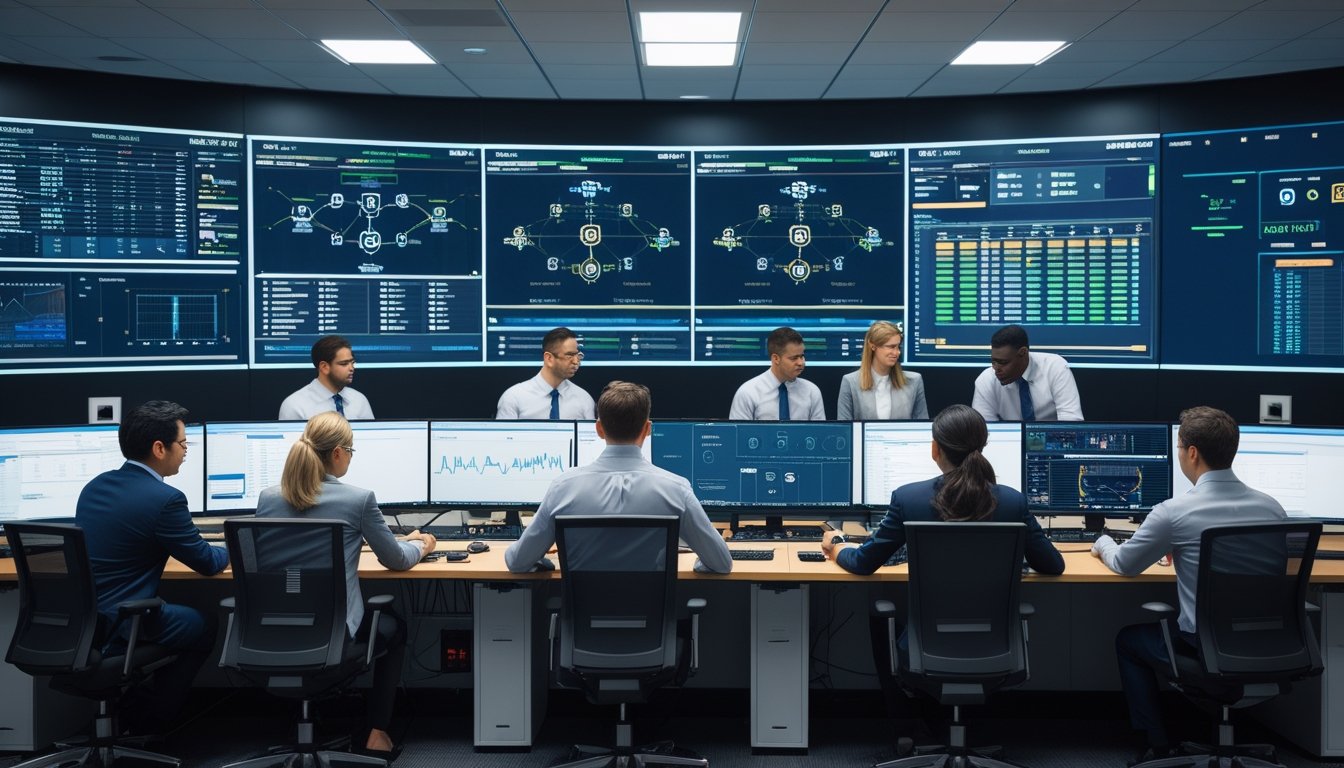
Anda akan mendapatkan peta jalan 24 bulan yang jelas untuk mengubah kantor menjadi smart office, termasuk tahapan pilot ke skala penuh, anggaran kasar, dan KPI yang bisa diukur. Rencana ini menyorot langkah praktis, titik kontrol KPI, dan integrasi API yang membuat sistem perangkat, aplikasi, dan data bekerja bersama untuk hasil nyata.
Panduan singkat ini membantu memilih prioritas pilot yang cepat memberi nilai, menghitung anggaran implementasi dan operasional, serta menyiapkan metrik agar tim tahu kapan maju ke skala. Dengan contoh tahapan dan fokus pada integrasi API, tim bisa mengurangi duplikasi kerja dan mempercepat pengambilan keputusan berbasis data.
Ringkasan Utama
- Tetapkan pilot bernilai cepat lalu skala bertahap sesuai hasil.
- Siapkan anggaran awal dan biaya operasional untuk 24 bulan.
- Gunakan KPI terukur dan integrasi API untuk evaluasi dan keputusan.
Penyusunan Roadmap Smart Office 24 Bulan: Dari Pilot ke Scale
Roadmap ini menyiapkan langkah terukur selama 24 bulan: identifikasi kebutuhan, uji pilot, skala berjenjang, alokasi anggaran, dan integrasi API untuk layanan digital dan IoT. Fokusnya pada target bisnis, KPI teknis, dan pengelolaan sumber daya agar transisi dari pilot ke scale berjalan aman dan efisien.
Identifikasi Kebutuhan Bisnis dan Infrastruktur Digital
Tim memulai dengan inventaris aset digital dan proses bisnis utama yang akan terdampak. Mereka memetakan ruang kantor, perangkat IoT (sensor HVAC, pencahayaan, akses), aplikasi pengguna, dan sistem backend yang perlu integrasi.
Analisis gap mencakup kapasitas jaringan, keamanan siber, keterampilan SDM, dan kesiapan data. Hasilnya berupa daftar prioritas fitur: penghematan energi 15% lewat pengaturan HVAC, peningkatan pengalaman karyawan dengan hot-desking, dan otomatisasi reservasi ruang rapat.
Stakeholder bisnis dan TI menetapkan KPI awal — waktu respons sistem, uptime perangkat, pengurangan biaya operasional, dan adopsi pengguna. Mereka juga menilai risiko teknis dan aturan kepatuhan data untuk menentukan skema pilot yang realistis.
Penentuan Tahap Implementasi: Pilot hingga Scale
Tahap awal berlangsung 3–6 bulan untuk 1–2 area kantor sebagai pilot. Pilot fokus pada bukti konsep: integrasi sensor IoT, dashboard monitoring, dan automasi dasar. Tim ukur KPI harian dan kumpulkan umpan balik pengguna.
Fase kedua (6–12 bulan) memperluas ke beberapa lantai dan mulai otomatisasi lebih kompleks menggunakan machine learning untuk optimasi energi. Fase ketiga (12–24 bulan) melakukan scale penuh dengan standar perangkat, proses ops, dan SOP pemeliharaan.
Setiap fase mencakup kriteria go/no-go: stabilitas API, tingkat adopsi >60%, dan ROI operasional sesuai target. Perubahan desain dikunci setelah pilot sukses untuk menjaga konsistensi saat skala.
Strategi Pengelolaan Anggaran dan Alokasi Sumber Daya
Anggaran dibagi per fase: 20% desain & pilot, 50% implementasi scale, 30% operasi & pengembangan berkelanjutan. Biaya utama meliputi perangkat IoT, upgrade jaringan, lisensi platform, integrasi API, dan pelatihan SDM.
Tim finance membuat broken-down budget per komponen dan menyusun cadangan 10% untuk risiko teknis.
Sumber daya manusia dialokasikan sebagai tim inti: product owner, arsitek TI, integrator API, dan tim dukungan lapangan. Mereka mengukur burn rate dan milestone pengeluaran setiap bulan. Kontrak vendor disusun berbasis deliverable dan SLA untuk memastikan kontrol biaya dan kualitas.
Integrasi API pada Platform dan Layanan Digital
Integrasi API menjadi tulang punggung konektivitas antara perangkat IoT, aplikasi karyawan, dan sistem backend. Tim memilih arsitektur berbasis REST/GraphQL untuk layanan real-time dan event-driven untuk notifikasi sensor.
Mereka menstandarkan format data (JSON) dan memakai gateway API untuk kontrol akses, throttling, dan logging. Otentikasi berbasis OAuth2 dan enkripsi transport memastikan keamanan data.
Praktik terbaik mencakup dokumentasi API yang jelas, sandbox testing, dan versi backward-compatible agar pengembang pihak ketiga mudah integrasi. Untuk fitur AI/ML, pipeline data terdefinisi untuk pelatihan model prediktif (mis. optimasi energi) dan monitoring performa model di produksi.
Pengukuran Kemajuan: Menetapkan KPI, Mengelola Data, dan Evaluasi Berkala
Bagian ini menjelaskan indikator yang dipakai untuk mengukur keberhasilan, cara menyusun dan menjaga kualitas data, serta jadwal evaluasi yang mencakup keamanan siber dan penyesuaian strategi. Pembaca akan menemukan contoh KPI, metode analisis data, dan rutinitas evaluasi yang bisa langsung dipakai dalam roadmap 24 bulan.
Peran KPI dalam Mengukur Keberhasilan Transformasi Smart Office
KPI menetapkan tolok ukur konkret untuk setiap fase pilot → scale. Contoh KPI operasional: waktu respons sistem (ms), uptime API (%), dan rata-rata waktu penyelesaian tiket IT (jam). KPI bisnis meliputi pengurangan biaya operasional (%) dan peningkatan produktivitas karyawan (output per jam). KPI SDM bisa memantau turnover karyawan (%) dan skor kepuasan karyawan (CSAT).
Setiap KPI harus SMART: spesifik, terukur, dapat dicapai, relevan, dan berbatas waktu. Tim menetapkan baseline dari data 3–6 bulan sebelum pilot. Target ditetapkan per kuartal dan disesuaikan saat pindah ke skala untuk menjaga relevansi strategi pemasaran dan adopsi pengguna.
Gunakan dashboard terpusat untuk menampilkan KPI real-time. Tetapkan pemilik KPI untuk tiap metrik agar ada akuntabilitas. Integrasi API memungkinkan pengukuran otomatis dan mengurangi kesalahan manual.
Analisis Data dan Pengambilan Keputusan Berbasis Data
Data harus dikumpulkan dari sumber terverifikasi: sensor IoT, sistem HR, CRM, dan log API. Terapkan pipeline ETL sederhana: ekstrak, bersihkan, lalu muat ke data warehouse. Gunakan metrik kualitas data: kelengkapan (%), akurasi (%) dan latensi pembaruan (menit).
Analisis deskriptif memantau tren harian dan bulanan. Analisis diagnostik menjelaskan penyebab anomali, misal kenaikan turnover setelah perubahan shift. Model prediktif sederhana bisa memperkirakan kebutuhan kapasitas jaringan dan dampak fitur baru pada penggunaan ruang kerja.
Ambil keputusan lewat pertemuan mingguan KPI dan laporan kuartalan. Sertakan visualisasi yang jelas: grafik tren, heatmap pemakaian ruang, dan tabel perbandingan sebelum/ sesudah perubahan. Data analytics mendukung keputusan yang konkret, seperti memprioritaskan integrasi API yang menurunkan waktu respons atau menambah pelatihan untuk mengurangi turnover.
Evaluasi Berkala, Keamanan Siber, dan Adaptasi Strategi
Jadwalkan evaluasi berkala: review mingguan untuk operasional, bulanan untuk KPI utama, dan kuartalan untuk strategi. Setiap review harus menilai pencapaian target, penyebab deviasi, dan tindakan korektif yang jelas dengan pemilik tugas dan tenggat waktu.
Keamanan siber termasuk dalam agenda evaluasi. Lakukan audit akses API, penilaian kerentanan triwulan, dan pengujian penetrasi sebelum scale penuh. Catat metrik keamanan: jumlah insiden, waktu deteksi (MTTD), dan waktu pemulihan (MTTR).
Adaptasi strategi harus berbasis bukti: jika data menunjukkan adopsi rendah, ubah kampanye pemasaran internal, revisi UX, atau alihkan anggaran ke pelatihan. Semua perubahan harus dicatat dalam roadmap dengan dampak yang diharapkan pada KPI. Evaluasi yang disiplin menjaga integritas proyek dan mengurangi risiko operasional saat skala ditingkatkan.












Recent Comments