
by Melvin Halpito | Aug 27, 2026 | Article
Kebutuhan Corporate yang Harus Ditetapkan Sejak Awal
Sebelum membandingkan harga atau pixel pitch, tetapkan fungsi bisnis, kondisi ruang corporate, dan pola penggunaan layar. Penggunaan digital signage dan pemilihan LED Display Indoor yang efektif memerlukan pemahaman mendalam tentang ekosistem komunikasi visual kantor Anda. Hal ini termasuk merencanakan instalasi videotron sejak tahap awal desain interior sebagai investasi jangka panjang bagi perusahaan.
Spesifikasi yang tepat harus menjawab kebutuhan komunikasi Anda, bukan sekadar terlihat unggul di lembar penawaran. Hal ini memastikan setiap layar led memberikan dampak maksimal bagi operasional perusahaan.
Tujuan Penggunaan dan Profil Audiens
Tentukan apakah layar digunakan untuk presentasi direksi, rapat hybrid, training center, lobby, command center, atau conference hall. Setiap fungsi menuntut prioritas berbeda. Lobby di area large venue atau convention center memerlukan visibilitas tinggi, sementara auditorium memerlukan integrasi Video Conference dan Live Streaming yang stabil.
Konfigurasi video wall untuk pusat kendali juga memerlukan sinkronisasi dan integrasi banyak sumber sinyal yang andal. Pemilihan jenis layar harus disesuaikan dengan beban kerja harian tim Anda. Selain itu, beberapa perusahaan kini menggunakan led absen atau Absen LED untuk memudahkan pelacakan kehadiran karyawan secara visual melalui lobby display. Selain videotron indoor, beberapa kantor juga mempertimbangkan videotron outdoor untuk kebutuhan signage di area fasad bangunan.
Profil audiens juga memengaruhi keputusan. Anda perlu mencatat jumlah penonton, posisi duduk, jenis konten, serta frekuensi perubahan materi. Jika layar menampilkan teks kecil, pixel pitch rendah seperti pixel pitch p1.25 atau pixel pitch p2.0 biasanya lebih sesuai untuk jarak dekat. Sedangkan untuk area yang lebih luas, pixel pitch p3.0 sering menjadi pilihan yang seimbang.
Ukuran Ruang, Jarak Pandang, dan Penempatan Layar
Ukuran layar sebaiknya ditentukan dari jarak penonton terdekat dan terjauh, bukan dari luas dinding yang tersedia. Sebagai patokan awal, diagonal layar dapat dihitung dari jarak terjauh audiens dibagi enam hingga delapan. Aspect ratio 16:9 umumnya praktis untuk presentasi, konferensi video, dan konten multimedia dengan resolusi 4K Ultra HD. Untuk penggunaan led videotron indoor, pencapaian resolusi tinggi sangat krusial guna memastikan keterbacaan teks dari jarak dekat.
Periksa pula tinggi plafon, sudut pandang, akses perawatan, jalur kabel, serta posisi lampu. Layar yang terlalu kecil menyulitkan pembacaan, sedangkan layar yang terlalu terang dapat menyebabkan kelelahan mata. Pastikan sistem memiliki efisiensi energi yang baik dan fitur Auto-Brightness Adjustment agar biaya operasional tetap terkendali.
Spesifikasi Teknis yang Sesuai untuk Lingkungan Kantor
Untuk ruang rapat, fokuskan evaluasi pada pixel pitch, brightness, refresh rate tinggi, reproduksi warna, dan uniformitas warna panel. Brightness indoor sekitar 800–1.200 nits sering memadai, namun pastikan panel memiliki Rasio Kontras yang tinggi. Refresh rate di atas 1.920 Hz membantu menjaga tampilan tetap stabil saat direkam kamera. Selain itu, perhatikan spektrum color gamut dan dukungan HDR untuk visual yang memukau. Pertimbangkan teknologi COB LED untuk daya tahan lebih baik, atau tipe SMD3535 dan SMD2727 untuk kebutuhan spesifik lainnya.
Sistem thermal management yang efisien juga diperlukan untuk menjaga suhu komponen tetap stabil selama penggunaan lama. Hal ini mencakup pemilihan power supply yang handal untuk mencegah terjadinya penurunan performa visual akibat panas berlebih di dalam modul.
Jangan memisahkan LED dari sistem AV dan IT. Pastikan vendor dapat mengintegrasikan processor, sistem kontrol, switcher, kamera konferensi, serta input DisplayPort, SDI, atau HDMI. Penggunaan sistem modular juga mempermudah proses perakitan dan penggantian komponen di lapangan. Minta pula perhitungan daya, ventilasi, beban struktur, dan rencana akses servis agar biaya kepemilikan tidak membesar. Pastikan vendor menggunakan komponen berkualitas seperti chip dari Nationstar atau Epistar untuk daya tahan jangka panjang.
Kehadiran technical support yang responsif sangat penting untuk menangani kendala teknis yang mungkin muncul sewaktu-waktu. Dukungan ini menjamin kelancaran jalannya konferensi dan kegiatan penting lainnya tanpa gangguan berarti.
Jika membutuhkan survei dan solusi terintegrasi di Jakarta Selatan, Anda dapat menghubungi MLV Teknologi melalui +62 817-0818-006 atau mengunjungi situs resminya untuk membahas kebutuhan ruang Anda.
Kriteria Menilai Kapabilitas Vendor dan Kualitas Solusi

Vendor yang layak dipilih mampu menerjemahkan kebutuhan operasional menjadi desain yang terukur. Nilai penawaran dari kualitas solusi, risiko implementasi, kejelasan biaya, serta potensi return on investment (roi) jangka panjang.
Portofolio Proyek dan Kemampuan Konsultasi
Mintalah contoh proyek yang serupa dari sisi fungsi, ukuran, tingkat pencahayaan, dan integrasi. Portofolio lobby tidak otomatis membuktikan kemampuan menangani ruang rapat, ballroom, atau command center.
Dalam diskusi awal, perhatikan pertanyaan yang diajukan vendor. Vendor yang konsultatif biasanya menanyakan jarak pandang, jenis konten, jam operasi, sumber sinyal, kondisi listrik, struktur pemasangan, dan target waktu proyek sebelum merekomendasikan produk.
Anda juga dapat meminta demo atau melihat sampel panel. Amati viewing angle yang luas dan ketajaman teks pada pixel pitch p1.8 yang sering digunakan di ruang pimpinan. Tanyakan juga mengenai ip rating dan standar IP43 untuk ketahanan terhadap partikel lingkungan. Mintalah penjelasan mengenai proses color calibration dan kalibrasi warna yang dilakukan untuk memastikan setiap modul memiliki keseragaman visual yang sempurna.
Standar Instalasi, Keselamatan, dan Integrasi Sistem
Pastikan penawaran menjelaskan metode mounting, perhitungan beban, jalur kabel, grounding, proteksi listrik, ventilasi, dan akses maintenance. Untuk instalasi permanen, struktur bangunan perlu diverifikasi agar mampu menahan beban layar dengan faktor keselamatan yang sesuai.
Integrasi harus diuji bersama perangkat lain, bukan hanya saat layar menampilkan pola warna. Minta skenario pengujian untuk switching sumber, resolusi berbeda, rapat hybrid, pemulihan setelah listrik terputus, serta kontrol dari perangkat pengguna. Vendor yang baik harus bertindak sebagai value add partner yang memberikan solusi komprehensif melampaui sekadar pemasangan hardware.
Mitra AV lokal seperti MLV Teknologi dapat menjadi pilihan relevan ketika Anda membutuhkan koordinasi konsultasi, supply, instalasi, dan pekerjaan di kantor aktif. Respons cepat dan pengerjaan rapi membantu mengurangi jeda koordinasi, meski bukti proyek dan metode kerja tetap perlu Anda verifikasi.
Transparansi Penawaran, Garansi, dan Layanan Purnajual
Bandingkan penawaran berdasarkan total cost of ownership dan kualitas layanan purna jual yang ditawarkan vendor. Pisahkan biaya perangkat, processor, struktur, instalasi, konfigurasi, pengiriman, pelatihan, suku cadang, serta pekerjaan tambahan yang mungkin muncul.
Periksa durasi dan cakupan garansi, waktu respons, ketersediaan teknisi, stok modul pengganti, serta prosedur eskalasi. SLA yang baik harus menyebutkan jalur pelaporan, target respons, target pemulihan, dan pengecualian layanan secara jelas. Pastikan juga ketersediaan spare parts yang cukup untuk meminimalisir waktu tunggu perbaikan jika terjadi kerusakan.
Minta dokumen serah terima yang mencakup gambar as-built, daftar perangkat, konfigurasi, hasil pengujian, manual, dan jadwal perawatan. Dokumen ini memudahkan tim IT dan facility manager mengelola sistem tanpa bergantung sepenuhnya pada satu orang.
Mengelola Pengadaan hingga Implementasi Tanpa Mengganggu Operasional
Keberhasilan proyek tidak hanya ditentukan oleh kualitas panel, tetapi juga oleh cara vendor bekerja di lingkungan kantor yang terus berjalan. Anda perlu menetapkan tahapan persetujuan, batasan pekerjaan, jadwal instalasi, dan kriteria penerimaan sejak awal.
Tahapan Survei, Desain, dan Persetujuan Proyek
Mulailah dengan site survey yang mencatat dimensi ruang, jarak pandang, tingkat cahaya, jalur listrik dan data, struktur dinding, akses logistik, serta area kerja teknisi. Hasil survei sebaiknya diterjemahkan menjadi gambar layout, diagram sinyal, spesifikasi perangkat, kebutuhan daya, dan rencana keselamatan.
Tetapkan siapa yang menyetujui desain dari sisi procurement, IT, facility, keamanan, dan pengguna akhir. Perubahan setelah produksi panel dimulai dapat memengaruhi biaya dan jadwal, sehingga setiap revisi perlu memiliki catatan dampak yang jelas.
Koordinasi Jadwal Instalasi dengan Aktivitas Kantor
Buat rencana kerja berdasarkan zona dan jam operasional kantor. Pekerjaan yang menimbulkan suara, debu, atau pemadaman listrik dapat dijadwalkan di luar jam rapat, akhir pekan, atau saat area tidak digunakan.
Vendor perlu menyiapkan perlindungan lantai dan furnitur, pengaturan akses teknisi, jalur pemindahan material, serta prosedur kebersihan. Pengalaman pelanggan terhadap tim yang cepat, presisi, dan mampu bekerja tanpa mengganggu kegiatan harian menjadi indikator penting, meski rencana mitigasi tetap harus dituangkan dalam dokumen proyek.
Uji Fungsi, Pelatihan Pengguna, dan Rencana Perawatan
Commissioning harus menguji lebih dari sekadar layar menyala. Periksa setiap input, resolusi, warna, brightness, switching, kontrol jarak jauh, integrasi konferensi, stabilitas operasi, serta perilaku sistem setelah restart. Dokumentasikan hasilnya melalui checklist dan berita acara penerimaan.
Latih pengguna untuk memilih sumber dan mengatur materi menggunakan sistem manajemen konten atau software manajemen konten yang efisien. Serah terima juga perlu mencakup konfigurasi processor, jadwal pembersihan, dan akses Monitoring Remote. Pastikan tim memahami inspeksi koneksi, pemeriksaan modul, serta prosedur penggantian komponen dengan benar.
Untuk sistem yang dipakai setiap hari, sepakati SLA dan jadwal preventive maintenance sebelum kontrak ditandatangani. Dengan cara ini, Anda dapat menilai vendor LED videotron corporate berdasarkan kesinambungan operasional. Hal ini juga mempermudah rencana upgrade sistem di masa mendatang bersama MLV Teknologi.
by Melvin Halpito | Aug 26, 2026 | Article
Peran Videotron sebagai Infrastruktur Komunikasi Visual
Fungsi LED Videotron dalam Smart Office Modern merupakan bagian penting dari transformasi digital korporasi dan strategi enterprise masa kini. Penggunaan led display indoor sebagai media visual membantu menghubungkan informasi, ruang, dan aktivitas kerja secara lebih dinamis. Memahami perbedaan led display dan videotron sangat penting sebelum memilih led screen yang tepat untuk transformasi digital ruang kerja Anda.
Pemanfaatan teknologi led ini secara konsisten akan memperkuat citra profesional di mata klien dan mitra bisnis. Nilainya tidak hanya ditentukan oleh ukuran layar, melainkan oleh relevansi konten dan kecepatan pembaruan informasi.
Integrasi dengan sistem AV dan operasional kantor memastikan pesan tersampaikan secara tepat sasaran. Hal ini menciptakan lingkungan kerja yang lebih cerdas dan adaptif terhadap kebutuhan bisnis saat ini.
Pusat Informasi Operasional yang Dinamis
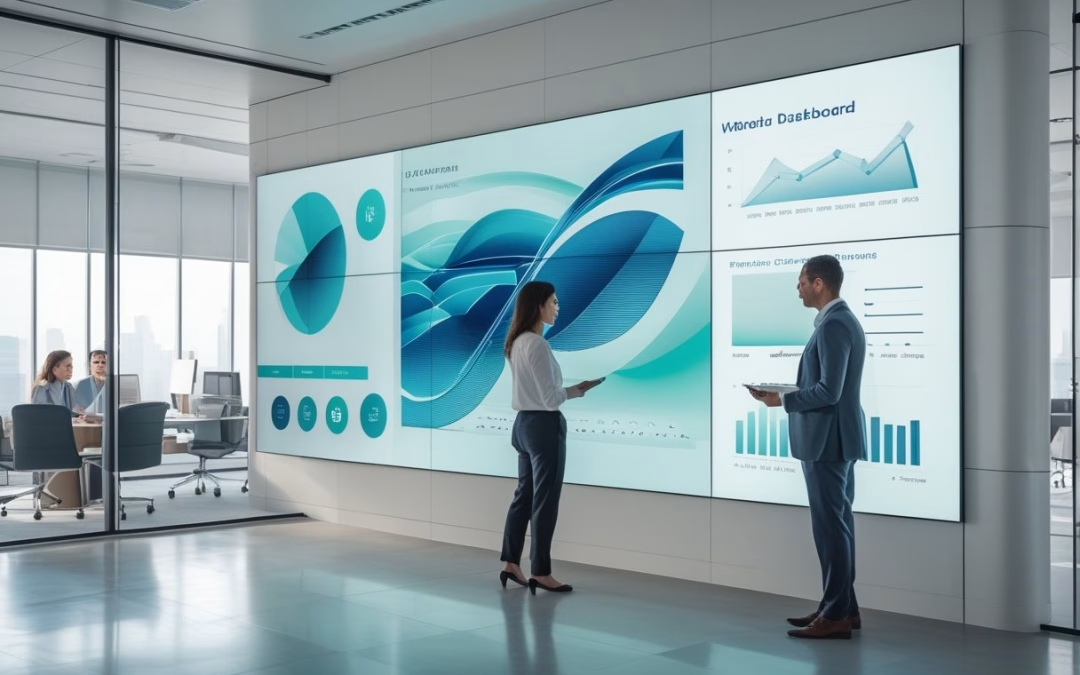
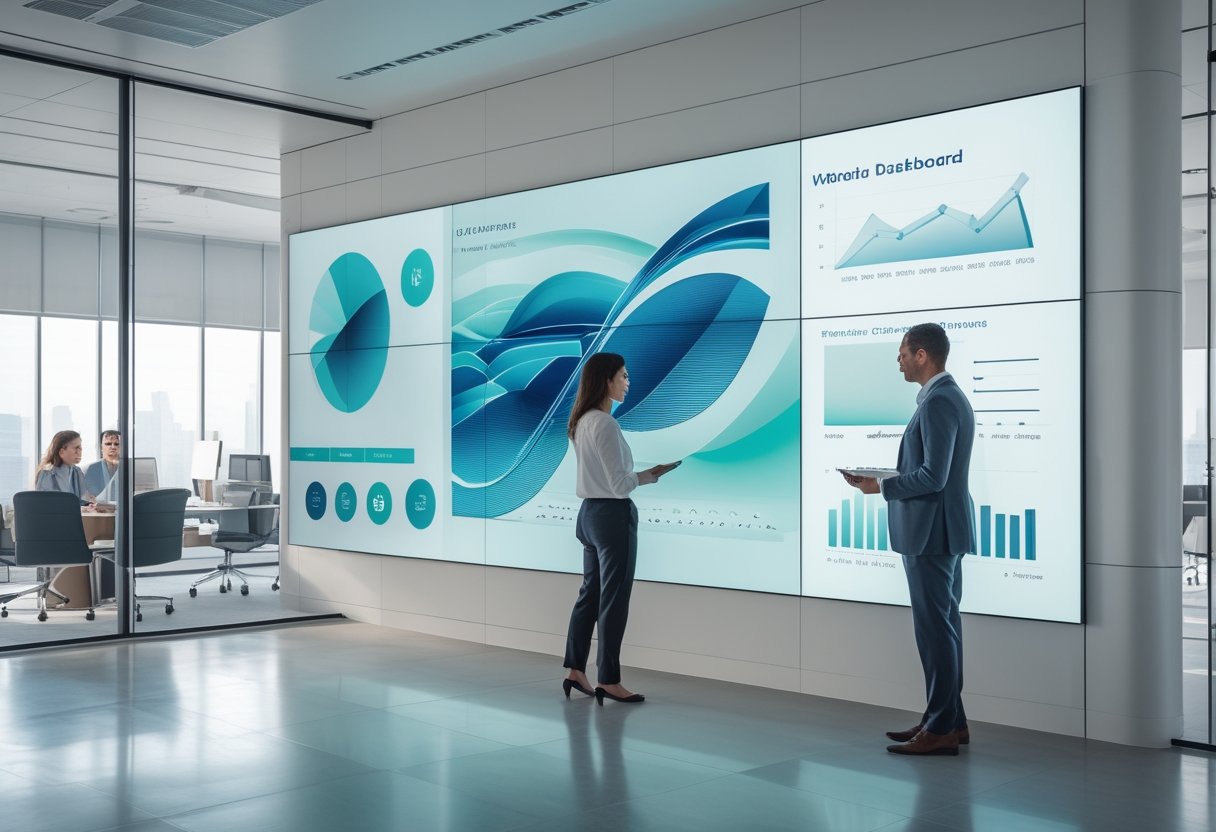
Penerapan digital signage ini didukung oleh infrastruktur network yang stabil untuk meningkatkan efisiensi operasional. Melalui sistem content management yang tepat, perusahaan dapat menampilkan dashboard berisi KPI, informasi real-time, hingga informasi publik dan peringatan darurat secara terpusat.
Sistem ini juga mampu menyajikan informasi layanan publik dan edukasi masyarakat yang relevan guna menjaga kualitas komunikasi antar divisi. Di area strategis, videotron dapat menampilkan informasi lalu lintas terkini untuk membantu mobilitas karyawan saat jam pulang kantor.
Saat informasi berubah, tim cukup memperbarui konten melalui sistem manajemen konten. Hal ini meminimalkan kebutuhan untuk mencetak dan mengganti materi fisik di seluruh area kantor secara manual.
Penempatan di lobby perusahaan, koridor utama, atau area kerja bersama perlu disesuaikan dengan pola pergerakan karyawan. Layar di lokasi yang sering dilewati lebih efektif untuk pesan singkat, sedangkan data operasional memerlukan area dengan waktu baca yang lebih panjang.
Media Kolaborasi untuk Rapat Hibrida
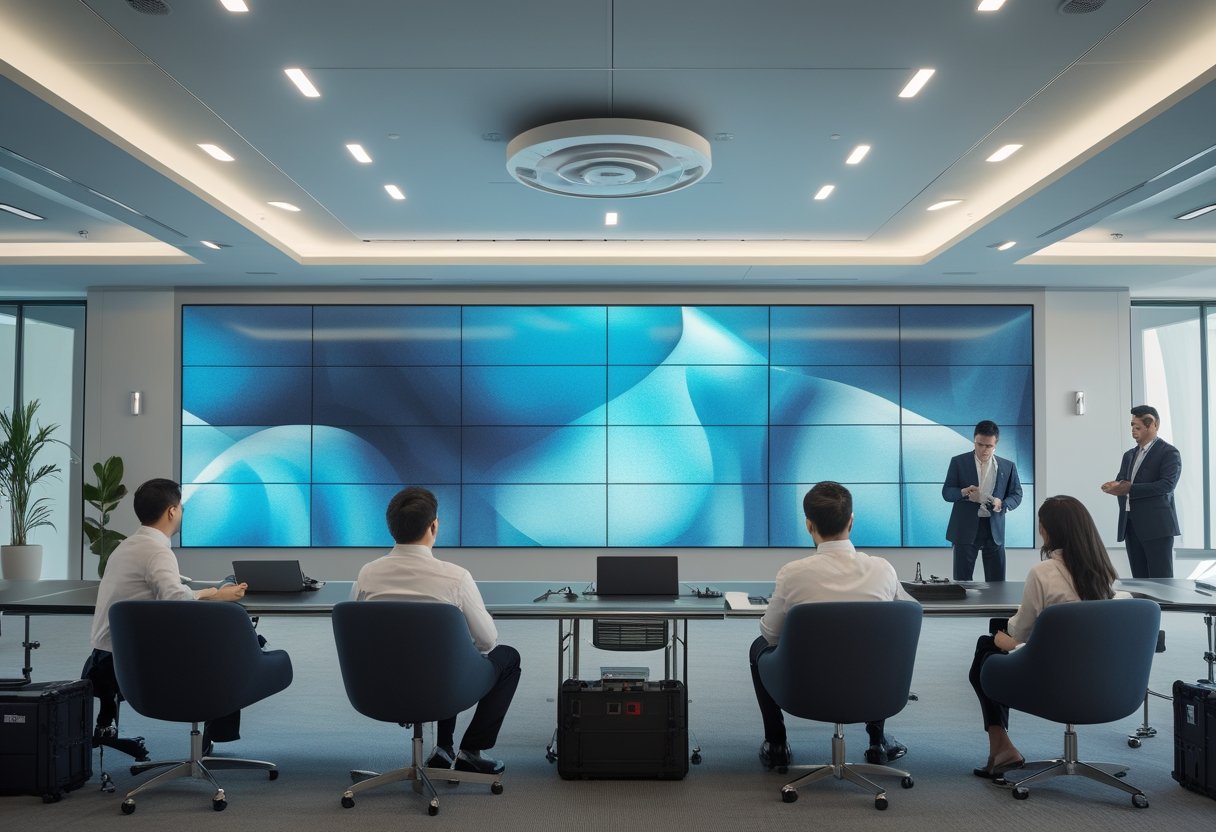
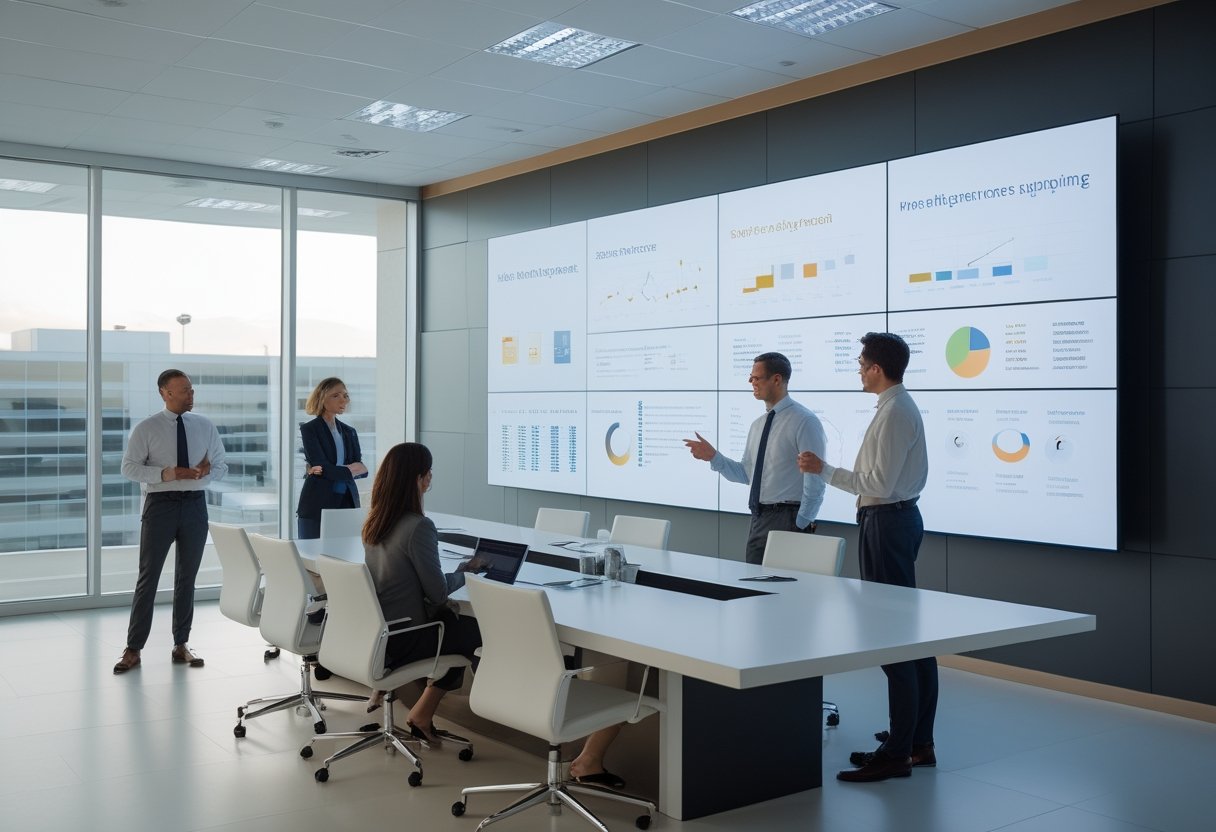
Di ruang rapat besar, ruang meeting, aula, atau ballroom modern, penggunaan video wall dengan resolusi tinggi membantu peserta melihat presentasi dengan lebih jelas. Teknologi ini juga mulai banyak diterapkan pada sektor pendidikan untuk mendukung metode pembelajaran interaktif.
Dibandingkan dengan proyektor konvensional, resolusi layar yang dihasilkan jauh lebih tajam dengan tingkat brightness yang mumpuni. Satuan nits yang tinggi memastikan konten tetap terlihat jelas meski ruangan memiliki jendela besar dengan cahaya matahari masuk.
Pilihan modul led seperti p2 atau p2.5 sering menjadi standar emas untuk mendapatkan visual yang mulus di ruangan terbatas. Anda dapat membagi tampilan antara materi rapat, video conference, dan data proyek secara simultan menggunakan produk p1.5 atau p3.
Pengalaman rapat tetap dipengaruhi kamera, mikrofon, prosesor video, jaringan, dan akustik ruangan. Karena itu, videotron sebaiknya dirancang sebagai bagian dari ekosistem AV. Peran seorang system integrator sangat penting untuk memastikan sinkronisasi antara perangkat visual dan audio.
Penguatan Budaya dan Pesan Internal Perusahaan
Videotron menjadi media promosi dan sarana komunikasi internal yang efektif untuk memperkuat corporate branding. Layar led ini dapat menyampaikan nilai perusahaan, pencapaian tim, dan profil korporasi melalui konten visual yang menarik.
Pemanfaatan layar untuk kebutuhan periklanan internal dan konten hiburan juga dapat meningkatkan suasana kerja yang positif. Visual bergerak dengan warna yang baik cenderung lebih mudah menarik perhatian dibanding pengumuman statis.
Hal ini sangat berguna di area dengan pencahayaan kuat agar pesan tetap terbaca dengan jelas. Agar tidak menjadi gangguan, Anda perlu menetapkan frekuensi tayang, durasi pesan, dan standar desain yang profesional.
Dampak terhadap Produktivitas, Pengalaman, dan Pengambilan Keputusan
Dampak LED videotron terlihat ketika informasi penting hadir pada waktu dan tempat yang tepat. Dengan desain konten yang terukur, Anda dapat mempercepat respons dan membantu pengambil keputusan membaca kondisi operasional secara lebih jelas.
Visibilitas Data untuk Respons yang Lebih Cepat
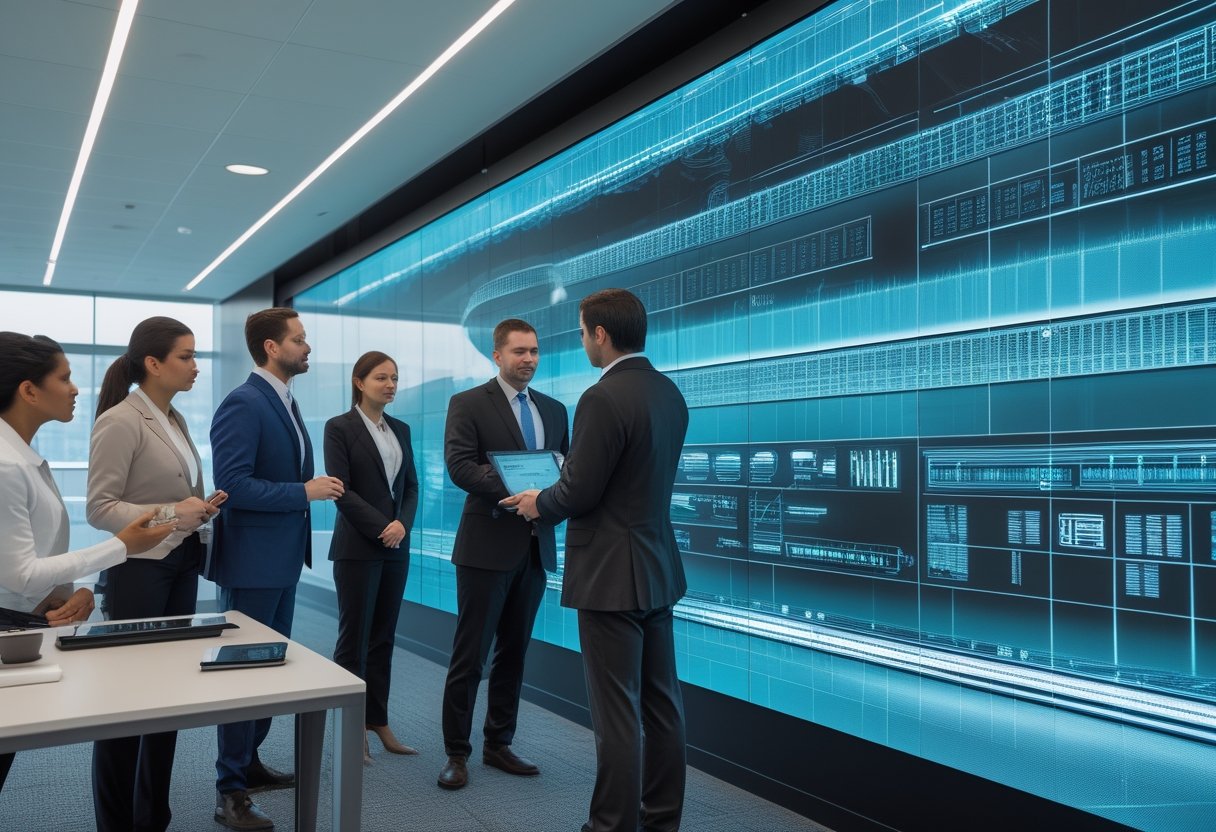
Teknologi light emitting diode dalam command center memungkinkan pemantauan berbagai indikator secara simultan. Optimasi fungsi ruang kontrol dan control room ini mendukung efektivitas pemantauan data besar di sektor pemerintahan maupun transportasi secara mendetail dan cepat. Hal ini merupakan bagian dari penguatan infrastruktur it perusahaan yang modern.
Layar dapat digunakan untuk monitoring CCTV, pengelolaan sistem keamanan, hingga pemantauan infrastruktur smart city. Informasi yang terlihat langsung oleh tim terkait mengurangi waktu untuk mencari data dari data center.
Kecepatan akses data ini sangat krusial dalam pengambilan keputusan yang bersifat mendesak. Transmisi ini didukung oleh kabel fiber optic dan perangkat switch yang andal untuk menjamin stabilitas sinyal data yang dikirimkan.
Manfaat tersebut bergantung pada kualitas sumber data dan aturan eskalasi. Anda perlu memilih indikator yang benar-benar memengaruhi tindakan serta menentukan siapa yang bertanggung jawab merespons setiap perubahan data di layar.
Peningkatan Pengalaman Karyawan dan Tamu
Pemasangan videotron indoor di area lobby dapat menampilkan welcome screen, profil perusahaan, atau pencapaian bisnis. Pengalaman serupa sering kita temui di pusat perbelanjaan, mall, atau hotel mewah yang mengutamakan estetika di area publik.
Layar ini memberikan kesan modern bagi tamu yang berkunjung ke kantor Anda. Selain untuk kantor, teknologi ini sering digunakan pada ruang publik atau area terbuka untuk konser dan acara korporat besar. Model yang dipilih biasanya memiliki fitur tahan cuaca untuk memastikan layar tetap berfungsi optimal di lingkungan luar ruangan.
Pengalaman yang baik memerlukan keseimbangan antara kecerahan, ukuran teks, animasi, dan jarak pandang. Layar yang terlalu terang dapat mengganggu konsentrasi, sehingga pengaturan tingkat kecerahan yang tepat sangat diperlukan di ruang kerja terbuka.
Standarisasi Komunikasi di Area Kerja Multi-Ruang
Perusahaan dengan beberapa lantai atau cabang memerlukan pesan yang konsisten. Sistem pengelolaan konten terpusat memungkinkan Anda mengatur materi berdasarkan lokasi dan waktu tayang, sekaligus menjaga identitas visual perusahaan.
Standarisasi tidak berarti semua layar menampilkan hal yang sama secara kaku. Konten keselamatan mungkin perlu tampil di seluruh gedung, sedangkan informasi layanan fasilitas cukup ditampilkan pada area tertentu yang relevan bagi pengguna ruang tersebut.
Pertimbangan Implementasi yang Tepat untuk Lingkungan Kantor
Nilai investasi videotron ditentukan sebelum perangkat dipasang di dinding. Anda perlu menghubungkan tujuan komunikasi dengan kondisi ruang, sistem yang tersedia, pola pengelolaan konten, serta kemampuan tim menjaga layanan tetap berjalan.
Menentukan Lokasi, Ukuran Layar, dan Jarak Pandang
Mulailah dari sudut pandang pengguna, bukan dari ukuran dinding yang tersedia. Ukur jarak terdekat dan terjauh, tinggi pemasangan, arah pandang, serta pencahayaan untuk menentukan spesifikasi yang paling optimal.
Parameter tersebut membantu menentukan ukuran kabinet, infrastruktur listrik, pixel pitch, dan tingkat kecerahan. Penerapan teknologi yang mengedepankan efisiensi energi dan fitur hemat energi menjadi pertimbangan penting untuk menekan biaya operasional kantor dalam jangka panjang.
Kebutuhan videotron indoor untuk lobby berbeda dengan spesifikasi videotron outdoor yang mungkin dipasang di fasad gedung. Di ruang dengan jarak pandang dekat, pixel pitch yang lebih rapat menghasilkan gambar lebih halus dan nyaman di mata.
Integrasi dengan Sistem AV dan Platform Digital
Keberhasilan implementasi bergantung pada integrasi sistem yang menyeluruh antara layar dengan berbagai platform digital. Videotron perlu terhubung dengan prosesor video, perangkat konferensi, sistem reservasi ruang, serta server lokal.
Pastikan format sinyal, resolusi, rasio aspek, serta alur pergantian sumber konten sudah diuji dengan seksama. Selain itu, videotron perlu terhubung dengan security system gedung dan control system terpadu untuk memudahkan manajemen operasional harian.
Integrasi yang baik memastikan seluruh ekosistem AV bekerja tanpa kendala teknis yang mengganggu produktivitas. Hal ini juga memperhatikan keamanan jaringan dan hak akses agar konten yang ditampilkan tetap terlindungi dari pihak yang tidak berwenang.
Keandalan Operasional, Pengelolaan Konten, dan Dukungan Teknis
Tentukan sejak awal jadwal operasi, akses pemeliharaan, ventilasi, konsumsi listrik, power supply, dan suku cadang. Komponen berkualitas akan meningkatkan daya tahan layar agar tetap stabil selama masa operasional bertahun-tahun. Rancangan yang sulit dijangkau dapat memperpanjang downtime, meskipun kualitas tampilan awalnya sangat memuaskan.
Pengelolaan konten memerlukan kalender publikasi, templat, alur persetujuan, dan pemilik konten yang jelas. Perencanaan instalasi videotron juga harus memperhatikan jadwal operasi serta ketersediaan spare part atau suku cadang untuk pemeliharaan rutin.
Mitra berpengalaman seperti Visiniaga atau MLV Teknologi dapat membantu proses dari tahap konsultasi hingga instalasi rapi. Anda dapat menghubungi +62 817-0818-006 untuk mendapatkan estimasi harga videotron dan mendiskusikan kebutuhan operasional Anda, termasuk dukungan manajemen konten dan layanan purna jual yang komprehensif.
by Melvin Halpito | Aug 25, 2026 | Article
Memahami Kebutuhan Tampilan Visual Perusahaan
Pemilihan LED videotron perlu dimulai dari aktivitas yang akan ditunjang, bukan dari ukuran panel atau harga per meter persegi. Spesifikasi yang tepat harus menjawab kebutuhan audiens, kondisi lokasi, pola pemakaian, serta target biaya selama masa pakai. Hal ini sangat krusial saat merancang digital signage sebagai elemen komunikasi visual yang dinamis. Penggunaan layar digital kini semakin populer sebagai pengganti proyektor tradisional di berbagai lingkungan kerja. Dengan manajemen konten yang terintegrasi, digital signage dapat menjadi pusat informasi yang efektif bagi seluruh karyawan. Dengan dasar ini, Anda dapat memilih ukuran layar led yang tepat dan menghindari unit yang terlalu redup.
Tujuan Penggunaan dan Profil Audiens
Tentukan apakah layar akan digunakan untuk presentasi di ruang meeting, dashboard command center, promosi, atau acara perusahaan. Layar ini harus mendukung kebutuhan live streaming dan video conference agar koordinasi bisnis berjalan lancar. Pemanfaatan teknologi ini di conference hall atau training center memerlukan perhatian khusus pada detail visual yang ditampilkan. Pastikan perangkat memiliki dukungan resolusi tinggi untuk menampilkan detail teks dan data secara presisi. Kualitas resolusi tinggi sangat menentukan kenyamanan audiens saat melihat grafik yang kompleks.
Konten berupa tabel, teks kecil, dan data operasional membutuhkan ketajaman lebih tinggi daripada video promosi yang dilihat dari jarak jauh. Konfigurasi video wall sering kali menjadi pilihan utama untuk menampilkan data kompleks secara simultan di pusat kendali. Petakan pula profil audiens Anda. Ruang rapat dengan peserta berjarak 2–5 meter memerlukan detail dan sudut pandang yang konsisten. Area lobi harus mempertimbangkan arus pengunjung, durasi perhatian, serta visibilitas melalui pemasangan lobby display yang strategis. Implementasi digital signage pada lobby display akan meningkatkan citra profesional perusahaan di mata klien. Di dalam ruang corporate, teknologi ini berfungsi sebagai media informasi sekaligus memperkuat identitas brand perusahaan.
Penempatan Indoor, Outdoor, atau Semi-Outdoor
Penggunaan led videotron indoor tidak dirancang menghadapi hujan, debu, dan perubahan suhu ekstrim. Namun, led videotron indoor menawarkan akurasi warna yang lebih baik untuk jarak pandang dekat. Sebaliknya, unit videotron outdoor memiliki durabilitas tinggi untuk menghadapi paparan sinar matahari dan cuaca yang tidak menentu. Untuk area semi-outdoor, Anda perlu mengevaluasi perlindungan panel dengan standar minimal ip43, tingkat luminans, ventilasi, dan kemungkinan masuknya kelembapan. Pemasangan led display indoor juga harus mempertimbangkan estetika ruangan serta kemudahan akses pemeliharaan. Integrasi dengan sistem building automation juga dapat mempermudah kontrol pencahayaan ruangan yang sinkron dengan layar.
Lakukan site survey sebelum menentukan tipe panel. Periksa cahaya sekitar, sirkulasi udara, akses servis, sumber listrik, serta posisi audiens. Pemeriksaan ini sering mengubah keputusan awal mengenai tingkat kecerahan dan konstruksi mounting. Produk seperti Absen LED sering menjadi rujukan karena fleksibilitasnya dalam berbagai kondisi instalasi ruangan.
Ukuran Layar, Jarak Pandang, dan Resolusi Konten
Gunakan jarak pandang atau viewing distance sebagai dasar ukuran layar. Standar aspect ratio 16:9 kini menjadi kebutuhan umum untuk kompatibilitas konten modern. Penentuan resolusi layar juga harus disesuaikan dengan proporsi fisik kabinet agar gambar tidak terdistorsi. Perhatikan pula aspek viewing angle agar tampilan tetap konsisten bagi audiens yang berada di sudut ruangan.
Pixel pitch yang lebih kecil memberi detail lebih tinggi pada jarak dekat, tetapi tidak selalu memberi nilai tambah untuk ballroom, auditorium, atau area luas. Untuk ruang rapat, kisaran P2.5 sering relevan, sementara kebutuhan large venue biasanya menggunakan jarak pandang yang lebih jauh dengan P3.0–P5.0. Pemasangan video wall pada area large venue membutuhkan perencanaan struktur yang lebih matang. Pastikan rasio layar sesuai dengan sumber konten agar Anda tidak sering melakukan pemotongan atau peregangan gambar. Untuk kebutuhan visual premium, Anda dapat mempertimbangkan konfigurasi layar dengan standar 4k ultra hd atau bahkan 8k.
Parameter Teknis yang Menentukan Kualitas LED Videotron
Parameter teknis harus dibaca bersama kondisi penggunaan. Pixel pitch, luminans, refresh rate, kontras, sistem kontrol, dan kompatibilitas akan memengaruhi ketajaman gambar, kenyamanan audiens, serta beban kerja tim yang mengoperasikannya.
Pixel Pitch dan Ketajaman Gambar
Pixel pitch adalah jarak antar-LED dalam milimeter. Nilai yang lebih kecil biasanya menghasilkan gambar lebih tajam pada jarak dekat, sehingga sesuai untuk presentasi dengan teks kecil atau grafik rinci.
Jangan memilih pixel pitch hanya karena nilainya paling kecil. Panel P1.25 dapat menjadi pemborosan jika audiens berada jauh dari layar, sedangkan panel dengan pitch lebih besar dapat memadai untuk auditorium. Uji konten aktual—termasuk spreadsheet, teks presentasi, dan video—dari posisi terdekat serta terjauh audiens. Penggunaan panel dengan kerapatan p1.8 atau p1.2 sangat disarankan untuk menampilkan konten 4k dengan tingkat kejelasan yang luar biasa pada jarak dekat.
Kecerahan Videotron serta Ketahanan terhadap Cuaca
Untuk indoor, luminans sekitar 800–1.200 nits umumnya cukup, bergantung pada pencahayaan ruangan. Layar yang terlalu terang dapat membuat mata cepat lelah dan mengurangi kenyamanan presentasi. Fitur auto-brightness adjustment sangat membantu untuk menyesuaikan pencahayaan layar secara otomatis mengikuti kondisi cahaya ruangan. Dengan auto-brightness adjustment, layar tetap nyaman dipandang baik saat siang hari maupun kondisi ruangan redup.
Outdoor memerlukan luminans lebih tinggi serta perlindungan terhadap air dan debu. Komponen berkualitas seperti lampu Nationstar atau Epistar sangat direkomendasikan untuk daya tahan maksimal. Penggunaan tipe smd2727 sering menjadi standar untuk ketangguhan di luar ruangan. Perhatikan pula rating IP, material kabinet, sistem drainase, kontrol suhu, dan metode perawatan. Pada lokasi semi-outdoor, jangan menganggap perlindungan indoor sudah memadai hanya karena layar berada di bawah kanopi.
Refresh Rate, Kontras, dan Akurasi Warna
Refresh rate tinggi membantu mengurangi garis atau kedipan saat layar direkam kamera, terutama pada acara hybrid dan siaran langsung. Untuk presentasi perusahaan, nilai di atas 1.920 Hz sering menjadi titik awal evaluasi, lalu disesuaikan dengan kamera dan sistem produksi yang digunakan.
Rasio kontras yang baik memengaruhi kedalaman area gelap, sedangkan akurasi warna menjaga identitas visual tetap konsisten. Mintalah demonstrasi dengan logo, warna brand, wajah manusia, dan grafik data. Pastikan tersedia proses kalibrasi warna agar perbedaan antar-modul tidak terlihat setelah layar beroperasi. Dukungan fitur hdr akan meningkatkan kontras dan detail warna yang lebih mendalam.
Penggunaan teknologi COB LED atau SMD3535 juga menentukan daya tahan serta kualitas visual jangka panjang. Inovasi seperti teknologi led cob kini semakin populer karena perlindungan permukaan chip yang lebih kuat dan tampilan yang lebih mulus. Standar color gamut yang luas akan memastikan reproduksi warna tetap hidup dan akurat sesuai materi asli. Color gamut yang optimal sangat krusial bagi perusahaan yang mengutamakan identitas warna merek. Selain itu, akurasi cakupan warna ntsc dan srgb juga menjadi tolok ukur penting dalam menghasilkan visual yang profesional dan natural.
Sistem Kontrol, Kompatibilitas, dan Kemudahan Operasional
Evaluasi processing unit, controller, switching, serta dukungan input seperti HDMI, DisplayPort, SDI, dan sumber jaringan. Jika layar digunakan di ruang rapat, integrasikan dengan sistem video conference dan perangkat presentasi yang sudah Anda miliki. Untuk operasional yang kritikal, pastikan perangkat memiliki sistem redundansi melalui dual processing unit dan backup power supply guna menghindari layar mati mendadak. Jangan lupa memperhatikan thermal management serta penggunaan heat sink berkualitas agar suhu komponen tetap terjaga selama pemakaian durasi lama. Penambahan fitur monitoring remote juga sangat disarankan untuk memudahkan pengecekan status perangkat secara real-time dari kantor pusat. Beberapa sistem kontrol terbaru bahkan sudah mengintegrasikan teknologi ai untuk mengoptimalkan performa tampilan secara otomatis berdasarkan jenis konten.
Operasional harian juga perlu sederhana. Pengguna sebaiknya dapat mengganti sumber, melakukan manajemen konten, dan memantau status layar tanpa prosedur yang rumit. Kemudahan manajemen konten memungkinkan pembaruan informasi dilakukan secara instan oleh staf admin. Dokumentasi, pelatihan, serta akses servis menjadi bagian dari spesifikasi praktis, bukan tambahan administratif.
Menilai Investasi, Instalasi, dan Dukungan Jangka Panjang
Harga unit hanya satu komponen dari investasi videotron. Anda perlu menghitung biaya struktur, kelistrikan, pengiriman, proses instalasi videotron, commissioning, efisiensi energi, serta ketersediaan spare parts. Dukungan teknis yang memadai akan memastikan keputusan procurement mencerminkan total cost of ownership yang akurat. Keputusan investasi led videotron yang cerdas harus mempertimbangkan biaya operasional, termasuk aspek konsumsi daya setiap tahunnya. Hal ini penting untuk memproyeksikan payback period yang lebih terukur serta mengoptimalkan return on investment (roi) bagi perusahaan.
Menghitung Biaya Kepemilikan di Luar Harga Unit
Susun biaya berdasarkan masa pakai yang realistis. Masukkan kabinet cadangan, modul LED, power supply, controller, konsumsi listrik, pembersihan, kalibrasi, dan kemungkinan penggantian komponen.
Bandingkan bukan hanya harga awal, melainkan biaya per tahun dan dampaknya pada produktivitas. Penggunaan modular design memungkinkan penggantian komponen secara parsial tanpa harus membongkar seluruh unit. Keunggulan sistem modular ini sangat menguntungkan untuk efisiensi waktu servis. Mintalah rincian penawaran agar biaya instalasi dan integrasi tidak muncul sebagai tambahan yang tidak terduga.
Kesiapan Struktur, Kelistrikan, dan Keselamatan Pemasangan
Struktur bangunan harus mampu menahan berat layar, kabinet, rangka, serta faktor keselamatan yang sesuai. Untuk instalasi permanen atau layar besar, libatkan structural engineer yang kompeten dan lakukan verifikasi titik beban sebelum pekerjaan dimulai. Pastikan metode rigging yang digunakan aman dan sesuai standar konstruksi.
Pastikan tersedia sirkuit khusus, grounding, proteksi arus, ventilasi, dan ruang akses servis. Layar berukuran besar dapat memerlukan distribusi listrik tiga fase. Rencana kerja juga harus mengatur sistem mounting yang kokoh, area aman, jalur kabel, pekerjaan di ketinggian, serta pengujian sebelum serah terima.
Garansi, Perawatan Preventif, dan Ketersediaan Dukungan Teknis
Garansi perlu menjelaskan cakupan modul, power supply, controller, kabinet, tenaga kerja, dan waktu respons. Tanyakan pula prosedur penggantian komponen, ketersediaan stok, serta siapa yang menangani gangguan setelah masa instalasi.
Maintenance preventif dan perawatan preventif mencakup pemeriksaan konektor, suhu, kipas, brightness, uniformitas warna, dan kondisi struktur. Program perawatan videotron yang rutin akan memperpanjang usia pakai perangkat secara signifikan. Lakukan color calibration secara berkala untuk menjaga kualitas visual yang konsisten.
Pastikan vendor menyediakan technical support 24/7 yang responsif untuk menangani kendala teknis yang mendadak. Dokumentasikan hasil commissioning dan buat jadwal inspeksi secara rutin. Catatan ini membantu Anda mengenali penurunan performa sebelum mengganggu rapat atau aktivitas komersial.
Memilih Mitra AV yang Meminimalkan Gangguan Operasional
Pilih mitra yang mampu mengoordinasikan survei, desain, pengadaan, instalasi, commissioning, dan pelatihan dalam satu alur kerja. Rencana pengerjaan harus memperhatikan jam sibuk, akses lift, keamanan gedung, serta kebutuhan pengguna di sekitar lokasi.
Dalam proyek lingkungan kerja aktif, komunikasi dan kerapian pemasangan sama pentingnya dengan spesifikasi panel. MLV Teknologi hadir sebagai value add partner yang menangani konsultasi, pengadaan, instalasi, dan koordinasi proyek dengan respons cepat. Sebagai value add partner, kami menyediakan solusi end-to-end termasuk integrasi sound system dan layanan purna jual yang komprehensif. Dukungan layanan purna jual kami dirancang untuk menjamin keberlanjutan investasi visual Anda. Sebelum menentukan pilihan, pastikan Anda mendapatkan jadwal kerja dan rencana dukungan teknis tertulis.
by Melvin Halpito | Aug 24, 2026 | Article
Peran Layar Digital dalam Pengalaman Pengunjung
Videotron untuk lobby kantor sebaiknya dinilai sebagai bagian dari pengalaman ruang, bukan sekadar layar besar. Nilainya muncul ketika tampilan membantu pengunjung memahami identitas perusahaan, menemukan informasi, dan merasa yakin bahwa mereka berada di lingkungan kerja yang tertata.
Fungsi Komunikasi, Informasi, dan Citra Perusahaan
Anda dapat menggunakan layar untuk menampilkan logo, nilai perusahaan, video profil, pencapaian, agenda acara, atau panduan bagi tamu. Konten digital lebih mudah diperbarui daripada poster, sehingga informasi dapat mengikuti kebutuhan operasional tanpa mencetak ulang materi.
Dari pengamatan di berbagai ruang kerja, layar yang paling efektif bukan yang paling ramai, melainkan yang memiliki hierarki visual jelas. Pesan singkat, kontras yang nyaman, dan durasi tayang yang tepat membantu pengunjung menangkap informasi tanpa mengganggu proses registrasi.
Videotron memberi nilai bisnis ketika tampilannya memperkuat kredibilitas perusahaan sekaligus membantu alur komunikasi di lobby.
Perbedaan Kebutuhan Lobby Korporat, Perhotelan, dan Ritel
Lobby korporat biasanya membutuhkan citra profesional, informasi perusahaan, dan komunikasi bagi tamu atau karyawan. Perhotelan lebih menekankan suasana, promosi fasilitas, serta pengalaman emosional, sedangkan ritel cenderung memerlukan pesan promosi yang cepat terlihat dan mudah diganti.
Perbedaan tujuan ini memengaruhi ukuran layar, gaya konten, jadwal tayang, serta tingkat interaksi yang diperlukan. Anda tidak perlu meniru desain hotel atau pusat belanja jika alur pengunjung di kantor lebih singkat dan fungsinya lebih informatif.
Kapan Penggunaan Layar LED Memberikan Nilai Nyata
Layar LED layak dipertimbangkan ketika lobby memiliki arus pengunjung yang konsisten, kebutuhan konten yang sering berubah, atau peran penting dalam menerima klien dan mitra. Layar juga tepat jika Anda ingin menggabungkan branding, informasi internal, dan komunikasi acara dalam satu sistem.
Jika pesan hanya berubah beberapa kali setahun dan audiens terbatas, signage cetak, monitor komersial, atau panel digital berukuran lebih kecil dapat lebih proporsional. Keputusan yang baik dimulai dari tujuan dan pola penggunaan, bukan dari ukuran layar yang tersedia.
Parameter Teknis dan Desain yang Perlu Dipertimbangkan
Keputusan teknis harus mengikuti cara pengunjung melihat layar, kondisi pencahayaan, serta karakter interior. Ukuran, pixel pitch, kecerahan, struktur, dan sistem kontrol perlu dirancang sebagai satu kesatuan agar hasil visual tidak mengorbankan kenyamanan atau fungsi lobby.
Ukuran Tampilan dan Jarak Pandang Audiens
Ukur jarak terdekat dan terjauh dari titik tempat pengunjung biasanya berdiri atau duduk. Layar yang terlalu kecil akan kehilangan dampak dari jarak jauh, sedangkan layar yang terlalu besar dapat mendominasi ruang dan membuat konten terasa berlebihan.
Perhatikan pula sudut pandang dari pintu masuk, meja resepsionis, lift, dan area tunggu. Anda perlu memastikan layar terlihat jelas tanpa memaksa pengunjung menoleh atau menghalangi elemen penting seperti petunjuk arah dan jalur evakuasi.
Pixel Pitch untuk Ketajaman Visual di Area Indoor
Pixel pitch adalah jarak antar-LED pada modul layar. Nilai yang lebih kecil biasanya menghasilkan detail lebih halus pada jarak dekat, sementara nilai yang lebih besar dapat memadai jika audiens melihat layar dari jarak lebih jauh.
Untuk lobby, jangan memilih pixel pitch hanya berdasarkan spesifikasi tertinggi. Cocokkan dengan jarak pandang, ukuran teks, jenis video, dan anggaran. Jika tamu sering berdiri dekat layar atau Anda menampilkan teks kecil, ketajaman menjadi pertimbangan utama.
Kecerahan, Kontras, dan Pengaruh Pencahayaan Lobby
Videotron indoor memerlukan kecerahan yang cukup untuk menghadapi cahaya dari pintu kaca dan lampu interior, bukan tingkat kecerahan setinggi layar luar ruang. Kecerahan berlebih dapat membuat tampilan menyilaukan dan mengurangi kenyamanan.
Uji layar pada beberapa waktu, termasuk saat cahaya matahari masuk dan ketika lampu lobby menyala penuh. Kontras yang baik membantu logo, teks, serta warna merek tetap terbaca tanpa membuat tampilan terlihat keras.
Integrasi dengan Arsitektur, Material Interior, dan Kelistrikan
Rangka layar harus menyatu dengan dinding, panel, plafon, dan jalur servis yang sudah ada. Anda perlu memeriksa kapasitas listrik, ventilasi, akses perawatan, bobot struktur, serta posisi kabel sebelum menentukan desain akhir.
Material mengilap dapat memantulkan cahaya dan mengganggu keterbacaan. Karena itu, finishing dinding, pencahayaan, dan posisi layar perlu diuji bersama. Pekerjaan yang rapi juga membantu menjaga citra profesional ruang dan mengurangi risiko gangguan setelah serah terima.
Sistem Kontrol Konten serta Konektivitas
Tentukan siapa yang mengunggah konten, dari mana sistem dikendalikan, dan bagaimana persetujuan materi dilakukan. Sistem terpusat dapat membantu tim marketing, IT, dan fasilitas mengelola jadwal tayang tanpa harus mengakses layar secara langsung.
Siapkan koneksi jaringan yang stabil, sumber listrik yang terlindungi, serta prosedur jika jaringan terputus. Konten cadangan yang tersimpan di perangkat lokal membantu layar tetap menampilkan materi yang sesuai saat terjadi gangguan konektivitas.
Perencanaan Implementasi dan Pengelolaan Jangka Panjang
Kualitas videotron ditentukan bukan hanya oleh modul LED, tetapi juga oleh survei, pemasangan, konten, dan dukungan setelah sistem digunakan. Rencana yang matang membantu Anda mengendalikan risiko biaya, menjaga keselamatan, dan mempertahankan tampilan profesional dalam jangka panjang.
Survei Lokasi dan Penilaian Kesiapan Infrastruktur
Survei perlu mencakup ukuran dinding, jarak pandang, jalur pengunjung, pencahayaan, kapasitas listrik, jaringan, akses kerja, dan titik servis. Dokumentasikan kondisi aktual agar desain tidak hanya terlihat baik di gambar, tetapi juga dapat dipasang dengan aman.
Libatkan pengelola fasilitas dan IT sejak awal. Dengan begitu, kebutuhan teknis seperti pembagian daya, keamanan jaringan, akses teknisi, serta aturan gedung dapat diselesaikan sebelum pekerjaan dimulai.
Metode Pemasangan yang Aman dengan Gangguan Operasional Minimal
Pilih metode pemasangan berdasarkan struktur dinding, bobot layar, akses lokasi, dan jam operasional kantor. Pekerjaan modular, area kerja yang dibatasi, serta jadwal instalasi di luar jam sibuk dapat mengurangi gangguan terhadap resepsionis dan tamu.
Pastikan rangka, pengkabelan, grounding, dan sistem proteksi diperiksa sebelum layar dinyalakan. Mitra AV seperti MLV Teknologi dapat membantu konsultasi, survei, instalasi, dan dukungan teknis dengan koordinasi yang rapi agar pekerjaan berlangsung responsif serta tidak menghambat aktivitas harian.
Standar Konten untuk Tampilan yang Efektif dan Profesional
Buat panduan internal yang mengatur resolusi, durasi, ukuran teks, warna, logo, dan frekuensi pergantian konten. Gunakan pesan singkat yang dapat dipahami dalam beberapa detik karena banyak pengunjung hanya melewati lobby.
Pisahkan konten branding, informasi operasional, acara, dan pesan darurat. Jadwal tayang yang terencana mencegah layar menampilkan materi lama, terlalu banyak animasi, atau pesan yang tidak relevan dengan audiens.
Perawatan Preventif, Dukungan Teknis, dan Total Biaya Kepemilikan
Perawatan mencakup pemeriksaan modul, konektor, power supply, controller, ventilasi, kebersihan, dan keseragaman warna. Anda juga perlu menilai waktu respons dukungan, ketersediaan suku cadang, garansi, serta prosedur penanganan gangguan.
Hitung total biaya kepemilikan, bukan hanya harga pembelian. Masukkan biaya struktur, instalasi, listrik, jaringan, lisensi perangkat lunak, produksi konten, pemeliharaan, penggantian komponen, dan kemungkinan pekerjaan interior. Dengan perhitungan ini, Anda dapat membandingkan videotron dengan monitor komersial atau signage digital lain secara lebih adil.
by Melvin Halpito | Aug 23, 2026 | Article
Standar Penilaian Partner LED Videotron untuk Lingkungan Corporate
Sebagai solusi komunikasi visual masa kini, digital signage dan led videotron indoor untuk ruang corporate harus mampu menerjemahkan tujuan bisnis menjadi rancangan teknis yang tepat untuk ekosistem smart office. Anda perlu menilai spesifikasi layar, kondisi ruang, jarak pandang, kesiapan daya, jaringan, serta integrasi dengan perangkat AV.
Untuk area gedung bagian luar, pemilihan videotron outdoor dengan ip rating yang sesuai sangat krusial guna menghadapi cuaca ekstrem. Pemilihan komponen seperti smd3535 sering menjadi standar untuk memastikan kecerahan yang konsisten di area terbuka.
Kesesuaian Spesifikasi Layar dengan Tujuan Komunikasi
Layar led display indoor untuk ruang rapat eksekutif memerlukan resolusi tinggi yang berbeda dari layar lobby atau auditorium. Penggunaan layar dengan resolusi 4k ultra hd memberikan kejernihan maksimal untuk konten presentasi yang detail.
Implementasi videotron indoor untuk presentasi teks kecil membutuhkan pixel pitch rendah, seperti P1.25 hingga P2.5, dengan teknologi cob led agar gambar tetap tajam. Selain itu, aspek viewing angle yang luas memastikan visibilitas dari berbagai posisi duduk tetap konsisten.
Anda juga perlu memeriksa kecerahan layar, refresh rate, rasio kontras, akurasi warna, dan dukungan multi-input. Dukungan teknologi hdr dan color gamut yang luas memberikan kualitas gambar superior yang berpengaruh pada kenyamanan audiens. Fitur kalibrasi warna otomatis dan auto-brightness adjustment memastikan tampilan tetap optimal.
Hal ini menciptakan seamless display yang imersif bagi seluruh audiens di dalam ruangan. Partner seperti MLV Teknologi membantu menghubungkan kebutuhan komunikasi Anda dengan pilihan perangkat yang realistis dan berstandar industri tinggi.
Perencanaan Ruang, Jarak Pandang, dan Integrasi Infrastruktur
Konfigurasi video wall pada large venue seperti convention center sebaiknya ditentukan dari jarak audiens terjauh, kapasitas ruangan, dan rasio layar. Integrasi sistem yang menyeluruh sangat krusial agar videotron bekerja harmonis dengan perangkat pendukung lainnya dalam satu ekosistem digital.
Aspect ratio 16:9 umumnya sesuai untuk presentasi video corporate, sedangkan bentuk khusus memerlukan perencanaan sistem kontrol yang lebih cermat. Implementasi layar untuk fungsi wayfinding atau integrasi dengan sistem led absen dan absen led juga memerlukan sinkronisasi data yang tepat agar informasi tersampaikan secara real-time.
Site survey perlu mencakup struktur pemasangan, ventilasi, akses perawatan, jalur kabel, kapasitas kelistrikan, pencahayaan, dan koneksi jaringan. Pengabaian terhadap detail ini dapat memicu biaya tambahan, waktu henti, atau kendala pemeliharaan setelah sistem digunakan di lingkungan operasional kantor.
Kualitas Eksekusi yang Menentukan Keandalan Sistem
Spesifikasi yang baik belum cukup jika pemasangan tidak rapi dan pengujian tidak menyeluruh. Kualitas eksekusi mencakup aspek thermal management untuk menjaga suhu perangkat tetap stabil. Penerapan teknologi visual yang tepat akan menekan failure rate seminimal mungkin selama masa pakai.
Standar instalasi yang tinggi akan meningkatkan durabilitas led serta memperpanjang angka mtbf perangkat Anda secara signifikan. Hal ini memastikan investasi yang dilakukan dapat bertahan lama dan tetap memberikan tampilan yang prima dari tahun ke tahun.
Koordinasi Instalasi yang Minim Gangguan Operasional
Pekerjaan di kantor aktif perlu mengikuti jadwal, aturan akses, standar keselamatan, serta batasan operasional gedung. Anda dapat meminta rencana kerja yang menjelaskan tahapan instalasi, kebutuhan shutdown, area kerja, dan jalur komunikasi selama proyek berlangsung.
Pengalaman pelanggan MLV Teknologi sering menyoroti tim yang profesional, cepat, dan mampu bekerja tanpa mengganggu aktivitas harian. Tema tersebut relevan bagi facility manager dan pimpinan operasional yang perlu menjaga rapat, layanan pelanggan, serta aktivitas kantor tetap berjalan normal.
Ketelitian Pemasangan, Pengujian, dan Serah Terima Sistem
Pemasangan panel harus memperhatikan kerataan permukaan, struktur mounting, kerapian kabel, ventilasi, dan keamanan akses. Setelah itu, pengujian perlu mencakup uniformitas warna, dead pixel, brightness, refresh rate, perpindahan sumber, manajemen konten, serta respons sistem terhadap penggunaan harian.
Serah terima yang baik mencakup dokumentasi konfigurasi, panduan pengoperasian, daftar perangkat, jadwal pemeliharaan, dan penjelasan jalur dukungan. Dengan dokumen tersebut, tim IT dan operasional Anda tidak bergantung pada ingatan teknisi saat membutuhkan pemeriksaan atau perubahan sistem di masa mendatang.
Nilai Jangka Panjang dari Dukungan AV yang Responsif
Nilai investasi jangka panjang LED videotron ditentukan bukan hanya oleh kualitas gambar saat peluncuran. Memilih led videotron branded seperti absen led membantu Anda menyiapkan integrasi, memudahkan maintenance, dan menjaga sistem tetap relevan.
MLV Teknologi hadir sebagai value add partner untuk memastikan perangkat beroperasi optimal setiap saat. Dukungan teknis yang berkelanjutan menjadi kunci dalam menjaga performa visual tetap konsisten sepanjang waktu operasional perusahaan Anda.
Konsultasi sebagai Dasar Keputusan Investasi yang Tepat
Konsultasi yang baik membantu Anda membandingkan biaya pembelian dengan biaya instalasi untuk mencapai efisiensi operasional yang optimal. Perhitungan roi yang cermat akan memastikan investasi Anda memberikan dampak maksimal bagi bisnis melalui brand awareness yang lebih kuat.
Integrasi branding yang tepat pada konten visual akan memperkuat identitas perusahaan di mata klien. Partner juga perlu menjelaskan kapan layar modular atau seri unggulan seperti n plus series atau a27 plus series benar-benar dibutuhkan. Hal ini memastikan Anda tidak membayar fitur yang tidak memberi manfaat nyata bagi operasional harian.
Pendekatan ini membantu procurement menilai total cost of ownership, sementara IT dapat memeriksa kompatibilitas dengan jaringan dan sistem kontrol. Sebagai penyedia AV di Jakarta Selatan, MLV Teknologi menangani konsultasi, penyediaan perangkat, instalasi, serta kebutuhan AV terkait dalam satu alur koordinasi.
Respons Layanan dan Kesiapan Dukungan Pasca-Instalasi
Respons cepat dan fitur remote monitoring sangat penting ketika layar digunakan untuk rapat direksi atau komunikasi internal. MLV Teknologi didukung oleh jaringan mitra teknologi global untuk menghadirkan solusi komprehensif bagi klien. Integrasi dengan sistem kontrol seperti extron serta konektivitas iot memungkinkan pemantauan status perangkat secara real-time.
Sistem manajemen konten yang andal memudahkan tim dalam melakukan content management secara efisien dan terpusat. Layanan purna jual yang solid memastikan dukungan teknis dan technical support tidak pernah absen saat dibutuhkan. Pastikan Anda menanyakan prosedur eskalasi serta ketersediaan spare parts sebelum proyek dimulai.
MLV Teknologi memiliki reputasi yang baik dengan penekanan pada komunikasi cepat, pekerjaan rapi, dan tim instalasi yang profesional. Rekam jejak ini dapat menjadi salah satu indikator awal ketika Anda menyusun daftar partner untuk kebutuhan LED videotron corporate yang handal.


Recent Comments