
by Melvin Halpito | Oct 6, 2026 | Article
Bagaimana Alat Konfigurasi Membantu Menghitung Dimensi Layar?
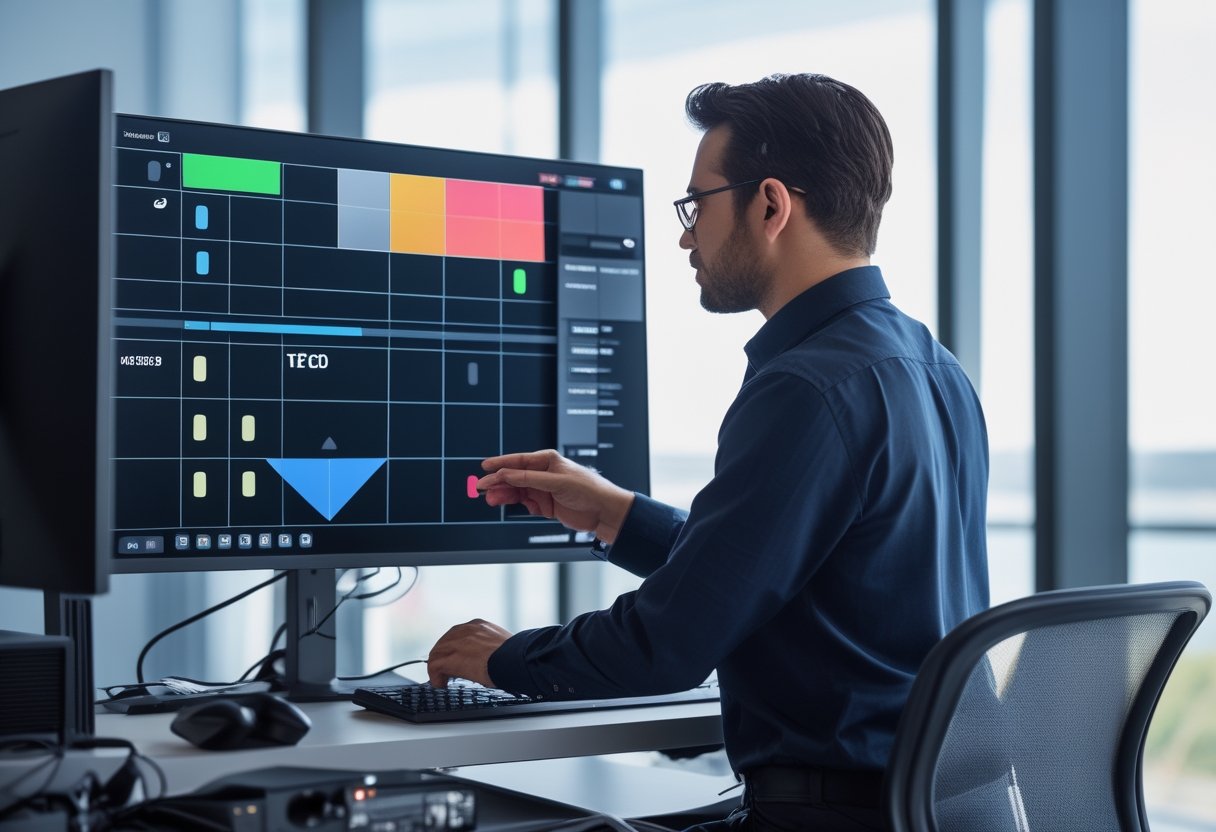
Gunakan LED Configurator MLV Teknologi sebagai langkah awal untuk menghitung dimensi dan menyusun videotron panggung dari kebutuhan acara Anda. Hasil konfigurasi membantu Anda menilai ukuran layar LED, lalu mencocokkannya dengan venue, posisi audiens, dan bentuk konten sebelum menetapkan susunan panel.
Data Apa yang Perlu Disiapkan Sebelum Menghitung?
Langkah awal cara menentukan ukuran videotron adalah mengumpulkan data fisik venue. Siapkan lebar area panggung yang tersedia, ruang untuk tinggi layar, jarak penonton terdekat dan terjauh, serta posisi tempat duduk.
Catat juga tujuan layar—misalnya untuk presentasi, video, atau tampilan kamera langsung—karena isi konten memengaruhi bentuk dan keterbacaan layar.
Masukkan kebutuhan dasar itu ke LED Configurator MLV Teknologi. Gunakan hasilnya sebagai rancangan awal; dimensi akhir perlu menyesuaikan ukuran panel LED dan batas fisik venue.
Bagaimana Jarak Pandang Audiens Menentukan Ukuran Layar?
Jarak pandang audiens membantu Anda menilai apakah ukuran videotron cukup terlihat dari baris depan hingga baris belakang. Langkah ini esensial dalam cara menentukan ukuran videotron agar visual panggung tampil seimbang.
Ukuran layar LED panggung yang sesuai memberi ruang bagi teks dan gambar tampil jelas, sementara layar yang terlalu kecil dapat menyulitkan audiens jauh mengikuti konten.
Periksa titik duduk terdekat saat memilih pixel pitch dan titik terjauh saat mengevaluasi cakupan layar. Jika area penonton melebar ke samping, pertimbangkan sudut pandang dari kursi samping, bukan hanya dari tengah ruangan.
Bagaimana Memilih Rasio dan Mengubah Hasil Hitung Menjadi Susunan Panel?
Pilih rasio layar mengikuti format konten utama, lalu cocokkan ukuran hasil konfigurasi dengan dimensi panel LED. Karena panel dirakit dalam satuan modular, ukuran aktual mengikuti kelipatan panel; angka rancangan dapat berubah ketika diterjemahkan menjadi susunan fisik.
Periksa lebar dan tinggi akhir beserta resolusi yang dihasilkan agar teks, logo, atau video tidak terpotong. Jika rasio konten dan layar berbeda, pastikan tim produksi menyiapkan format visual yang sesuai.
Kapan Center Screen Perlu Dilengkapi Side Screen atau Delay Tower Screen?
Pada panggung videotron berukuran besar, tambahkan side screen ketika audiens duduk menyebar ke samping dan layar utama sulit terlihat. Untuk venue memanjang dengan area penonton jauh dari panggung, delay tower screen dapat meneruskan visual ke bagian belakang.
Tempatkan layar pendukung berdasarkan garis pandang audiens dan layout panggung, lalu cek agar layar tidak tertutup dekorasi atau struktur. Konfigurasi tambahan juga perlu diselaraskan dengan konten dan alur sinyal acara.
- Kunjungi website MLV Teknologi : www.mlvteknologi.com
- Konfigurasi LED Videotron Anda melalui tools : https://designer.mlvteknologi.com/led-configurator
- Konfigurasi Ruang meeting Anda melalui tools : https://designer.mlvteknologi.com/
- Hubungi kami langsung melalui Whatsapp yang tertera di website
Spesifikasi dan Konfigurasi Apa yang Mendukung Tampilan Panggung?
Tampilan panggung yang terbaca bergantung pada kecocokan tipe indoor atau outdoor, pixel pitch, susunan panel, dan pengaturan sinyal. Cocokkan spesifikasi videotron dengan kondisi cahaya venue, jarak penonton, serta fungsi layar dalam layout panggung sebelum membahas estimasi harga videotron atau jumlah unit.

Apa Perbedaan Videotron Indoor dan Outdoor untuk Event?
Kebutuhan videotron event sangat bervariasi bergantung pada lokasi kegiatan. Videotron indoor dirancang untuk kondisi dalam ruangan dengan jarak tonton dekat, sedangkan videotron outdoor digunakan di area terbuka yang membutuhkan ketahanan cuaca tinggi.
Tingkat kecerahan videotron outdoor dirancang lebih tinggi agar visual tetap terlihat tajam di bawah paparan sinar matahari langsung.
Saat membandingkan videotron indoor vs outdoor, cocokkan lingkungan acara dengan spesifikasi unit, bukan hanya ukuran videotron indoor atau luas layar. Kondisi venue, jarak penonton, dan sumber cahaya membantu tim teknis menyarankan tipe yang tepat.
Bagaimana Pixel Pitch Memengaruhi Ketajaman dan Jarak Tonton?
Pixel pitch adalah jarak antar piksel pada layar LED. Pitch yang lebih rapat membantu menampilkan detail pada jarak dekat, sedangkan jarak penonton yang lebih jauh memberi ruang untuk mempertimbangkan pitch yang berbeda.
Mulailah dari posisi penonton terdekat, terutama jika layar menampilkan teks, grafik, atau close-up kamera. Setelah itu, pastikan pixel pitch yang dipilih tetap sesuai dengan anggaran dan kebutuhan resolusi.
Apa Saja Spesifikasi Videotron Panggung yang Perlu Dicek?
Periksa spesifikasi videotron panggung yang memengaruhi tampilan dan pemasangan: pixel pitch, tipe indoor atau outdoor, resolusi, dimensi panel, serta kebutuhan sistem kontrol. Pastikan spesifikasi layar LED panggung sesuai dengan konten dan sumber sinyal yang akan digunakan.
Minta rincian teknis dari penyedia sebelum menyetujui konfigurasi. Langkah ini membantu Anda membandingkan penawaran sewa videotron panggung atau pembelian dari vendor seperti GSI Group maupun penyedia AV lainnya berdasarkan spesifikasi yang setara.
Bagaimana Layar, Frame, dan Media Server Menyesuaikan Layout Panggung?
Susun layar mengikuti lebar panggung, posisi dekorasi, jalur akses kru, dan pandangan audiens. Frame videotron panggung menopang susunan panel, sedangkan media server atau perangkat pemroses menata sumber konten agar tampil sesuai format layar.
Koordinasikan ukuran fisik dan alur sinyal sejak desain layout panggung dibuat. Untuk konfigurasi melengkung atau layar pendukung, mintalah tim teknis memeriksa struktur dan jalur kabel sebelum pemasangan.
Lebih Tepat Membeli atau Menyewa Videotron untuk Event?
Sewa videotron cocok untuk event tertentu atau penggunaan yang tidak rutin; membeli lebih sesuai ketika Anda membutuhkan layar secara berulang di venue tetap. Bandingkan frekuensi penggunaan, kebutuhan perawatan, logistik, dan biaya instalasi sebelum memutuskan.
Harga sewa videotron dan harga videotron dipengaruhi oleh ukuran, tipe indoor atau outdoor, pixel pitch, serta perlengkapan pendukung. Jika mempertimbangkan jual videotron untuk pemakaian rutin, hitung pula kebutuhan operasional dan kesesuaian unit dengan beberapa format acara.
Evaluasi menyeluruh terhadap harga videotron baru juga mencakup ketersediaan suku cadang dan layanan purna jual dari distributor terpercaya.
Ukuran Tepat Berawal dari Data Venue
Tentukan ukuran videotron panggung dari data venue, lalu validasi hasil konfigurasi bersama kebutuhan visual dan teknis acara. Pahami cara menentukan ukuran videotron secara tepat dengan mencatat dimensi panggung serta jarak penonton terdekat dan terjauh.
Pilih tipe layar indoor atau videotron outdoor serta pixel pitch yang pas, kemudian sesuaikan susunan panel dan layar pendukung dengan layout panggung.
Konfigurasikan rancangan melalui LED Configurator MLV Teknologi, lalu bawa hasilnya saat konsultasi. MLV Teknologi menyediakan konsultasi AV dan koordinasi teknis; timnya dikenal responsif dan cermat dalam pekerjaan instalasi. Untuk membahas kebutuhan proyek, kunjungi website MLV Teknologi dan hubungi tim melalui WhatsApp yang tercantum di sana.
by Melvin Halpito | Oct 6, 2026 | Article
Untuk menentukan resolusi videotron: gunakan Videotron Configuration Tool melalui link https://designer.mlvteknologi.com/led-configurator.
Alat ini mempermudah perancangan konfigurasi sistem LED display agar tampilan visual optimal dan proporsional.
Dengan alat ini, penentuan resolusi layar untuk berbagai tipe LED display menjadi jauh lebih akurat dan terarah.
Apa yang Perlu Disiapkan sebelum Mengatur Resolusi Videotron?
Sebelum membuka alat konfigurasi, siapkan data fisik layar dan perangkat kontrol agar resolusi yang Anda masukkan sesuai dengan susunan panel. Resolusi videotron adalah jumlah piksel aktual secara horizontal dan vertikal, yang dihitung dari modul LED atau kabinet pada layar Anda.
Memahami cara setting videotron sejak tahap awal membantu menghindari masalah gambar terdistorsi.
Catat ukuran dan jumlah modul, pixel pitch, serta spesifikasi kartu kontrol. Data ini menjadi dasar untuk mencocokkan resolusi layar dengan output konten.
Bagaimana Menghitung Resolusi Fisik Layar dari Modul LED?
Kalikan jumlah piksel per modul dengan jumlah modul yang tersusun pada setiap arah.
Pixel pitch menunjukkan jarak antar piksel untuk menjelaskan kepadatan tampilan. Pada instalasi LED videotron indoor, pitch yang lebih rapat sering dipilih agar tampilan tetap halus dari jarak pandang dekat.
Contohnya, jika satu modul memiliki resolusi 128 × 64 piksel dan layar tersusun dari 8 modul secara horizontal serta 6 modul secara vertikal, perhitungannya menjadi:
- Lebar: 128 × 8 = 1.024 piksel
- Tinggi: 64 × 6 = 384 piksel
Resolusi fisik layar tersebut adalah 1.024 × 384 piksel. Cocokkan hasil ini dengan data panel LED atau spesifikasi pemasangan, sebab ukuran fisik layar saja tidak memberi tahu resolusinya.
Setiap panel LED biasanya memuat beberapa modul dalam satu kabinet. Mengetahui ukuran kabinet dan panel LED secara rinci akan mempermudah kalkulasi total resolusi layar.
Perangkat dan Informasi Apa yang Harus Diperiksa?
Periksa daftar perangkat dan informasi berikut sebelum konfigurasi:
- Resolusi tiap modul atau kabinet, jumlah modul, dan susunan layar.
- Jenis sending card dan receiving card yang terpasang.
- Model controller serta video processor jika digunakan.
- Kabel data dan jalur koneksi dari controller menuju panel.
- Software konfigurasi yang sesuai dengan perangkat.
Pastikan receiving card terdeteksi dan koneksi data tersambung dengan benar. Simpan catatan susunan panel dan resolusi hasil hitung agar Anda bisa membandingkannya dengan konfigurasi software.
Bagaimana Menggunakan Alat Konfigurasi Videotron dengan Benar?
Urutan kerja yang rapi membantu Anda menyelaraskan resolusi fisik layar, pemetaan panel, dan sinyal konten. Mulai dari mendeteksi perangkat, lalu terapkan konfigurasi dan periksa hasilnya menggunakan pola uji.
Bagaimana Memetakan Panel dan Menyimpan Konfigurasi?
Masukkan jumlah panel dan resolusi tiap panel sesuai susunan aktual di lapangan. Di software controller, petakan posisi panel dari kiri ke kanan dan dari atas ke bawah mengikuti jalur data; urutan yang keliru bisa membuat gambar bergeser atau tampil pada panel yang salah.
Setelah mapping selesai, kirim konfigurasi ke perangkat dan simpan salinan file sebagai cadangan. Jika controller menyediakan fitur baca konfigurasi dari hardware, gunakan untuk memeriksa bahwa data yang tersimpan sesuai dengan pengaturan yang Anda buat.
Software Controller Mana yang Sesuai dengan Perangkat?
Gunakan software yang cocok dengan merek dan model led controller Anda. Novastar menyediakan NovaLCT, Colorlight menggunakan Colorlight LEDVision, sedangkan Huidu dan Linsn memiliki perangkat serta alur konfigurasi masing-masing.
Jika Anda memakai controller dari Novastar, konfigurasi kartu pengirim dan penerima dapat dilakukan langsung lewat software pendukungnya.
Nama software saja belum cukup untuk menentukan pilihan. Periksa label perangkat dan dokumentasinya agar Anda memilih aplikasi yang mendukung sending card, receiving card, dan konfigurasi panel yang terpasang.
Bagaimana Menyetel Tampilan dan Memastikan Konten Siap Tayang?
Sesuaikan resolusi output sumber konten dengan resolusi fisik layar, lalu gunakan video processor untuk mengatur scaling jika kedua resolusi berbeda.
Saat melakukan setting videotron indoor atau videotron outdoor, atur brightness sesuai kondisi cahaya dan kebutuhan lokasi. Pengaturan level brightness yang pas menjaga visual tetap nyaman dilihat dan tidak silau.
Sesuaikan juga refresh rate mengikuti spesifikasi controller dan layar agar gerakan konten tampil stabil. Nilai refresh rate yang memadai membantu rekaman kamera tetap jernih tanpa garis gelombang.
Uji layar dengan pola grid, teks, dan bidang warna. Periksa apakah tepi gambar utuh, bentuk objek proporsional, warna antar-panel seragam, dan semua panel merespons. Setelah tampilan sesuai, uji file konten dalam format serta resolusi yang akan digunakan, lalu pastikan jadwal konten sudah benar sebelum layar beroperasi.
Konfigurasi yang Tepat Membantu Videotron Tampil Proporsional dan Konsisten
Resolusi yang dihitung dengan benar, mapping yang mengikuti susunan panel, dan pengujian konten membantu videotron tampil proporsional serta konsisten.
Penerapan resolusi layar yang presisi memastikan setiap detail visual pada LED display dapat tersampaikan dengan jelas. Jika gambar terpotong atau bergeser, periksa kembali resolusi fisik, urutan panel, dan skala output sebelum mengubah pengaturan lain.
Simpan konfigurasi yang sudah lolos pengujian agar operator memiliki acuan saat sistem dinyalakan kembali atau konten diperbarui. Untuk kebutuhan konsultasi, instalasi, atau dukungan AV, Anda dapat menghubungi MLV Teknologi. Anda juga dapat mengonfigurasi LED videotron melalui tools MLV Teknologi atau mengunjungi website MLV Teknologi.
by Melvin Halpito | Oct 5, 2026 | Article
Apa yang Perlu Ditentukan Sebelum Konfigurasi?
Konfigurasi videotron indoor yang tepat dimulai dari survey lokasi, ukuran layar, dan jarak audiens, lalu disesuaikan dengan pixel pitch serta kemampuan sistem kontrol. Keputusan awal ini menentukan ketajaman gambar, posisi layar, kebutuhan kabel, dan akses untuk perawatan.
Untuk mempermudah perencanaan awal, Anda dapat menggunakan tools LED Configurator guna menghitung dimensi dan susunan modul LED. Perhatikan juga pencahayaan ruangan dan jenis konten agar spesifikasi LED display serta layar LED sesuai kebutuhan operasional.
Bagaimana survei lokasi menentukan ukuran dan posisi layar?
Pelaksanaan survey lokasi membantu Anda menetapkan dimensi dan posisi layar berdasarkan area pemasangan, sudut pandang, serta jalur audiens. Ukur lebar dan tinggi bidang yang tersedia, lalu periksa penghalang seperti kolom, lampu, pintu, dan jendela. Pastikan posisi layar terlihat dari titik duduk atau berdiri utama dan menyediakan ruang untuk akses maintenance.
Tujuan pemakaian ikut menentukan ukuran. Layar untuk presentasi dengan teks dan grafik memerlukan bidang tampilan yang mendukung keterbacaan, sedangkan layar untuk visual acara perlu mengikuti komposisi panggung dan pandangan penonton. Anda dapat menggunakan MLV Screen Size Calculator untuk membantu memperkirakan dimensi layar.
Bagaimana pixel pitch, jarak pandang, dan spesifikasi layar saling berkaitan?
Pixel pitch adalah jarak antar piksel LED; angka yang lebih kecil menghasilkan susunan piksel lebih rapat dan mendukung tampilan detail dari jarak dekat. Karena audiens videotron indoor berada di dalam ruang, jarak pandang dan jenis konten perlu menjadi dasar pemilihan pixel pitch. Untuk membandingkan kebutuhan ruang dan resolusi, pelajari panduan videotron indoor P2.5 dan jarak pandangnya.
Periksa juga resolusi layar, brightness, dan refresh rate. Brightness disesuaikan dengan pencahayaan ruang, sementara refresh rate menjaga kestabilan visual saat direkam kamera.
Setiap modul LED dan cabinet LED harus sesuai rancangan resolusi agar bidang layar tersusun rapi. Berbeda dengan videotron outdoor yang mengutamakan proteksi cuaca dan pencahayaan tinggi, instalasi indoor lebih fokus pada kenyamanan jarak dekat.
Komponen apa saja yang membentuk sistem kontrol videotron?
Sistem kontrol videotron menghubungkan sumber konten dengan layar melalui perangkat pemroses dan kartu pengirim maupun penerima. Komponen yang umum terlibat mencakup komputer atau media player, video processor, sending card, receiving card, kabel data, dan software kontrol. Susunan perangkat ditentukan oleh ukuran layar, resolusi, jumlah cabinet LED, serta cara konten dioperasikan.
Rencana kontrol sejak awal membantu Anda menentukan lokasi perangkat dan jalur kabel, serta memudahkan teknisi memetakan sinyal ke setiap bagian layar. Simpan diagram koneksi dan konfigurasi sistem sebagai acuan ketika ada perubahan konten atau maintenance.
Bagaimana Proses Pemasangan dan Konfigurasi Berjalan?
Proses instalasi videotron indoor berjalan dari pemasangan struktur dan kabel hingga konfigurasi controller, kalibrasi, lalu testing dan commissioning. Pekerjaan pemasangan videotron indoor memerlukan ketelitian pada rancangan ukuran layar dan sistem kontrol. Hal ini memastikan distribusi data, kualitas visual, serta akses perawatan siap untuk operasional.
Bagaimana struktur, cabinet, dan jalur kabel dipasang?
Dalam pemasangan videotron indoor, teknisi memasang struktur sesuai bidang terencana, lalu menyusun cabinet LED secara rata dan sejajar. Kekuatan bidang, titik tumpu, ventilasi, dan akses maintenance diperiksa sebelum layar digunakan. Panduan tentang struktur dan akses maintenance rangka videotron indoor dapat membantu perencanaan awal.
Jalur kabel daya dan data dirapikan serta diberi rute yang jelas. Pemisahan dan penataan kabel memudahkan pemeriksaan sambungan jika layar mengalami gangguan, sementara jalur yang direncanakan sejak awal mengurangi kebutuhan perubahan di lokasi.
Bagaimana controller mengatur distribusi data ke layar?
Konfigurasi controller memetakan resolusi sumber konten ke resolusi fisik LED display. Sinyal dari video processor diteruskan melalui sending card, lalu diterima receiving card yang mengatur modul LED pada panel.
Pada sistem controller Novastar, teknisi mengonfigurasi receiving card dan parameter kabinet agar sesuai kapasitas port. Pengaturan Novastar yang tepat memastikan distribusi data berjalan lancar ke seluruh layar.
Urutan distribusi data harus sesuai dengan pemetaan fisik panel. Jika urutannya keliru, gambar dapat muncul terbalik atau terdistorsi sebelum beralih ke setting tampilan.
Bagaimana software dan konten disiapkan untuk operasional?
Software manajemen konten digunakan untuk menata materi yang akan ditampilkan dan mengatur jadwal pemutaran sesuai kebutuhan. Siapkan resolusi serta rasio konten berdasarkan ukuran layar agar teks tidak terpotong dan gambar tidak tampak melebar. Sebelum operasional, uji file yang akan dipakai melalui perangkat sumber yang terhubung ke sistem.
Simpan konfigurasi controller dan susunan koneksi sebagai dokumentasi. Catatan ini memudahkan pengelola saat memperbarui konten atau meminta dukungan maintenance videotron.
Apa saja yang diperiksa saat kalibrasi dan commissioning?
Kalibrasi tampilan dan kalibrasi warna memeriksa keseragaman brightness serta tone visual di seluruh layar LED, termasuk sambungan visual antar-cabinet LED. Teknisi juga memeriksa resolusi, skala gambar, refresh rate, dan respons layar terhadap konten bergerak. Penyesuaian dilakukan agar tampilan sesuai dengan pencahayaan ruang serta tujuan penggunaan.
Saat testing dan commissioning, tampilkan warna solid, pola uji, teks, gambar, dan video pada LED display. Periksa apakah seluruh modul LED menyala merata, tidak ada piksel mati, dan distribusi data stabil.
Setelah pemeriksaan, dokumentasikan setting videotron serta catat kalibrasi warna dan langkah maintenance videotron yang perlu diketahui pengelola.
Faktor apa yang memengaruhi biaya instalasi videotron indoor?
Harga videotron indoor dan biaya instalasi videotron indoor dipengaruhi oleh ukuran serta resolusi layar, pixel pitch, modul LED, dan sistem kontrol yang dipilih. Tidak seperti videotron outdoor dengan proteksi cuaca berat, kabinet indoor lebih ramping namun membutuhkan kepresisian tinggi.
Kondisi struktur di lokasi, jalur kabel, akses kerja, dan cakupan konfigurasi juga memengaruhi biaya. Mintalah penawaran transparan berdasarkan survei dan spesifikasi proyek.
Rincian kebutuhan yang jelas membantu Anda membandingkan penawaran berdasarkan komponen dan pekerjaan yang tercakup. MLV Teknologi menyediakan konsultasi dan implementasi AV; koordinasi yang responsif serta pengerjaan profesional dapat membantu proses proyek berjalan tertata dan meminimalkan gangguan operasional.
Konfigurasi yang Tepat Membuat Layar Siap Digunakan
Layar siap digunakan ketika ukuran dan pixel pitch sesuai dengan ruang, jalur data terpetakan dengan benar, lalu tampilan lolos kalibrasi dan pengujian. Dokumentasikan konfigurasi controller, koneksi, dan setting kalibrasi warna agar tim Anda memiliki acuan untuk pengelolaan konten maupun maintenance layar LED.
Untuk merencanakan dimensi dan susunan LED display, gunakan LED Configurator MLV Teknologi. Anda juga dapat membahas kebutuhan konsultasi dan implementasi dengan MLV Teknologi melalui WhatsApp yang tercantum di website MLV Teknologi.
by Melvin Halpito | Oct 5, 2026 | Article
Bagaimana Configurator Membantu Merancang Videotron Indoor?
Configurator LED Videotron MLV Teknologi membantu Anda menyusun ukuran layar dan konfigurasi awal sesuai kebutuhan ruang, lalu menyiapkan bahan untuk dibahas dalam survei teknis. Alat ini berguna bagi pengelola kantor, tim pengadaan, dan pemilik bisnis yang ingin merancang LED display sebelum menentukan pemasangan videotron.
Ukuran, resolusi, pixel pitch, jarak pandang, dan susunan cabinet led saling berkaitan saat membentuk layar LED yang presisi. Hasil konfigurator memberi gambaran awal; kondisi dinding, jalur kabel, sumber listrik, dan akses perawatan tetap perlu diperiksa di lokasi.
Parameter apa yang menentukan ukuran dan resolusi layar?
Ukuran bidang pemasangan dan susunan panel led menentukan dimensi fisik layar, sedangkan pixel pitch membantu menentukan resolusi layar. Masukkan kebutuhan ukuran serta spesifikasi yang tersedia ke Configurator LED Videotron untuk melihat konfigurasi awal yang dapat disesuaikan dengan ruang.
Sebelum menetapkan rancangan, catat lebar dan tinggi area, posisi audiens, serta konten yang akan ditampilkan. Periksa juga ukuran cabinet led, panel LED, dan spesifikasi LED module yang digunakan; konfigurasi akhir perlu mengikuti susunan fisik tersebut.
Bagaimana pixel pitch dan jarak pandang memengaruhi pilihan layar?
Pixel pitch adalah jarak antara titik LED pada layar. Pixel pitch yang lebih rapat menghasilkan kerapatan piksel lebih tinggi, sehingga mendukung tampilan detail ketika audiens duduk dekat; pilihannya perlu dicocokkan dengan jarak pandang dan jenis konten.
Untuk ruang rapat, perhatikan posisi duduk terdekat dan terjauh serta ukuran teks pada presentasi. Anda dapat memakai panduan videotron indoor P2.5 tentang jarak pandang dan pertimbangan teknis sebagai referensi, lalu verifikasi kebutuhan proyek dengan ukuran ruang dan konfigurasi yang dipilih.
Kapan videotron indoor lebih tepat daripada videotron outdoor?
Videotron indoor tepat untuk ruang rapat, showroom, atau area komersial dalam ruangan dengan kondisi pencahayaan dan jarak pandang yang terukur. Videotron outdoor dirancang untuk kebutuhan luar ruangan, sehingga pemilihan perangkat dan pemasangannya perlu mengikuti paparan lingkungan di lokasi.
Saat menggunakan configurator, tentukan dulu kebutuhan LED display dan lingkungan pemasangan. Konfigurasi indoor membantu merencanakan layar led untuk kebutuhan ruang, sementara survei tetap memastikan posisi, struktur, serta kondisi teknis pemasangan sesuai.
Apa Saja Tahap Pemasangan dan Komponen yang Perlu Disiapkan?
Tahapan instalasi videotron indoor bergerak dari survei dan perencanaan menuju pemasangan, konfigurasi, lalu pengujian. Rancangan dari configurator membantu menyiapkan diskusi awal; ukuran akhir, struktur, kebutuhan daya, dan biaya instalasi videotron indoor perlu diperiksa berdasarkan kondisi lokasi.
Bagaimana survei lokasi menentukan desain dan struktur pemasangan?
Survei lokasi memastikan rancangan sesuai dengan ruang dan kondisi bangunan. Tim memeriksa bidang pemasangan, jarak pandang, akses membawa peralatan, sumber listrik, jalur kabel, serta ruang untuk perawatan.
Hasil survei menentukan metode pemasangan dan desain rangka, termasuk penggunaan besi hollow bila sesuai kebutuhan struktur. Pemeriksaan aktual membantu menghindari perubahan ukuran atau posisi ketika pemasangan videotron sudah berjalan.
Bagaimana modul LED, rangka, dan kabel dipasang dengan presisi?
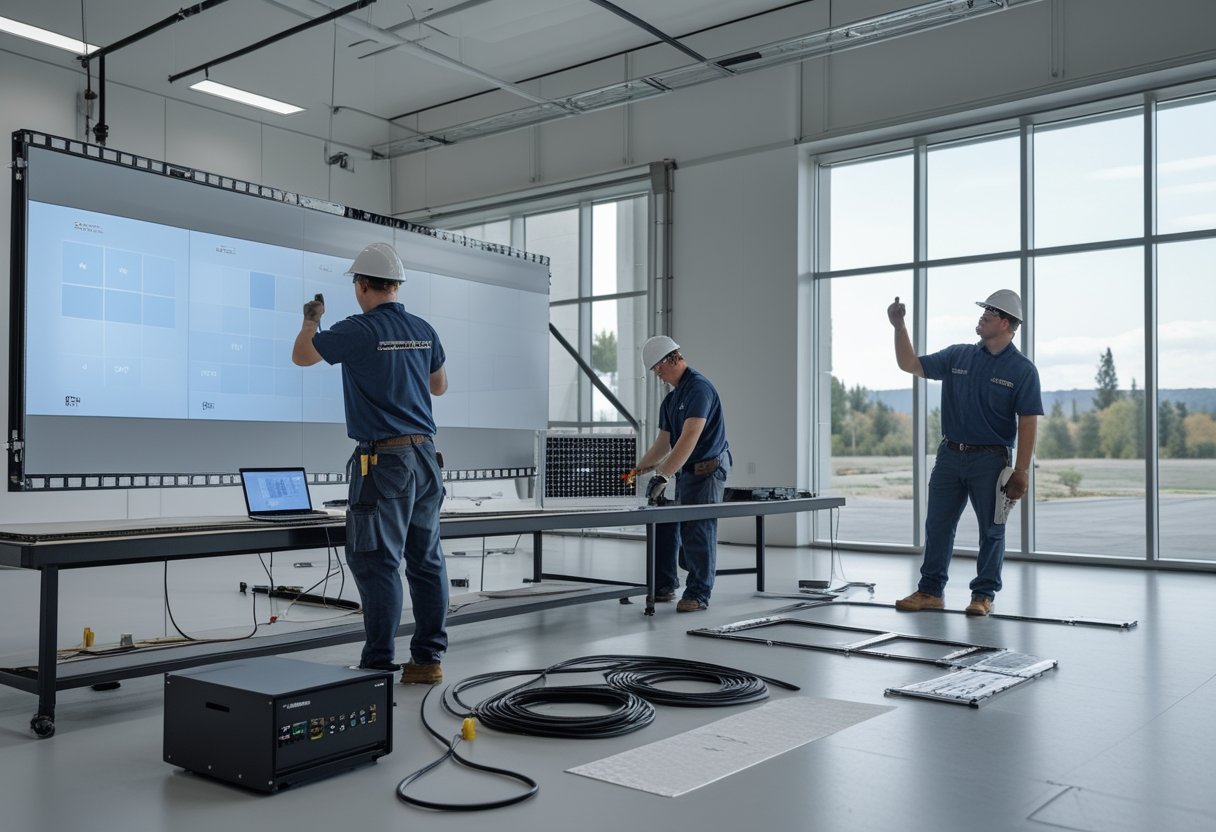
Setelah struktur terpasang dan diratakan, teknisi menyusun cabinet serta melakukan pemasangan modul led sesuai layout. Setiap LED module dipasang rapat dan sejajar untuk membentuk permukaan layar yang rata, didukung perapian kabel data dan daya.
Proses instalasi modul LED menuntut ketelitian tinggi pada setiap sambungan. Kerapian saat pemasangan modul LED ke rangka kabinet menjadi bagian krusial dalam tahapan instalasi videotron sebelum layar dinyalakan.
Bagaimana sistem kontrol dikonfigurasi dan layar diuji?
Sistem kontrol menghubungkan sumber konten dengan layar melalui sending card dan receiving card. Setiap receiving card menerima sinyal data lalu menyalurkannya ke modul. Teknisi mengatur tampilan dengan NovaStudio, lalu melakukan setting videotron dan menguji gambar pada seluruh layar.
NovaStar dan Colorlight merupakan nama sistem kontrol yang dikenal di lapangan. Pengaturan NovaStar mempermudah kalibrasi warna dan sinkronisasi antar panel LED. Pengujian menyeluruh mencakup pemeriksaan sambungan dan keseragaman visual pada layar.
Penyebutan merek seperti videotron Hikvision atau Hikvision Indonesia juga perlu dikaitkan dengan spesifikasi produk yang dipilih, bukan dianggap sebagai pengaturan yang sama untuk semua sistem.
Faktor apa yang memengaruhi biaya dan harga instalasi videotron indoor?
Biaya instalasi videotron indoor dipengaruhi oleh ukuran dan spesifikasi layar, jumlah cabinet dan modul, desain struktur, kondisi lokasi, jalur kabel, serta pekerjaan kelistrikan dan konfigurasi. Harga videotron indoor juga perlu dipahami bersama ruang lingkup pemasangan agar komponen yang dihitung jelas.
Minta rincian yang memisahkan perangkat layar LED, struktur, pekerjaan instalasi, dan pengujian. Layanan jasa instalasi videotron maupun jasa instalasi videotron indoor dari penyedia jasa instalasi profesional memastikan seluruh tahapan instalasi videotron indoor berjalan lancar. MLV Teknologi menyediakan konsultasi AV dan dukungan teknis dengan koordinasi responsif.
Rancangan yang Tepat Menghasilkan Instalasi yang Lebih Siap
Configurator membantu Anda menghubungkan ukuran layar, pixel pitch, jarak pandang, resolusi, dan susunan cabinet sebelum proyek masuk ke tahap pemasangan videotron. Gunakan hasilnya sebagai rancangan awal, lalu verifikasi struktur, kabel, daya, akses perawatan, dan estimasi melalui survei lokasi.
Untuk memulai, konfigurasikan LED Videotron Anda, kunjungi website MLV Teknologi, atau hubungi tim melalui WhatsApp yang tercantum di website. MLV Teknologi berbasis di Jakarta Selatan dan dikenal atas pengerjaan profesional serta koordinasi yang responsif; penjadwalan proyek tetap perlu dibahas sesuai kebutuhan lokasi.
by Melvin Halpito | Oct 4, 2026 | Article
Bagaimana Menghitung Dimensi Layar dari Susunan Cabinet?
Anda menghitung ukuran videotron outdoor dengan mengalikan lebar dan tinggi satu cabinet dengan jumlah cabinet pada setiap arah. Hasilnya memberi dimensi fisik layar modular; setelah itu, cocokkan dengan area pemasangan dan jarak pandang.
Memahami cara menentukan ukuran videotron outdoor sangat penting agar tampilan visual led display luar ruang ini sesuai dengan kebutuhan promosi maupun informasi publik.
Penerapan cara menentukan ukuran videotron outdoor yang tepat juga membantu mengoptimalkan rasio tampilan dengan materi visual yang disajikan.
Tentukan ukuran cabinet dan jumlah panel
Periksa ukuran cabinet videotron outdoor pada spesifikasi produk yang Anda pilih. Setiap cabinet tersusun atas sejumlah modul LED dengan dimensi standar pabrikan.
Ukurannya menjadi dasar perhitungan, sementara jumlah panel harus berupa bilangan bulat agar susunan layar tersambung rapi tanpa memotong cabinet.
Jika target layar Anda tidak pas dengan kelipatan ukuran cabinet, hitung kembali dimensi aktual yang bisa dibentuk. Dengan begitu, Anda mengetahui sejak awal apakah susunan tersebut sedikit lebih lebar atau lebih tinggi dari target.
Perangkat LED display berskala besar umumnya dirancang menggunakan sistem modular agar fleksibel disesuaikan dengan luas bidang yang tersedia.
Gunakan rumus lebar, tinggi, dan luas layar
Gunakan rumus berikut untuk menghitung dimensi fisik:
- Lebar layar = lebar cabinet × jumlah cabinet horizontal
- Tinggi layar = tinggi cabinet × jumlah cabinet vertikal
- Luas layar = lebar layar × tinggi layar
Samakan satuan sebelum menghitung. Jika ukuran cabinet dalam milimeter, bagi hasil lebar dan tinggi dengan 1.000 untuk mengubahnya menjadi meter.
Untuk cara menghitung ukuran videotron outdoor dari target dimensi, bagi lebar dan tinggi yang diinginkan dengan ukuran cabinet pada arah masing-masing. Bulatkan jumlah cabinet ke bilangan bulat, lalu hitung ulang ukuran layar aktual.
Penerapan led videotron outdoor pada ruang publik membutuhkan ketelitian dimensi agar selaras dengan kapasitas struktur penopang yang tersedia. Perhitungan ukuran led videotron yang tepat juga membantu merancang sistem kelistrikan secara efisien.
Contoh konfigurasi layar dari susunan cabinet
Misalnya, cabinet berukuran 960 × 960 mm disusun 5 panel ke samping dan 3 panel ke atas. Lebar layar menjadi 4,8 meter, tingginya 2,88 meter, dan luasnya 13,824 m².
Contoh ini menunjukkan cara menghitung ukuran videotron dari susunan modular. Hasilnya bukan standar ukuran videotron outdoor yang berlaku untuk semua produk; ukuran cabinet dan proporsi yang tersedia bergantung pada sistem yang Anda pilih.
Sesuaikan ukuran aktual dengan ruang dan struktur pemasangan
Gunakan dimensi hasil hitung untuk memeriksa bidang pemasangan, ruang servis, jalur kabel, dan struktur penopang. Untuk billboard digital atau layar di area publik, pertimbangkan juga posisi audiens dan sudut pandang agar konten terlihat dari area yang dituju.
Keberadaan billboard digital di persimpangan jalan menuntut perhitungan cermat agar pesan promosi tersampaikan efektif kepada pengguna jalan. Kebutuhan dalam memilih videotron outdoor yang pas akan menjamin visual tetap memikat dari kejauhan.
Sebagai bagian dari tips memilih ukuran videotron outdoor, perhatikan rasio aspek konten yang hendak disiarkan agar tampilan tidak terdistorsi. Salah satu tips memilih ukuran videotron yang efektif adalah memastikan teks dapat terbaca jelas tanpa membuat mata audiens lelah.
Anda dapat memakai MLV Screen Size Calculator untuk membantu menghitung dimensi layar dari susunan cabinet. Fitur ukuran videotron outdoor configuration tool ini mempermudah perancangan awal, meski hasil hitung tetap perlu dicocokkan dengan kondisi lokasi dan rancangan instalasi.
Spesifikasi Apa yang Menentukan Pilihan Konfigurasi?
Konfigurasi yang sesuai menggabungkan ukuran layar, pixel pitch, jarak pandang, perlindungan cuaca, dan kebutuhan instalasi. Pertimbangkan hubungan antara faktor-faktor ini agar resolusi, keterbacaan, dan anggaran mendukung tujuan penggunaan layar.
Kualitas panel LED display luar ruang sangat bergantung pada kesesuaian komponen visual terhadap kondisi lingkungan dan intensitas cahaya sekitar.
Cocokkan pixel pitch dengan jarak pandang
Pixel pitch adalah jarak antara titik-titik LED pada layar. Pemilihan pixel pitch videotron yang tepat memastikan tampilan visual tidak pecah saat disaksikan penonton.
Spesifikasi pixel pitch videotron outdoor dirancang agar visual tetap tajam di ruang terbuka. Mengetahui jarak pandang audiens menjadi kunci dalam menentukan kerapatan layar tersebut.
Penyesuaian pitch terhadap jarak pandang audiens mencegah gambar terlihat pecah atau berbintik saat dinikmati dari dekat.
Perhitungan ini juga membantu menentukan jarak pandang optimal, di mana mata manusia melihat susunan visual sebagai gambar utuh yang tajam. Jarak pandang videotron membantu Anda menentukan pitch yang sesuai dengan posisi audiens.
Sebagai acuan awal, P4 dapat dipertimbangkan untuk jarak relatif dekat, sedangkan pitch yang lebih besar seperti P8 atau P10 ditujukan untuk jarak lebih jauh. Pilihan akhir tetap perlu menyesuaikan ukuran layar, jenis konten, dan tata letak lokasi.
Bandingkan P4, P5, P6, P8, dan P10 untuk kebutuhan berbeda
P4, P5, P6, P8, dan P10 menunjukkan jarak antar titik LED dalam milimeter. Karena itu, pilihan pitch memengaruhi detail gambar dan jarak audiens yang sesuai.
| Pixel pitch | Acuan jarak pandang | Contoh kebutuhan |
|---|
| P4 | ≥4 meter | Area outdoor dengan audiens lebih dekat |
| P5 | ≥5 meter | Media promosi dan area outdoor |
| P6 | ≥6 meter | Billboard atau area terbuka |
| P8 | ≥8 meter | Layar yang dilihat dari jarak jauh |
| P10 | ≥10 meter | Billboard dan area dengan jarak sangat jauh |
Angka tersebut berfungsi sebagai acuan awal, bukan ukuran pasti untuk setiap lokasi. Varian videotron outdoor P6 sering menjadi opsi favorit untuk papan reklame perkotaan karena menyeimbangkan resolusi dan biaya.
Sementara itu, videotron outdoor P4 cocok diaplikasikan pada area komersial dengan jarak tatap audiens yang lebih dekat. Tinjau konten yang ditampilkan dan posisi penonton sebelum menetapkan pitch.
Pada layar pitch besar seperti P10 luar ruang, teknologi lampu DIP sering dimanfaatkan untuk menghasilkan kecerahan ekstra tinggi di siang hari.
Periksa brightness, IP rating, dan ketahanan cuaca
Brightness menunjukkan tingkat kecerahan layar. Untuk videotron outdoor yang menerima cahaya matahari, pilih tingkat kecerahan berdasarkan kondisi lokasi dan arah layar agar konten tetap terbaca.
IP rating menunjukkan tingkat perlindungan perangkat terhadap debu dan air. Sebagian besar instalasi luar ruang mensyaratkan standar IP65 agar cabinet mampu menahan hujan lebat dan hembusan debu. Periksa nilai IP pada bagian cabinet yang relevan dan pastikan spesifikasi videotron outdoor mendukung paparan lingkungan di lokasi pemasangan.
Di samping modul surface-mounted, modul dengan LED DIP konvensional kadang masih ditemui pada instalasi jarak jauh karena ketahanannya terhadap cuaca ekstrem. Tipe lampu DIP mampu menghasilkan pencahayaan sangat kuat untuk menembus terik matahari langsung.
Meskipun teknologi SMD semakin populer, modul DIP tetap menjadi pilihan andal untuk papan reklame raksasa di tepi jalan raya atau stadion terbuka.
Daya tahan enkapsulasi DIP terhadap radiasi ultraviolet juga menjaga kestabilan warna layar dalam pemakaian jangka panjang.
Karakteristik setiap jenis videotron outdoor perlu disesuaikan dengan paparan iklim setempat. Ketahanan cuaca secara menyeluruh juga bergantung pada rancangan sambungan, kabel, dan instalasi.
Pahami komponen sistem serta kebutuhan instalasi
Selain cabinet dan modul LED, sistem mencakup komponen kendali seperti receiving card, yang membantu mengirim sinyal tampilan ke bagian layar. Setiap modul LED harus terpasang rapat dan presisi agar sambungan visual antarkabinet tampak mulus.
Rencana instalasi videotron outdoor perlu mencakup struktur, kelistrikan, jalur kabel, akses perawatan, serta pengujian setelah pemasangan. Keberhasilan proses instalasi videotron outdoor sangat bergantung pada kesiapan fondasi penopang dan pasokan daya listrik.
Koordinasi pekerjaan di lokasi juga membantu mengurangi gangguan pada kegiatan yang sedang berjalan. MLV Teknologi menangani konsultasi AV dan instalasi, dengan ulasan pelanggan yang menyoroti kerja tim yang profesional, rapi, dan cepat.
Pertimbangkan biaya, penggunaan, dan perbedaan layar indoor
Secara umum, besaran harga videotron sangat dipengaruhi oleh ukuran fisik layar, jenis komponen, serta kerumitan konstruksi tiang. Harga videotron outdoor dipengaruhi oleh ukuran layar, pixel pitch, spesifikasi cabinet, struktur, serta kebutuhan instalasi.
Berbagai kelebihan videotron outdoor terletak pada kecerahan tinggi yang tetap jelas di bawah sinar matahari dan durabilitas fisiknya. Nilai lebih lain dari kelebihan videotron outdoor adalah ketahanannya menghadapi cuaca ekstrem secara kontinu. Namun, kekurangan videotron outdoor mencakup konsumsi listrik yang lebih besar serta beban perawatan berkala.
Untuk menyusun anggaran, hitung luas layar dari jumlah cabinet lalu minta rincian perkiraan harga videotron sesuai kondisi proyek. Bagi kebutuhan acara temporer, opsi sewa videotron kerap menjadi solusi praktis sebelum memutuskan investasi permanen. Anda dapat membaca panduan harga videotron outdoor dan komponen biayanya.
Layanan sewa videotron juga memudahkan penyelenggara acara dalam menentukan dimensi visual panggung yang tepat tanpa perlu memikirkan biaya perawatan jangka panjang.
Saat memilih videotron outdoor, pastikan spesifikasi teknis sejalan dengan tujuan pemakaian jangka panjang. Pertimbangan teliti ketika memilih videotron outdoor akan mempermudah ketersediaan suku cadang dan pemeliharaan di masa mendatang.
Videotron indoor dirancang untuk kondisi penggunaan dalam ruangan, sedangkan model outdoor perlu mempertimbangkan kecerahan dan perlindungan terhadap lingkungan luar. Kerapatan piksel pada videotron indoor biasanya jauh lebih tinggi karena jarak pandang pemirsa berada dalam ruangan yang terbatas.
Berbeda dengan videotron indoor yang tidak memerlukan proteksi cuaca ketat, unit luar ruang harus tahan air dan debu agar operasional tetap aman.
Istilah “videotron outdoor OLED TV” atau “videotron outdoor projector TV” juga merujuk pada teknologi yang berbeda: videotron LED modular tersusun dari cabinet LED, sementara TV OLED dan proyektor menggunakan sistem tampilan lain dengan karakteristik pemasangan berbeda.
Konfigurasi yang Tepat Berawal dari Kebutuhan Lokasi
Mulailah konfigurasi dari fungsi layar dan kondisi lokasi, lalu validasi susunan cabinet terhadap jarak pandang, spesifikasi, struktur, dan anggaran. Ukuran fisik saja belum menjelaskan seberapa jelas konten terlihat atau seberapa siap lokasi mendukung pemasangan.
Tentukan siapa yang akan melihat layar, dari posisi mana, dan jenis konten yang akan ditampilkan. Setelah itu, pilih pitch dan jumlah cabinet, hitung dimensi aktual, lalu periksa perlindungan cuaca serta kebutuhan struktur dan kelistrikan.
Anda dapat mengonfigurasi LED videotron melalui tool MLV Teknologi untuk merancang susunan layar. Untuk kebutuhan proyek yang memerlukan penilaian lokasi, konsultasi dan koordinasi instalasi membantu memastikan rancangan sesuai dengan kondisi lapangan.
Perencanaan menyeluruh pada implementasi LED display memastikan investasi visual Anda memberikan dampak komunikasi yang maksimal.

Recent Comments