Manfaat Integrasi Sistem Audio Visual untuk Ruang Rapat Modern: Meningkatkan Efisiensi dan Kolaborasi

Manfaat Integrasi Sistem Audio Visual untuk Ruang Rapat Modern: Meningkatkan Efisiensi dan Kolaborasi

Pemahaman Integrasi Sistem Audio Visual

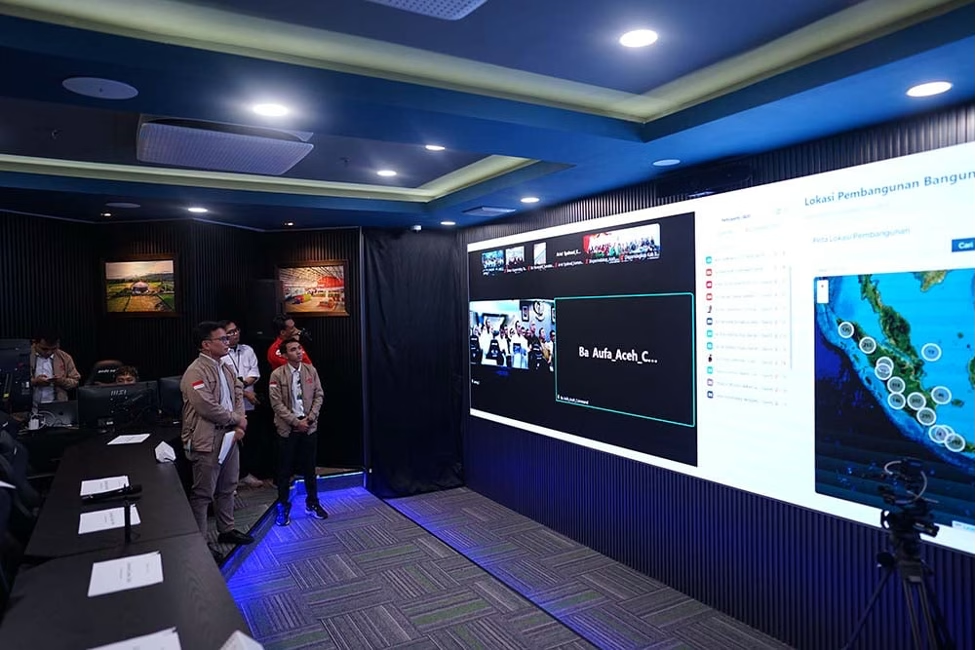
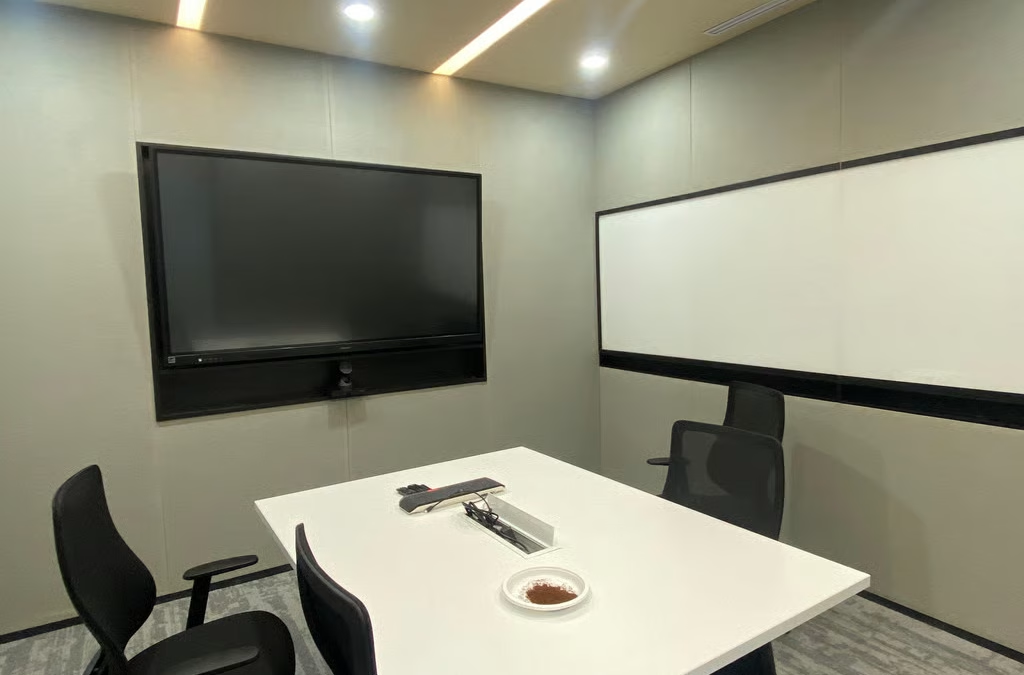
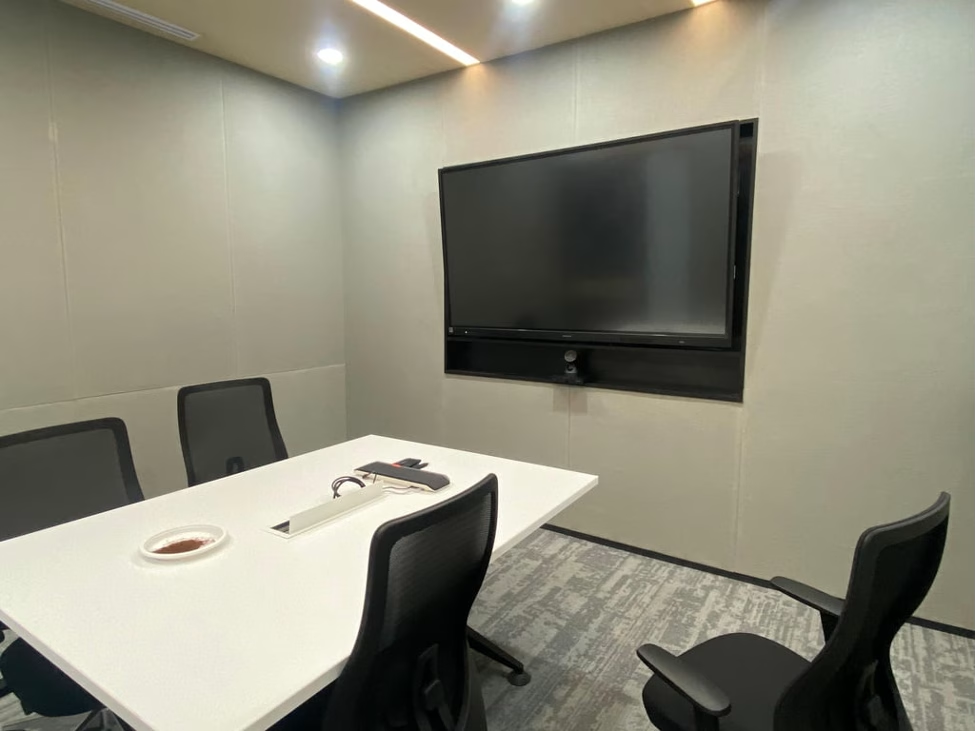
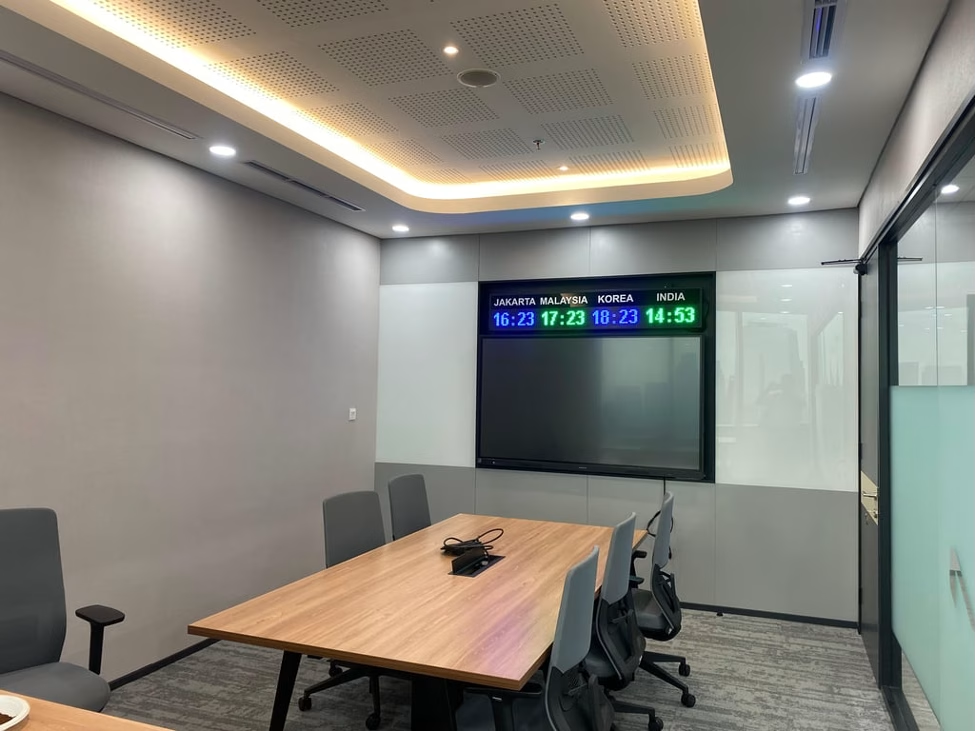
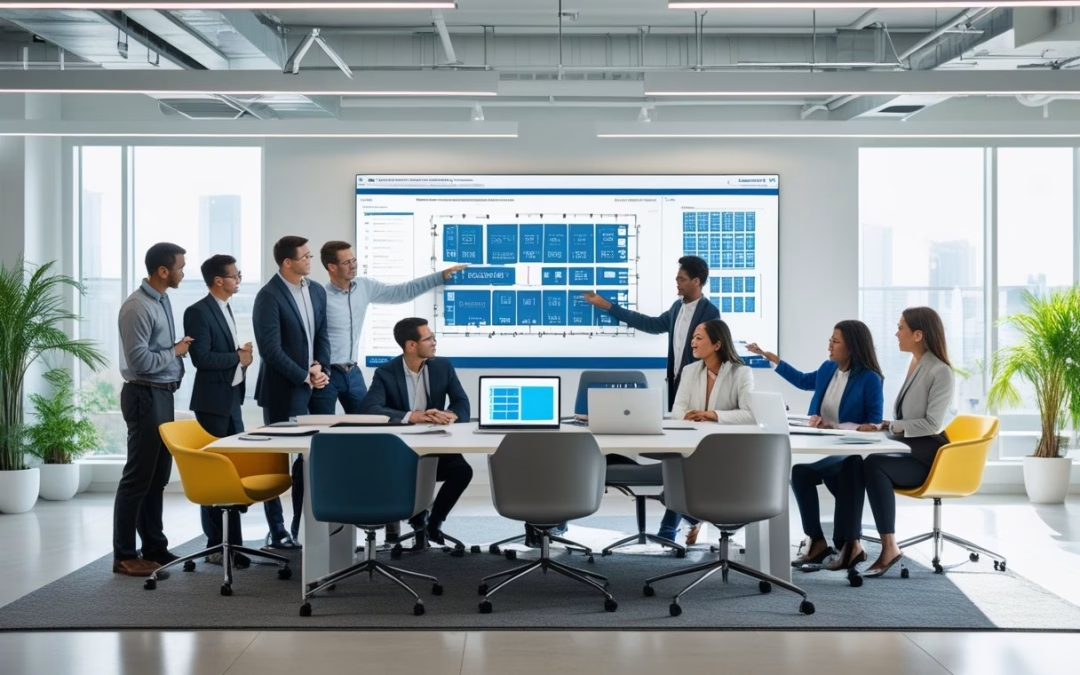
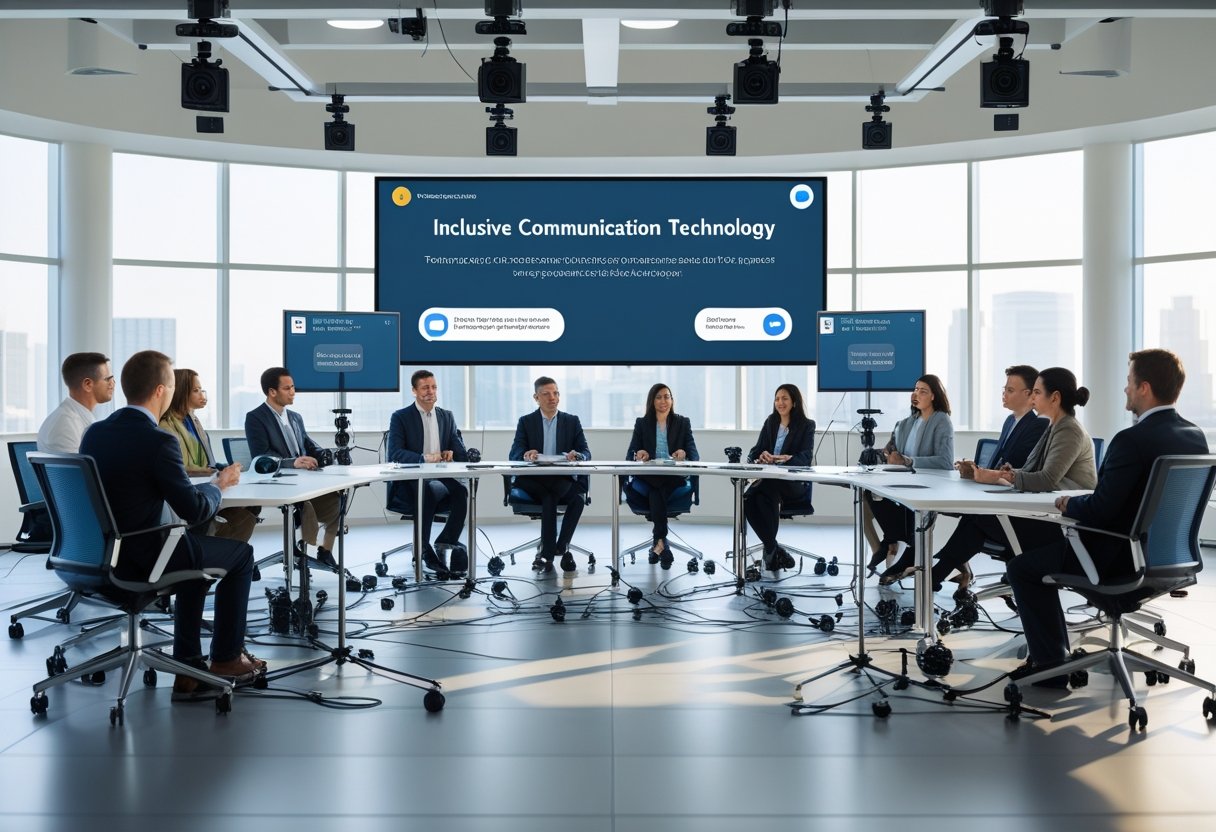
Ruang pertemuan modern dengan sistem audio visual terintegrasi, termasuk proyektor, layar, dan speaker, menciptakan lingkungan yang mulus dan efisien untuk presentasi dan komunikasi.

Dalam dunia modern, integrasi sistem audio visual sangat penting untuk meningkatkan komunikasi dan kolaborasi di ruang rapat. Kita akan membahas definisi serta komponen utama dari sistem ini untuk memahami bagaimana semuanya bekerja bersama.

Definisi dan Konsep Dasar

Integrasi sistem audio visual (AV) adalah proses menggabungkan berbagai elemen teknologi audio dan visual dalam satu sistem yang dapat berfungsi secara sinergis. Ini mencakup perangkat keras seperti proyektor, layar, mikrofon, dan speaker, serta perangkat lunak untuk pengelolaan konten dan kontrol.

Konsep dasar dari integrasi ini berfokus pada menyediakan pengalaman yang mulus bagi pengguna. Dengan sistem yang terintegrasi, kita dapat dengan mudah menghubungkan berbagai perangkat untuk video conferencing, presentasi, dan kolaborasi.

Pentingnya integrasi ini terletak pada kemudahan penggunaan dan efisiensi yang ditawarkan. Ketika kita menggunakan sistem yang terintegrasi, kita mengurangi waktu dan usaha yang dibutuhkan untuk mengatur peralatan.

Komponen-Komponen Sistem Audio Visual

Sistem audio visual biasanya terdiri dari beberapa komponen kunci. Berikut adalah komponen utama yang sering kita temui:

  • Proyektor: Digunakan untuk menampilkan gambar atau presentasi pada layar besar.
  • Layar: Tempat proyeksi gambar. Biasanya, kita menggunakan layar datar atau layar gulung.
  • Mikrofon: Menangkap suara dari pembicara untuk memastikan semua peserta dapat mendengar dengan jelas.
  • Speaker: Mengeluarkan suara agar semua orang di ruang rapat dapat mendengar audio dengan baik.
  • Perangkat Pengelolaan: Memungkinkan kontrol semua perangkat dalam satu antarmuka, seperti remote atau aplikasi.

Setiap komponen harus dipilih dan dipasang dengan cermat untuk memastikan kinerja yang optimal. Memahami komponen ini membantu kita merencanakan sistem yang sesuai dengan kebutuhan spesifik ruang rapat kita.

Manfaat Sistem Audio Visual Terintegrasi

Ruangan rapat modern dengan sistem audio visual terintegrasi, termasuk proyektor, layar, speaker, dan panel kontrol

Sistem audio visual terintegrasi membawa banyak keuntungan bagi ruang rapat modern. Dengan teknologi yang tepat, kita dapat meningkatkan komunikasi, presentasi, dan kenyamanan selama pertemuan. Berikut adalah beberapa manfaat penting dari sistem ini.

Efisiensi Komunikasi dan Kolaborasi

Dengan sistem audio visual terintegrasi, komunikasi antar anggota tim menjadi lebih lancar. Tidak ada lagi hambatan yang disebabkan oleh perangkat yang tidak kompatibel.

Teknologi ini memungkinkan kita untuk melakukan video konferensi dengan kualitas tinggi. Kita dapat menghubungkan peserta dari lokasi yang berbeda dengan mudah.

Ditambah lagi, integrasi ini memudahkan berbagi informasi secara real-time. Kita bisa menampilkan dokumen, gambar, atau presentasi langsung di layar besar. Ini mendukung diskusi yang lebih efektif dan cepat.

Peningkatan Kualitas Presentasi

Sistem audio visual yang baik memainkan peran penting dalam presentasi. Dengan teknologi terbaru, kita dapat menyajikan materi dengan lebih menarik.

Penggunaan proyektor berkualitas tinggi dan sistem suara yang jelas sangat membantu dalam menyampaikan informasi. Peserta akan lebih mudah memahami konten yang disampaikan.

Selain itu, menggunakan alat interaktif, seperti layar sentuh, membuat presentasi menjadi lebih dinamis. Kita dapat berinteraksi dengan materi dan audiens dengan cara yang lebih personal. Ini tentunya meningkatkan keterlibatan peserta.

Kenyamanan dan Kemudahan Penggunaan

Sistem audio visual terintegrasi dirancang untuk kemudahan. Dengan kontrol yang sederhana, kita bisa mengatur semua peralatan dengan satu sistem.

Kita tidak perlu khawatir tentang kabel yang kusut atau perangkat yang sulit dioperasikan. Semua elemen bekerja secara harmonis untuk memberikan pengalaman terbaik.

Lebih jauh lagi, sistem ini dapat disesuaikan dengan kebutuhan spesifik ruang rapat. Kita bisa menambah atau mengurangi fitur sesuai kebutuhan. Ini memastikan penggunaan yang optimal tanpa kerumitan tambahan.

Implementasi dalam Ruang Rapat Modern

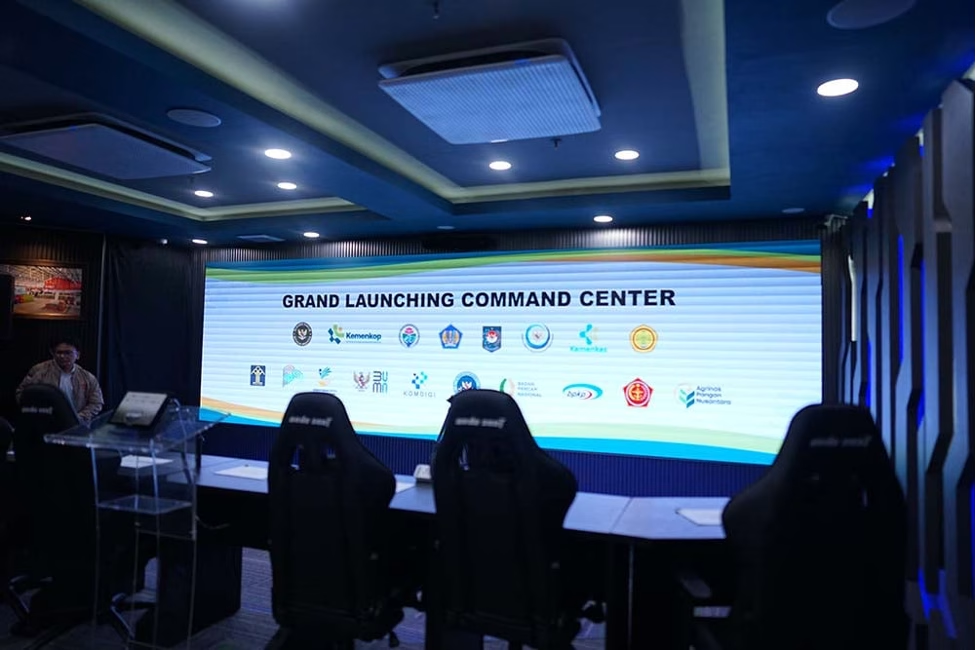
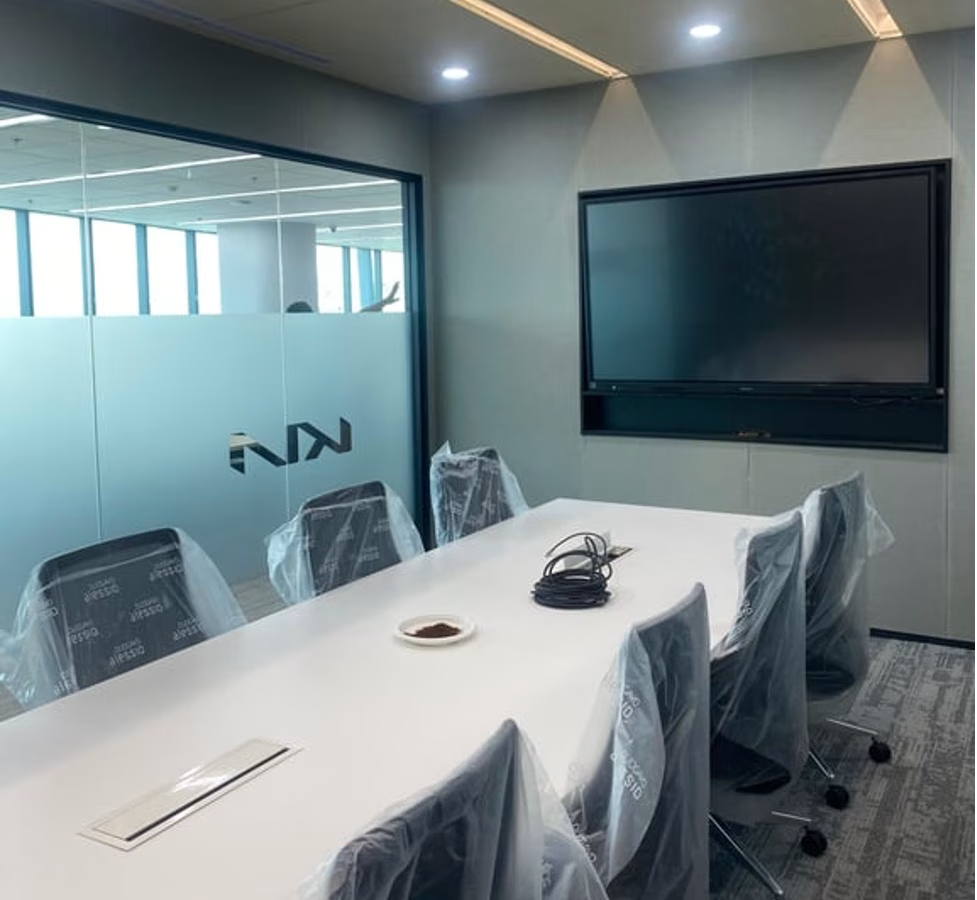
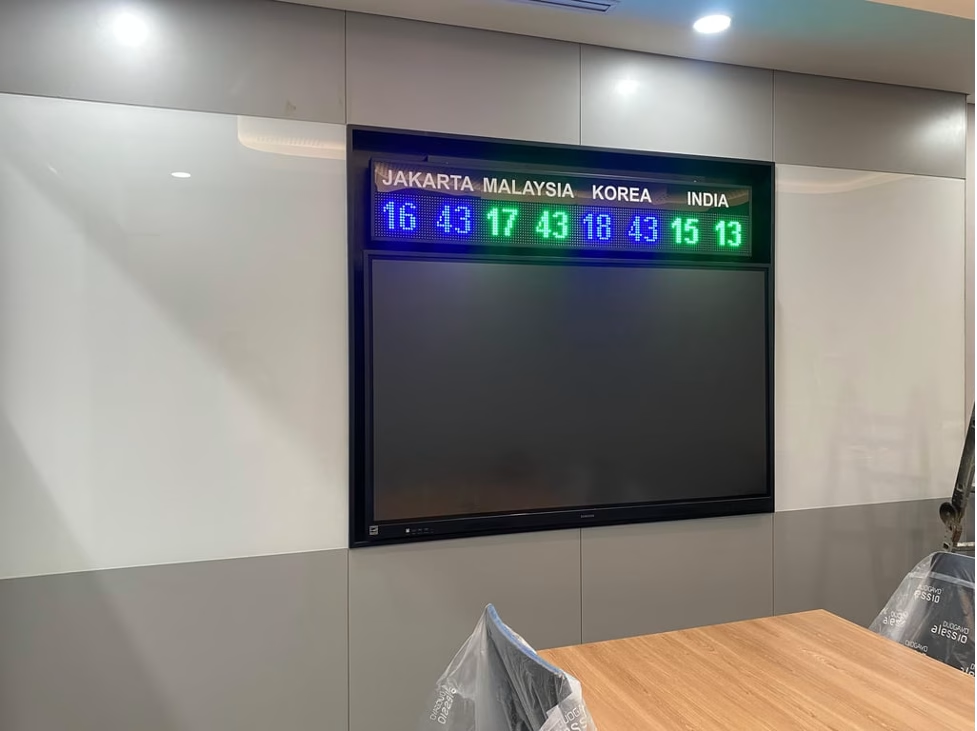
Ruang rapat modern dengan sistem audio visual terintegrasi, termasuk proyektor, layar, speaker, dan panel kontrol

Ketika kita menerapkan sistem audio visual dalam ruang rapat modern, penting untuk mempertimbangkan desain dan teknologi yang digunakan. Ini termasuk pengaturan ruang yang efisien dan alat yang tepat untuk mendukung komunikasi yang baik.

Desain dan Tata Letak Ruang Rapat

Desain ruang rapat harus memperhitungkan kenyamanan dan fungsionalitas. Ruang yang baik membantu meningkatkan kolaborasi. Kami harus memilih meja berbentuk persegi atau oval agar semua peserta bisa saling melihat.

Penempatan layar dan projektor juga penting. Pastikan layar terlihat jelas oleh semua orang. Kami bisa memanfaatkan dinding besar untuk tampilan yang lebih baik. Pencahayaan harus cukup untuk proyek tetapi tidak menyilaukan.

Sistem suara harus disebar merata, menggunakan mikrofon yang tepat. Ini membantu memastikan suara terdengar jelas di seluruh ruangan. Dengan menciptakan tata letak yang baik, kami mendorong interaksi yang lebih efektif.

Teknologi Pendukung dan Infrastruktur

Memilih teknologi yang tepat sangat penting untuk fungsi ruang rapat. Sistem audio visual harus terintegrasi dengan baik. Kami bisa menggunakan perangkat seperti video conference untuk meningkatkan komunikasi jarak jauh.

Penggunaan teknologi IoT juga membantu mengatur pertemuan. Dengan otomatisasi, kami dapat mengontrol lampu dan peralatan lainnya dengan mudah. Menggunakan teknologi terbaru juga menjaga kualitas suara dan gambar.

Infrastruktur jaringan yang kuat juga sangat dibutuhkan. Pastikan koneksi internet stabil untuk mendukung presentasi dan video conference. Dengan semua elemen ini, kami menciptakan ruang rapat yang modern dan efisien.

In-Depth Review of Extron UC 303: Analyzing Features, Performance, and Value

In-Depth Review of Extron UC 303: Analyzing Features, Performance, and Value

Introduction

A sleek, modern conference room with a large display screen and a central control panel on the table. Various audiovisual equipment is neatly arranged around the room

The Extron UC 303 is an advanced collaboration tool designed for modern meeting environments. Its features aim to simplify the integration of audio-visual sources into virtual communication platforms.

Overview of Extron UC 303

The Extron UC 303 is a three-input, one-output 4K presentation switcher specifically made for unified communications. It supports USB connections, which makes it suitable for various applications, including video conferencing.

With its user-friendly design, we can easily connect multiple AV sources. This switcher works seamlessly with platforms like Microsoft Teams and Zoom, promoting efficient collaboration.

Features such as auto-switching prioritize input sources automatically. This ensures natural transitions during presentations. The compact design fits well in any meeting space, enhancing our experience without clutter.

We appreciate how the UC 303 streamlines workflow and encourages effective communication in professional settings.

Specifications of Extron UC 303

A close-up of the Extron UC 303 device with various ports and connectors, surrounded by technical equipment and cables

In this section, we will detail the specific features of the Extron UC 303. This includes its input and output capabilities, the resolutions it supports, and the user interface features that enhance its functionality.

Input and Output Capabilities

The Extron UC 303 offers a versatile range of input and output options. It features three inputs, accommodating various sources including USB, HDMI, and DisplayPort. This allows seamless integration of multiple devices into a single system, making it suitable for various applications.

For output, the device includes one output, supporting 4K video at 60 Hz. This ensures high-quality presentation and collaboration experiences. Additionally, there are five USB device ports available, allowing us to connect various peripherals easily, such as cameras, microphones, and other USB devices.

Resolution Support

When it comes to resolution, the UC 303 excels in delivering high-quality visuals. It supports 4K resolution (3840 x 2160) at 60 Hz, which is ideal for high-definition video conferencing and presentations.

Moreover, it can also handle lower resolutions, including 1080p (1920 x 1080) and 720p (1280 x 720). This flexibility ensures compatibility with older devices while maximizing the capabilities of newer technologies.

User Interface Features

The Extron UC 303 is designed with user experience in mind. Its interface includes an intuitive control panel that simplifies operation. We can easily switch between inputs and adjust settings on the fly.

Additionally, the device supports USB-C connections, allowing for effortless management of video, audio, and USB data. Touchscreen compatibility further enhances usability, making interactions straightforward and efficient. Together, these features ensure our presentations and collaborations run smoothly.

Technology Behind the Extron UC 303

A close-up of the Extron UC 303 unit with various ports and connectors, surrounded by cables and other audiovisual equipment

The Extron UC 303 is built with advanced technology that enhances collaboration in professional settings. We will explore its integrated processing capabilities, compatibility with various systems, and how it is designed for future scalability.

Integrated Processing Capabilities

The Extron UC 303 features powerful integrated processing that supports 4K video resolutions at 60 Hz. This ensures that video quality remains sharp and clear for all users. The switcher combines video, audio, and USB data transmission through USB-C connections.

With three inputs and one output, it allows users to connect multiple devices seamlessly. This integration simplifies presentations and meetings. The robust processing also provides automated switching, making it easy to manage which source is displayed.

Furthermore, features like scaling and the ability to handle various audio formats enhance its versatility. This is essential for creating a smooth user experience during discussions.

Compatibility and Integration

We understand that compatibility is key in modern AV setups. The UC 303 is designed to work well with popular platforms like Zoom and Microsoft Teams. This makes it suitable for unified communication spaces.

The device supports a wide range of AV sources, including laptops, tablets, and cameras. Its USB-C ports allow for convenient connections without needing multiple adapters.

The switcher’s design ensures straightforward integration into existing AV systems, minimizing setup time. This compatibility facilitates easier transitions into hybrid work environments, where different technologies need to work together efficiently.

Scalability and Future-Readiness

Scalability is a strong point for the Extron UC 303. As technology evolves, businesses need solutions that can adapt. The UC 303 can easily expand to support additional devices.

This switcher is also built with software that can receive regular updates. These updates allow us to take advantage of the latest features and improvements without needing new hardware.

Users can feel confident that their investment in the UC 303 is future-proofed. This adaptability is vital as more organizations shift towards advanced collaboration solutions. Its design supports upgrades, ensuring that we remain equipped for future challenges.

Application Recommendations

A close-up of the Extron UC 303 unit with various ports and buttons, set against a clean and modern backdrop

The Extron UCS 303 is a versatile solution suitable for various settings. Its design and capabilities make it an excellent choice for corporate environments, educational institutions, and event spaces. We will explore each of these applications in detail.

Corporate Environments

In corporate settings, the UCS 303 is ideal for conference rooms and collaboration spaces. Its ability to integrate AV sources and USB cameras supports seamless communication in video meetings.

The switcher’s simple interface makes it easy for users to switch between different devices quickly. We can utilize it for:

  • Video conferencing with Microsoft Teams and Zoom.
  • Presentations from laptops and mobile devices.
  • Flexible setups for both small and large meetings.

This flexibility aids in enhancing productivity and ensuring effective collaboration among teams.

Educational Institutions

For educational institutions, the UCS 303 streamlines presentations and lectures. The device accommodates various media sources that enhance learning experiences.

Key features include:

  • Support for multiple input devices such as laptops and document cameras.
  • 4K video output ensures clarity in visuals, which is critical for presentations and lectures.
  • User-friendly controls mean that instructors and students can easily manage content.

This makes the UCS 303 a valuable addition to classrooms and lecture halls, ensuring an interactive learning environment.

Event Spaces

Event spaces benefit significantly from the UCS 303’s capabilities for presentations and live streaming. Whether for corporate events, seminars, or social gatherings, the switcher delivers high-quality AV integration.

We can take advantage of:

  • Multiple inputs to manage different video feeds.
  • Easy switching between sources, which is critical during live events.
  • Scalability to fit various space sizes and audience capacities.

By using the UCS 303, we can ensure smooth transitions and high-quality presentations that keep audiences engaged.

Importance of the Extron UC 303

The Extron UC 303 is a significant tool for improving collaboration in various meeting spaces. It enhances communication, provides long-term cost savings, and ensures robust support through experienced partners.

Enhancing Communication Efficiency

We understand that effective communication is crucial in today’s fast-paced work environment. The Extron UC 303 streamlines this process by integrating multiple audio-visual sources into one system.

With three inputs and one output, users can easily switch between laptops, cameras, or other devices. This efficiency is particularly valuable during video conferences, such as those held on Zoom or Microsoft Teams.

Additionally, its support for 4K resolution ensures that content is displayed in high quality, making it easier for all participants to engage and contribute. Clear visuals and seamless transitions greatly enhance the overall experience.

Long-Term Cost Benefits

Investing in the Extron UC 303 can lead to significant long-term savings. First, it combines various functions into a single device, reducing the need for multiple pieces of equipment. This consolidation saves money on initial purchases and ongoing maintenance.

Moreover, its reliability translates to fewer repairs and downtime. Businesses can focus more on their core activities rather than dealing with technical issues.

Including features like built-in display control minimizes the need for additional accessories, further reducing costs. Long-term, the savings on equipment and maintenance can help improve the bottom line for organizations.

Support from MLV Teknologi

MLV Teknologi provides valuable support for the Extron UC 303, ensuring users receive expert assistance when needed. With their help, we can maximize the benefits of the system while minimizing potential disruptions.

MLV Teknologi offers training, installation, and ongoing maintenance services. This support allows us to feel confident in our investment and ensures that we can efficiently utilize all the features.

Their expertise in unified communications ensures that we can navigate challenges effectively and adapt to new technologies as they emerge. This partnership is critical for organizations wanting to stay competitive in a technology-driven landscape.

Conclusion

In this section, we will recap the essential features and advantages of the Extron UC 303. We will also encourage potential clients to consider its benefits for their communication needs.

Recap of Key Features and Advantages

The Extron UC 303 offers several notable features that enhance collaboration in unified communication environments. It supports 4K video resolution, ensuring high-quality visuals during presentations.

With three inputs and one output, it enables seamless switching between multiple devices. This is ideal for meeting rooms where various participants may need to present content.

An important aspect is its USB device connections, which streamline integration with computers and video conferencing tools like Zoom and Teams. This connectivity makes it user-friendly for participants.

Accessibility and versatility are further highlighted in its design, catering to diverse meeting setups. Overall, the Extron UC 303 stands out for its functionality in professional settings.

Call to Action for Interested Clients

We recommend considering the Extron UC 303 for your organization’s communication needs. Its advanced features cater to diverse collaborative environments.

If you are looking for a reliable solution to enhance your meetings, we encourage you to explore this product further. To learn more about how the Extron UC 303 can improve your communication experience, visit this page.

Investing in the right technology not only boosts productivity but also ensures smooth interaction among team members. Don’t miss the opportunity to enhance your workspace with this effective presentation switcher.

Frequently Asked Questions

In this section, we will address common questions related to the Extron UC 303. We will cover key features, compatibility with other Extron products, pricing comparisons, and performance specifics in real-world settings.

What features differentiate the Extron UC 303 from other collaboration switchers?

The Extron UC 303 stands out with its three-input, one-output configuration and support for 4K resolution. Its focus on unified communications makes it particularly suited for meeting spaces. Additionally, it includes USB device connections, enhancing connectivity for various devices.

How does the Extron MediaPort 300 integrate with the UC 303?

The Extron MediaPort 300 can easily connect to the UC 303, allowing it to support multiple media sources. This combination streamlines the integration of video and audio signals. Users can switch seamlessly between different devices, enhancing the collaborative experience in meetings.

Can the Extron USB-C AAP be used with the UC 303 for USB-C connectivity?

Yes, the Extron USB-C AAP is compatible with the UC 303. This allows users to connect USB-C devices directly, facilitating easy access to presentations and other media. It also provides power delivery, ensuring devices remain charged during use.

What is the price range for the Extron UCS 303, and how does it compare to similar products?

The Extron UC 303 typically falls within the mid-range price segment for collaboration switchers. While prices can vary, it is competitively priced against similar products from other brands. Its features and capabilities offer significant value for unified communication environments.

How does the HDMI to USB conversion on the Extron UC 303 perform in real-world applications?

The HDMI to USB conversion on the UC 303 performs reliably in various settings. Users report minimal latency and high-quality video output, making it suitable for presentations and video conferencing. This functionality helps maintain a smooth experience during collaborative sessions.

What are the configuration steps for the Extron UC 303 to operate within a standard AV setup?

Configuring the Extron UC 303 involves connecting the inputs and outputs to the AV system. We recommend following the setup guide for optimal results. Adjustments can be made through the Extron control software, allowing for customization based on specific user needs in the meeting space.

In-Depth Review of Planar DirectLight Ultra Series P0.6 : Analyzing Performance and Features

In-Depth Review of Planar DirectLight Ultra Series P0.6 : Analyzing Performance and Features

The Planar DirectLight Ultra Series P0.6 stands out as a top choice for high-resolution video walls. With its fine pixel pitch and advanced MicroLED technology, this series delivers stunning visual performance ideal for various applications. In this review, we will dive into the specifications, the innovative technology that drives these displays, and how they can enhance your viewing experience.

A bright, evenly lit room with the Planar DirectLight Ultra Series P0.6 mounted on the ceiling, casting a soft, uniform glow across the space

In today’s market, where visual clarity and detail are paramount, the P0.6 model provides a unique solution for those seeking quality and reliability. Whether we are discussing live events, corporate settings, or digital signage, this LED video wall series meets demanding requirements while ensuring vibrant color reproduction. Our detailed exploration will help you understand why it’s gaining traction among industry professionals.

Join us as we uncover essential features and share insight on how the Planar DirectLight Ultra Series P0.6 can transform any space into an engaging visual environment.

Key Takeaways

  • The Planar DirectLight Ultra Series P0.6 features high-resolution capabilities.
  • Its advanced technology ensures excellent color accuracy and brightness.
  • Ideal for various applications, enhancing user experience significantly.

In-Depth Review Of Planar DirectLight Ultra Series P0.6

A sleek and modern Planar DirectLight Ultra Series P0.6 LED display mounted on a wall, emitting bright and vibrant colors in a well-lit room

The Planar DirectLight Ultra Series P0.6 features advanced technology designed for high-quality visual experiences. We will explore its key aspects, including its remarkable pixel pitch, display performance, and applications.

Overview Of Planar DirectLight Ultra Series

The Planar DirectLight Ultra Series, especially the P0.6 model, offers an impressive pixel pitch of 0.6 millimeters. This specification allows for exceptional visual clarity and detail, making it ideal for mission-critical applications and high-end environments.

We appreciate the superior color reproduction and brightness provided by the MicroLED technology used in these displays. With various brightness levels, the P0.6 model ensures visibility in different lighting conditions.

A key consideration is the ability to handle always-on performance. This feature is crucial for environments where downtime is not an option. The robust design of the DirectLight Ultra ensures reliability and durability, catering to our needs for demanding settings.

In summary, the P0.6 model combines advanced technology with practical features, making it a strong choice for various applications.

Specifications Of Planar DirectLight Ultra Series P0.6

A close-up view of the Planar DirectLight Ultra Series P0.6, highlighting its sleek design and advanced features

The Planar DirectLight Ultra Series P0.6 offers impressive specifications that make it stand out in the market. Key areas such as pixel pitch, brightness, contrast, and design features play a crucial role in its performance. We will explore these important specifications in detail.

Pixel Pitch And Resolution

The pixel pitch of the Planar DirectLight Ultra P0.6 is 0.6 millimeters. This fine pixel pitch allows for high-resolution images, making it suitable for close viewing distances. The resolution provides sharp detail and clarity, which is essential for mission-critical applications.

  • Resolution: 1280 x 720 pixels per panel
  • Aspect Ratio: 16:9
  • Viewing Distance: Ideal for 1.2 meters or closer

This precision makes the P0.6 an excellent choice for environments such as control rooms, broadcasting, and digital advertising.

Brightness And Contrast Ratio

The brightness of the P0.6 is rated at over 1,200 nits. This level ensures that images remain vibrant and clear even in brightly lit environments.

  • Contrast Ratio: 5,000:1

A high contrast ratio enhances color accuracy and depth, making images pop on the screen. This combination of brightness and contrast is vital for delivering stunning visuals in any setting.

Modular Design Features

We appreciate the modular design features of the Planar DirectLight Ultra P0.6. This design allows for easy installation and maintenance, minimizing downtime.

Key features include:

  • Hot-swappable Power Modules: Ensures continuous operation.
  • n+1 Redundancy: Provides reliability by keeping systems running even if one component fails.

These features emphasize the user-friendly aspects of the product while supporting long-term performance in demanding applications. The modular approach helps us easily adapt to different configurations as needed.

Technology Behind The P0.6

A close-up of the Planar DirectLight Ultra Series P0.6 display panel, showcasing its advanced technology and sleek design

The P0.6 series utilizes advanced technology for impressive display quality. Key features include Direct View LED technology, integrated video processing, and effective calibration and color management. Each of these components plays a crucial role in creating a vivid and precise viewing experience.

Direct View LED Technology

We appreciate that the P0.6 model employs Direct View LED technology, which ensures high brightness and contrast levels. This technology allows pixels to be individually lit, resulting in deep blacks and vibrant colors.

The pixel pitch of 0.6mm provides an incredibly fine display, making it ideal for close viewing. Typical applications include broadcast studios and high-end control rooms where image clarity is essential. This approach minimizes the visibility of seams between tiles, creating a seamless image across the video wall.

Integrated Video Processing

The integrated video processing in the P0.6 enhances image quality by optimizing resolution and scaling content. We find that this feature is crucial for delivering sharp images, even when displaying different sources.

Advanced processing algorithms adjust brightness, contrast, and sharpness in real time. This ensures consistent visuals across varying lighting conditions. The system supports multiple input formats, making it versatile enough for various applications, including live events and fixed installations.

Calibration And Color Management

Effective calibration and color management are vital for maintaining image accuracy. With the P0.6, we have tools to ensure that colors are true to life. This model supports advanced calibration methods that allow technicians to adjust color output based on specific environments.

The built-in color management system helps achieve uniformity across the entire display. This is especially important in large setups where differences in color can distract viewers. Weekly or monthly adjustments can be programmed to maintain optimal performance, ensuring that the display remains consistent over time.

Application Recommendations

A sleek, modern office setting with the Planar DirectLight Ultra Series P0.6 displayed on a large, clean wall. Bright, even lighting illuminates the space

The Planar DirectLight Ultra Series, especially the P0.6 model, is well-suited for various environments. Its high resolution and fine pixel pitch make it an excellent choice for specific applications. We will explore its effectiveness in corporate environments, educational institutions, and retail or control rooms.

Corporate Environments

In corporate settings, clear communication is essential. The DirectLight Ultra’s sharp images enhance presentations and video conferences. With a pixel pitch of just 0.6 millimeters, the display provides crisp visuals, allowing viewers to see every detail.

These displays work well in lobby areas, boardrooms, and collaborative spaces. Using multimedia content, we can showcase company achievements or drive home key messages effectively.

Additionally, the reliable technology ensures that our content is always on and accessible. This reliability is crucial for high-stakes presentations or meetings, where every second counts.

Educational Institutions

Educational institutions benefit greatly from the DirectLight Ultra Series. The fine pixel pitch allows for engaging visual presentations, making complex subjects easier to understand.

These displays can be installed in lecture halls, classrooms, and digital signage areas. They support various teaching styles, from traditional lectures to interactive learning environments.

We can use them for displaying educational videos, real-time data, and collaborative projects. This interactivity enhances student engagement and fosters a more dynamic learning atmosphere. The screens can also serve administrative purposes, aiding in campus communication.

Retail And Control Rooms

In retail, the DirectLight Ultra series captures customer attention. Bright, sharp images can highlight promotions and new products effectively. This feature is crucial in crowded environments where first impressions matter.

For control rooms, the displays provide critical real-time information. Their high resolution allows for clear monitoring of various data sources. This clarity is essential for security operations, traffic management, or emergency services.

The flexibility of the installation means we can adapt the configuration to fit any space. With these capabilities, the Planar DirectLight Ultra series becomes indispensable for both retail and operational needs.

Importance Of The Planar DirectLight Ultra Series P0.6

A sleek and modern Planar DirectLight Ultra Series P0.6 LED display mounted on a wall, emitting vibrant and high-resolution visuals in a well-lit room

The Planar DirectLight Ultra Series P0.6 plays a crucial role in various applications, elevating communication, offering long-term investment value, and providing a design that adapts to future needs. We explore these aspects to understand its significance.

Enhancing Communication

Effective communication is essential in today’s fast-paced world. The Planar DirectLight Ultra P0.6 is designed with ultra-fine pixel pitch, which ensures clear and vibrant images.

With a resolution of 0.6 millimeters, it enhances visual clarity, making it ideal for settings such as command centers, broadcast studios, and corporate environments.

The high-resolution display simplifies information sharing, ensuring that details are easily viewable from different angles and distances. This clarity strengthens messaging, enabling teams to work better and make informed decisions quickly.

Long-Term Investment Benefits

Investing in the Planar DirectLight Ultra P0.6 offers substantial long-term benefits. The durability and high performance of these displays reduce costs associated with frequent replacements.

They are built for continuous use, which is vital for mission-critical applications.

We see that the technology minimizes maintenance needs, which further adds to overall savings. Using advanced features, like light blockage reduction technology, ensures that we receive a display that stands the test of time.

Future-Proofing With Versatile Design

The adaptability of the Planar DirectLight Ultra P0.6 makes it a future-proof solution. Its modular design allows us to scale and reconfigure installations based on evolving needs.

This versatility is crucial in environments that undergo regular updates or changes.

We can easily integrate new technologies and enhancements, keeping our displays relevant for years to come. The ability to update without significant investments in new systems ensures we stay ahead in visual performance.

Conclusion

In this section, we will highlight the key features and advantages of the Planar DirectLight Ultra Series P0.6, as well as provide insights for potential clients interested in this technology. Understanding these elements will aid in making an informed decision.

Recap Of Key Features And Advantages

The Planar DirectLight Ultra Series P0.6 offers remarkable features that stand out in the LED display market. One of the most striking benefits is its high resolution, providing clear and vibrant visuals. The pixel pitch of 0.6mm ensures that content displays with incredible detail, ideal for close viewing.

Additionally, these displays are highly energy-efficient, requiring less power and producing minimal heat. This makes them not only cost-effective but also more sustainable for long-term use.

Another important aspect is the series’ self-adjusting module alignment technology. This feature maintains perfect pixel alignment over time, reducing maintenance needs and enhancing reliability. Overall, the Planar DirectLight Ultra Series sets a high standard for performance and durability in modern display solutions.

Call To Action For Interested Clients

For businesses considering upgrading their display technology, we recommend exploring the Planar DirectLight Ultra Series P0.6. Its blend of high performance and user-friendly features makes it an excellent investment.

We encourage interested clients to reach out for a demonstration. Experiencing the display firsthand is the best way to appreciate its quality. Don’t miss out on the opportunity to elevate your visual communication. Contact us to learn more about how this impressive technology can meet your needs and enhance your space.

Frequently Asked Questions

In this section, we address important queries about the Planar DirectLight Ultra Series, specifically the P0.6 model. This information focuses on features, applications, pixel pitch, customization options, warranty coverage, and energy efficiency.

What are the main features of the Planar DirectLight Ultra Series LED video walls?

The Planar DirectLight Ultra Series includes features like ultra-fine pixel pitch, superior brightness, and a slim design. These video walls are built for seamless integration, with exceptional viewing angles and color accuracy. They also support advanced video processing for high-quality performance.

How does the P0.6 model’s pixel pitch compare to other LED solutions in terms of image quality?

The P0.6 model offers a pixel pitch of 0.6 mm, which results in excellent image clarity and detail. Compared to other LED solutions, this tight pixel density provides sharper images and finer details, making it ideal for close viewing distances. Users can expect high-resolution displays suitable for various applications.

What type of applications are best suited for the Planar DirectLight Ultra Series P0.6?

The P0.6 model is well-suited for environments like control rooms, broadcast studios, and high-end corporate settings. Its sharp image quality and color accuracy make it perfect for applications requiring detailed visual information. Other uses include digital signage and immersive experiences in entertainment venues.

Can the Planar DirectLight Ultra Series P0.6 be configured in custom sizes and layouts?

Yes, the Planar DirectLight Ultra Series P0.6 can be customized in various sizes and layouts to meet specific project requirements. This flexibility allows us to create unique display configurations tailored to individual spaces and design preferences. The modular design facilitates easy adjustments for different environments.

What warranty coverage is included with the Planar DirectLight Ultra Series P0.6?

The Planar DirectLight Ultra Series P0.6 typically comes with a standard warranty that covers parts and labor for a specified period. Warranty terms may vary, so it is essential to check the specifics when purchasing. This coverage provides peace of mind for users relying on this technology in critical applications.

How does the energy efficiency of the P0.6 model impact operational costs?

The P0.6 model is designed with energy efficiency in mind, which helps reduce operational costs. Its advanced LED technology consumes less power while delivering high brightness. Over time, this efficiency can translate into significant savings on electricity bills, making it an economical choice for long-term use.

Infrastruktur Home Office yang Efektif: Kunci Meningkatkan Produktivitas di Era Kerja Hybrid

Infrastruktur Home Office yang Efektif: Kunci Meningkatkan Produktivitas di Era Kerja Hybrid

 Pentingnya Desain Home Office yang Ramah Pengguna

Sebuah kantor rumah yang terorganisir dengan baik dengan furnitur ergonomis, pencahayaan alami, dan pengaturan teknologi yang efisien

Desain yang ramah pengguna sangat penting untuk menciptakan home office yang efektif. Ruang kerja yang baik dapat mendukung fungsi dan kenyamanan, membantu individu merasa lebih fokus dan produktif. Di bawah ini dibahas dua aspek utama dari desain home office yang ramah pengguna.

Internasionalisasi Ruang Kerja: Bagaimana menciptakan ruang kerja yang mendukung fungsi dan kenyamanan

Menciptakan home office yang menyenangkan adalah kunci untuk meningkatkan produktivitas. Pertama, pemilihan furnitur yang ergonomis sangat krusial. Kursi dan meja yang disesuaikan dengan postur tubuh dapat mengurangi ketidaknyamanan.

Kedua, tata letak ruangan harus memaksimalkan ruang yang ada. Penempatan barang-barang penting dalam jangkauan mudah dapat membantu mengurangi gangguan dan meningkatkan efisiensi.

Terakhir, menambahkan elemen dekoratif yang menciptakan suasana positif juga penting. Tanaman hijau, seni dinding, dan warna yang menenangkan dapat membuat ruang kerja lebih menarik.

Pengaruh Lingkungan Fisik terhadap Produktivitas: Mengkaji bagaimana elemen seperti pencahayaan, warna, dan tata letak dapat memengaruhi konsentrasi

Lingkungan fisik di home office memiliki dampak yang signifikan terhadap produktivitas. Salah satu elemen utama adalah pencahayaan. Pencahayaan yang baik, baik alami maupun buatan, dapat memengaruhi suasana hati dan konsentrasi. Mengatur posisi meja di dekat jendela dapat memaksimalkan cahaya alami.

Warna juga memainkan peran penting. Warna-warna cerah seperti biru dan hijau sering dianggap dapat meningkatkan fokus. Penggunaan warna yang tepat dapat memicu respons psikologis yang positif.

Selain itu, tata letak ruangan harus meminimalkan gangguan. Meja yang terorganisir dan area kerja yang bersih membantu individu tetap fokus dan efisien. Desain home office yang baik pertimbangan pada semua elemen ini sangat penting untuk mencapai produktivitas optimal.

Peran Teknologi dalam Meningkatkan Kinerja Kerja

Sebuah pengaturan kantor rumah modern dengan teknologi terintegrasi, termasuk komputer, printer, dan internet berkecepatan tinggi, dikelilingi oleh ruang kerja yang nyaman dan terorganisir

Teknologi memainkan peran penting dalam meningkatkan kinerja kerja, terutama di lingkungan kerja hybrid. Dengan alat yang tepat, karyawan dapat lebih produktif dan terhubung dengan tim mereka tanpa batasan geografis.

Alat Modern yang Diperlukan: Daftar teknologi dan perangkat lunak yang harus ada untuk mendukung kerja jarak jauh

Untuk mendukung kerja jarak jauh, beberapa perangkat dan software sangat penting. Ini termasuk:

  • Perangkat keras: Laptop dengan spesifikasi yang baik, webcam berkualitas, dan headset untuk komunikasi yang jelas.
  • Software kolaborasi: Alat seperti Microsoft Teams, Zoom, dan Slack untuk komunikasi real-time.
  • Manajemen proyek: Aplikasi seperti Trello atau Asana untuk melacak tugas dan proyek secara efisien.
  • Keamanan siber: VPN dan antivirus untuk menjaga data perusahaan tetap aman.

Memiliki alat yang tepat memungkinkan karyawan berfungsi dengan baik dari mana saja.

Tren Terbaru dalam Teknologi Kolaborasi: Mengintegrasikan alat digital yang mempermudah komunikasi dan kerja sama tim

Tren teknologi terus berkembang dan mempengaruhi cara tim berkolaborasi. Salah satu tren penting adalah penggunaan alat kolaborasi yang lebih canggih. Beberapa hal yang dapat diperhatikan adalah:

  • Chatbots: Membantu menjawab pertanyaan umum dan mengurangi waktu tunggu untuk mendapatkan informasi.
  • Virtual Reality (VR): Menghadirkan pengalaman meeting yang lebih nyata meskipun jarak jauh.
  • Integrasi AI: Memungkinkan analisis data yang lebih cepat dan membuat rekomendasi untuk meningkatkan produktivitas.

Dengan teknologi yang terus berkembang, perusahaan dapat memanfaatkan alat-alat ini untuk meningkatkan kerja sama tim dan efisiensi.

Membangun Hubungan Tim yang Solid di Jarak Jauh

Sebuah pengaturan kantor rumah yang nyaman dengan teknologi modern, furnitur yang nyaman, dan tanaman. Sebuah pertemuan tim virtual sedang berlangsung, dengan semua orang terlibat dan berkolaborasi secara efektif.

Di era kerja jarak jauh, membangun hubungan tim yang solid sangat penting. Hal ini bisa dicapai melalui komunikasi yang efektif dan aktivitas yang memperkuat kerjasama antar anggota tim.

Strategi Komunikasi Dinamis: Cara menjaga komunikasi yang efektif dan transparan dalam tim

Komunikasi yang jelas dan terbuka adalah kunci untuk menjaga hubungan tim yang kuat. Tim perlu mengatur rutinitas komunikasi yang teratur, seperti pertemuan mingguan virtual. Dalam pertemuan ini, anggota tim dapat berbagi pencapaian, tantangan, dan ide.

Menggunakan berbagai platform komunikasi juga sangat membantu. Aplikasi seperti Slack, Zoom, dan Microsoft Teams memungkinkan anggota tim untuk terhubung dengan mudah. Penetapan saluran komunikasi khusus untuk berbagai topik juga dapat meningkatkan efektivitas.

Selain itu, penting untuk memberikan umpan balik secara teratur. Umpan balik membantu anggota tim merasa dihargai dan dipahami. Dengan cara ini, tim akan lebih terbuka dan kolaboratif dalam menyelesaikan tugas.

Aktivitas Membangun Tim Secara Virtual: Menerapkan kegiatan untuk menjaga kerjasama dan ikatan antar karyawan

Aktivitas membangun tim secara virtual membantu memperkuat ikatan antar anggota. Kegiatan seperti permainan online atau kuis dapat menciptakan suasana yang lebih santai dan menyenangkan. Hal ini membuat anggota tim merasa lebih dekat satu sama lain.

Selain itu, untuk mengurangi kejenuhan, tim bisa merencanakan acara sosial virtual. Ini termasuk happy hour online atau sharing session tentang hobi dan minat pribadi. Kegiatan semacam ini memberi kesempatan bagi anggota tim untuk mengenal satu sama lain di luar pekerjaan.

Mengadakan pelatihan atau workshop virtual juga bermanfaat. Pelatihan ini tidak hanya meningkatkan kemampuan individu, tetapi juga memperkuat kerja sama tim. Ketika anggota tim merasa lebih terlibat, produktivitas dan semangat kerja mereka meningkat.

Kesehatan dan Kesejahteraan Karyawan

Sebuah kantor rumah yang terorganisir dengan baik dengan teknologi modern, furnitur ergonomis, dan suasana yang tenang

Kesehatan dan kesejahteraan karyawan menjadi aspek penting dalam model kerja hybrid. Dengan meningkatnya jumlah karyawan yang bekerja dari rumah, perhatian terhadap kesehatan mental dan keseimbangan hidup kerja jadi semakin krusial.

Inisiatif Dukungan Kesehatan Mental dalam Lingkungan Kerja Jarak Jauh: Menyediakan sumber daya untuk mendukung kesehatan emosional karyawan

Perusahaan perlu menerapkan berbagai inisiatif untuk mendukung kesehatan mental karyawan. Ini termasuk program konseling yang dapat diakses secara online.

Menyediakan akses ke sumber daya mental seperti aplikasi meditasi atau sesi pelatihan dapat membantu karyawan menjaga kesehatan emosional mereka.

Sesi kelompok, di mana karyawan dapat berbagi pengalaman, juga penting. Inisiatif ini menciptakan komunitas yang saling mendukung dalam lingkungan kerja.

Menjaga Keseimbangan Hidup Kerja: Strategi untuk memastikan karyawan tidak mengalami burnout

Menjaga keseimbangan antara pekerjaan dan kehidupan pribadi adalah kunci untuk mencegah burnout. Karyawan perlu diberikan fleksibilitas dalam jadwal kerja mereka.

Perusahaan bisa mendorong penggunaan waktu makan yang cukup serta libur yang teratur. Pihak manajemen juga harus mengawasi beban kerja setiap karyawan.

Penting untuk mengedukasi karyawan tentang tanda-tanda burnout dan cara mengatasinya. Ini bisa mencakup pelatihan dan workshop serta membangun budaya kerja yang mendukung keseimbangan hidup kerja yang sehat.

Protokol Keamanan untuk Home Office

Sebuah pengaturan kantor rumah yang nyaman dengan meja modern, kursi ergonomis, dua monitor, dan lingkungan yang rapi. Cahaya alami masuk dari jendela besar, dan tanaman pot menambah sentuhan hijau.

Keamanan data sangat penting dalam pengaturan kerja dari rumah. Mengelola risiko dan menerapkan kebijakan yang kuat dapat melindungi informasi sensitif baik karyawan maupun perusahaan.

Mengatasi Risiko Keamanan di Lingkungan Kerja Remote: Tips dan trik untuk melindungi data dan informasi sensitif.

Membangun keamanan di lingkungan kerja remote dimulai dengan perangkat yang aman. Setiap karyawan harus memastikan bahwa sistem operasi dan aplikasi terbaru mereka telah diperbarui.

Menggunakan VPN adalah langkah penting untuk mengamankan koneksi internet. VPN mengenkripsi data yang ditransmisikan, menjadikannya lebih sulit untuk diakses oleh pihak yang tidak berwenang.

Penggunaan kata sandi yang kuat juga sangat diperlukan. Kata sandi harus mengandung kombinasi huruf besar, huruf kecil, angka, dan simbol. Mengganti kata sandi secara berkala dapat menambah lapisan keamanan.

Selanjutnya, karyawan harus dilatih mengenai phishing. Mereka perlu memahami bagaimana mengenali email atau pesan mencurigakan yang dapat mencuri informasi pribadi.

Kebijakan Keamanan yang Diterapkan dalam Perusahaan: Menetapkan aturan untuk perlindungan informasi karyawan dan perusahaan.

Perusahaan perlu memiliki kebijakan keamanan yang jelas untuk melindungi data. Kebijakan ini harus mencakup penjelasan tentang pengelolaan informasi sensitif.

Akses terbatas adalah hal yang krusial. Hanya karyawan yang memerlukan akses yang dapat diberikan izin untuk masuk ke data tertentu.

Menyusun prosedur untuk laporan insiden juga sangat penting. Karyawan harus tahu langkah-langkah yang harus diambil jika terjadi pelanggaran.

Pendidikan keamanan harus menjadi bagian dari orientasi karyawan baru. Kesadaran tentang risiko dan protokol dapat mencegah banyak masalah di masa depan.

Dengan menerapkan langkah-langkah ini, perusahaan dapat meningkatkan keamanan informasi di lingkungan kerja remote.

Kebijakan Kerja Hybrid yang Efektif

Kebijakan kerja hybrid yang efektif sangat penting untuk meningkatkan produktivitas dan kesejahteraan karyawan. Kebijakan ini mencakup pengaturan fleksibilitas dalam jam kerja serta evaluasi kinerja yang berkala dan adil.

Mengatur Fleksibilitas dalam Jam Kerja

Menyusun kebijakan yang memberikan karyawan pilihan terbaik untuk bekerja dapat meningkatkan kepuasan dan produktivitas. Fleksibilitas ini memungkinkan karyawan untuk menyesuaikan waktu kerja sesuai dengan kebutuhan pribadi dan lingkungan kerja mereka.

Karyawan dapat memilih jam kerja yang paling produktif bagi mereka, apakah pagi atau sore hari. Salah satu cara untuk menerapkan ini adalah dengan menyiapkan jadwal kerja fleksibel, di mana karyawan dapat menentukan waktu masuk dan keluar.

Perusahaan bisa menggunakan alat komunikasi daring untuk memudahkan koordinasi dan memastikan semua karyawan tetap terhubung. Dengan pendekatan ini, perusahaan menunjukkan kepercayaan pada karyawan, yang pada gilirannya, dapat meningkatkan motivasi dan hasil kerja.

Evaluasi Kinerja Berkala

Pentingnya penilaian yang adil untuk mengukur efektivitas kerja di rumah sangat tidak boleh diabaikan. Evaluasi berkala membantu memastikan bahwa karyawan tetap pada jalur yang benar dan memberikan umpan balik yang konstruktif.

Metode evaluasi dapat mencakup penilaian berdasarkan hasil kerja dan target yang telah ditetapkan. Penilaian ini tidak hanya melihat kuantitas, tetapi juga kualitas dari hasil kerja yang dihasilkan.

Untuk meningkatkan transparansi, penting bagi perusahaan untuk melakukan diskusi terbuka dengan karyawan mengenai hasil evaluasi. Dengan cara ini, karyawan bisa memahami harapan perusahaan dan memberi mereka kesempatan untuk mengajukan pendapat dan saran, sehingga terbangun hubungan kerja yang lebih kuat.

Mengenali dan Mengatasi Tantangan dalam Hybrid Work

Dalam pekerjaan hybrid, pekerja sering menghadapi berbagai tantangan yang dapat memengaruhi produktivitas. Penting untuk memahami masalah ini serta mengembangkan solusi yang tepat untuk mengatasinya.

Analisis Tantangan Umum yang Dihadapi: Identifikasi masalah yang sering muncul dalam pekerjaan jarak jauh.

Tantangan utama dalam hybrid working sering kali berkaitan dengan kurangnya interaksi langsung. Karyawan mungkin merasa terasing dan kurang terhubung dengan rekan kerja dan atasan. Hal ini bisa mengurangi motivasi dan komunikasi yang efektif.

Selain itu, ada tantangan terkait manajemen waktu. Pekerja bisa merasa kesulitan membedakan antara waktu kerja dan waktu pribadi. Gangguan di rumah juga dapat mempengaruhi konsentrasi. Keamanan data adalah concern penting lainnya, terutama ketika informasi sensitif diakses dari lokasi yang berbeda.

Solusi untuk Meningkatkan Produktivitas: Mengembangkan strategi inovatif untuk mengatasi kendala yang ada.

Untuk mengatasi masalah interaksi, perusahaan bisa memperkenalkan pertemuan rutin secara virtual. Menggunakan alat seperti video conference dapat membantu menjaga komunikasi yang baik.

Mengenai manajemen waktu, pekerja perlu membuat jadwal harian yang jelas. Penetapan jam kerja yang ketat membantu memisahkan waktu kerja dan waktu istirahat. Membuat lingkungan kerja yang nyaman di rumah juga menjadi kunci.

Keamanan data dapat ditingkatkan dengan menggunakan VPN dan pelatihan keamanan untuk karyawan. Hal ini membantu melindungi informasi perusahaan dari risiko kebocoran. Dengan langkah-langkah ini, produktivitas dapat meningkat dalam era kerja hybrid.

Frequently Asked Questions

Infrastruktur yang tepat adalah kunci untuk mendukung produktivitas dalam kerja hibrid. Beberapa aspek penting mencakup penyesuaian teknologi, elemen keamanan data, serta peran manajemen dalam menciptakan lingkungan kerja yang efektif.

Bagaimana cara menyediakan infrastruktur Home Office yang mendukung produktivitas kerja dari rumah?

Penyediaan infrastruktur dimulai dengan memastikan akses internet yang cepat dan stabil. Selain itu, perangkat keras seperti laptop atau komputer yang memenuhi kebutuhan pekerjaan juga sangat penting.

Apa saja elemen penting dalam infrastruktur Home Office untuk mendukung kerja hibrid?

Elemen penting meliputi alat kolaborasi digital, perangkat lunak manajemen proyek, dan sistem penyimpanan data yang aman. Semua ini harus terintegrasi dengan baik untuk mendukung efisiensi dan komunikasi yang efektif.

Bagaimana memastikan keamanan data saat bekerja dari rumah?

Penggunaan VPN dan software antivirus yang terbaru dapat melindungi data dari ancaman cyber. Selain itu, kebijakan keamanan yang jelas dan pelatihan bagi karyawan juga sangat penting.

Apa peran manajemen dalam meningkatkan efektivitas kerja hibrid?

Manajemen harus menciptakan budaya transparansi dan kepercayaan. Dengan memberikan dukungan dan umpan balik yang konstruktif, manajemen dapat meningkatkan keterlibatan karyawan.

Bagaimana teknologi dapat membantu dalam komunikasi dan kolaborasi tim kerja jarak jauh?

Teknologi seperti aplikasi perpesanan dan video konferensi memungkinkan komunikasi yang segera dan efisien. Alat-alat ini membantu menjaga konektivitas antara anggota tim, meskipun mereka berada di lokasi yang berbeda.

Apakah ada strategi khusus untuk mengukur dan meningkatkan produktivitas kerja hibrid?

Penggunaan indikator kinerja karyawan dapat membantu dalam melacak produktivitas. Selain itu, umpan balik rutin dan penyesuaian tujuan dapat meningkatkan kinerja individu dan tim secara keseluruhan.

SCATI: The Gold Standard in Security, Access, and Surveillance for Corporate Environments

SCATI: The Gold Standard in Security, Access, and Surveillance for Corporate Environments

In today’s corporate world, security is paramount. SCATI represents the gold standard in security, access control, and surveillance for corporate environments, ensuring a safe and efficient workspace. By integrating advanced technology with robust systems, SCATI helps businesses protect their assets, personnel, and sensitive information effectively.

A modern corporate office with sleek security cameras, keycard access points, and advanced surveillance technology

As we navigate the complexities of corporate security, we recognize the need for tailored solutions that address unique challenges. SCATI offers a comprehensive approach, combining surveillance systems, access controls, and alarm integration to create a seamless security experience. This not only enhances safety but also improves operational efficiency, allowing us to focus on what truly matters—growing our businesses.

Choosing SCATI means investing in peace of mind. With their intelligent security systems, we can respond quickly to threats and maintain a secure environment that fosters productivity. It’s clear that effective security measures are essential in our corporate landscape, and SCATI stands out as a leader in this crucial field.

Key Takeaways

  • SCATI provides top-notch security solutions tailored for corporate environments.
  • Investing in SCATI enhances safety and operational efficiency.
  • Effective security measures are vital for protecting assets and personnel.

Understanding the Importance of Robust Security Systems

A modern corporate environment with SCATI security cameras installed throughout the building, access control systems at entry points, and surveillance monitors in a control room

In today’s corporate world, security is more than just a necessity; it’s critical for business success. We must recognize the evolving needs of corporate security and the vital role of integrated security systems. These systems work together to create a seamless security environment.

The Evolving Needs of Corporate Security

As companies grow, so do their security needs. We face new challenges like cyber threats and physical risks. Today’s regulations also demand stricter security measures.

To adapt to these changes, we need a flexible security framework. This means using various technologies, from access control to surveillance cameras. For example:

  • Access controls: Limit who can enter sensitive areas.
  • Surveillance systems: Monitor facilities in real-time.
  • Cybersecurity measures: Protect against online threats.

Integrating these elements allows us to respond quickly to potential threats. By staying ahead of emerging risks, we can safeguard our assets and employees.

The Role of Integrated Security Systems

Integrated security systems control both physical and digital access. They connect different security tools for comprehensive protection.

For us, having a centralized system simplifies management. We can monitor activities in real-time across multiple locations. This integration ensures we can respond faster to incidents.

Key benefits of integrated systems include:

  • Real-time alerts: Immediate notifications of breaches.
  • Centralized management: Monitor all systems from one platform.
  • Improved communication: Different security aspects work in harmony.

By focusing on these integrated approaches, we strengthen our overall security posture. This collaboration ultimately protects our business and maintains trust with stakeholders.

The Benefits of Choosing SCATI for Corporate Security

A modern office building with SCATI security cameras and access control systems installed throughout the premises, ensuring a secure and monitored corporate environment

When selecting a security system for our corporate environment, SCATI offers vital benefits that enhance safety and streamline operations. Their advanced technology and features stand out, ensuring we protect our assets effectively.

Cutting-Edge Technology and Features

SCATI’s systems utilize the latest technology to provide superior security solutions. Their platforms are designed for easy integration with existing systems, allowing us to upgrade gradually without losing functionality.

Key Features:

  • Cloud Video Surveillance: This feature enables us to monitor facilities in real-time from anywhere, enhancing our response capabilities.
  • Automated Access Control: This technology reduces the chance of unauthorized access, safeguarding sensitive areas within our operations.
  • Scalability: As our business grows, we can add cameras and features without costly upgrades.

These advancements ensure we stay ahead in corporate security, adapting to evolving threats efficiently.

Enhanced Security and Operational Efficiency

Choosing SCATI significantly boosts our security and operational efficiency. Their solutions improve not just safety but also how we conduct day-to-day operations.

Advantages:

  • 24/7 Monitoring: Continuous surveillance allows us to respond swiftly to incidents, minimizing potential losses.
  • Improved Compliance: With features that help us meet regulatory standards, our operations can maintain high compliance levels easily.
  • Cost Savings: By automating routine security tasks, we can allocate our resources effectively, leading to both time and cost efficiencies.

With SCATI, we can ensure a secure environment, supporting our goals of maintaining productivity and safety.

The Importance of Implementing SCATI Solutions

A modern corporate environment with SCATI security cameras monitoring access points and surveillance equipment in place

Implementing SCATI solutions is essential for businesses looking to enhance their security and operational efficiency. These systems provide comprehensive protection, scalability, and expert guidance tailored to specific needs.

Ensuring Comprehensive Protection with SCATI

SCATI offers advanced access control and surveillance systems designed to ensure robust security for corporate environments. Their solutions help protect sensitive areas, restrict unauthorized access, and monitor activities in real-time.

With features like cloud-based video surveillance and integrated access controls, businesses can respond quickly to potential threats. This technology minimizes risks through proactive monitoring. Furthermore, SCATI systems allow for customizable settings to cater to unique organizational needs.

By choosing SCATI, we invest in our safety and operational resilience. The system’s scalability ensures it grows with us, allowing for future expansions without compromising security standards.

MLV Teknologi’s Expertise and Role as SCATI Distributor in Indonesia

In Indonesia, MLV Teknologi plays a crucial role as the SCATI distributor, providing expertise and localized support. Their knowledge of the SCATI system ensures a smooth implementation for businesses.

MLV Teknologi offers training, installation, and ongoing support to ensure that we maximize the benefits of SCATI solutions. They understand the unique challenges and requirements of Indonesian businesses, making their insights invaluable.

With their guidance, we can ensure that SCATI solutions are tailored to fit the local context. This partnership enhances our ability to protect our assets and ensures that we implement the latest security technologies effectively.

Conclusion

A modern corporate office with sleek security cameras, keycard access points, and surveillance monitors throughout the space

In this section, we will recap the strategic advantages of SCATI’s security solutions and outline important steps for management to consider. By understanding SCATI’s strengths, we can better appreciate its role in enhancing security and efficiency in corporate settings.

Recap of SCATI’s Strategic Advantages

SCATI provides comprehensive security solutions that stand out in the corporate environment. Their access control systems and video management platforms work together seamlessly.

Key benefits include:

  • Scalability: Solutions can grow alongside our needs, ensuring that investments remain relevant.
  • Reliability: Proven track records give us peace of mind, knowing our facilities are protected.
  • User-friendly: Intuitive interfaces make it easy for our teams to monitor and manage security.

With innovative technology, SCATI continues to adapt to current trends and threats, ensuring that we are always a step ahead in maintaining safety.

Call to Action for Management

As we consider SCATI’s offerings, it is imperative for management to take action. We need to prioritize security infrastructure and conduct a comprehensive assessment of our current systems.

Steps to take include:

  • Evaluate: Review our security needs compared to SCATI’s solutions.
  • Implement: Consider integrating SCATI’s systems for better protection.
  • Train: Ensure that our teams are trained on new systems for optimal use.

Taking these steps will enhance our corporate security framework and ensure a safer working environment for everyone.

Frequently Asked Questions

In this section, we address common inquiries about SCATI’s security solutions. These questions cover our technologies, compliance with regulations, integration capabilities, unique features, scalability, and support services.

What technologies form the core of SCATI’s security solutions?

SCATI’s security solutions are built on advanced technologies that combine video management systems with real-time analytics. Our systems utilize high-definition cameras, access control devices, and alarm systems to create a comprehensive security network.

How does SCATI ensure compliance with international data privacy regulations?

We prioritize data privacy by adhering to international regulations like GDPR. Our systems are designed with robust encryption and data handling practices to protect personal information and ensure compliance.

Can SCATI’s system integrate with existing corporate security infrastructure?

Yes, SCATI’s solutions are highly customizable and can easily integrate with existing security systems. This flexibility allows us to enhance your current setup without requiring a complete overhaul.

What sets SCATI apart from other corporate surveillance systems in the market?

What distinguishes SCATI is our focus on user-friendly interfaces and advanced analytics. We offer a seamless experience for monitoring and managing security while providing actionable insights to improve safety.

How does SCATI handle scalability as a company grows and expands its premises?

Our systems are designed to scale with your business. Whether you’re adding new locations or increasing security needs, we can expand our system to accommodate growth without compromising performance.

What are the support and maintenance services provided by SCATI after installation?

We offer comprehensive support and maintenance services after installation. Our team is available for training, troubleshooting, and regular maintenance to ensure your security systems operate smoothly and effectively.