
by Melvin Halpito | Mar 22, 2026 | Article
Many companies still treat office space as a fixed expense to cut or control. That view limits what the workplace can do. In a hybrid era, leaders must decide whether the office drains resources or drives value.
When a company aligns its office with its strategy, culture, and goals, it turns real estate from a cost center into a brand asset that strengthens performance and trust.
Research on workplace real estate as a competitive advantage shows that companies gain more when they connect space decisions to business outcomes.
An office now shapes how employees collaborate, how clients experience the brand, and how talent views the company.
Leaders who approach space with discipline, as outlined in the CFO’s guide to turning real estate into a strategic asset, treat it as part of growth strategy, not just overhead.
Key Takeaways
- Office space can support brand, culture, and business goals when leaders align it with strategy.
- Design, location, and experience shape how employees and clients view the company.
- Smart planning helps companies adapt to hybrid work and long-term change.
The Shift: Office as a Brand Asset, Not Just a Cost

Companies now treat office real estate as part of brand strategy, not just an expense line.
Leaders connect workspace decisions to talent retention, employee engagement, and measurable business results.
Reframing Traditional Real Estate Perspectives
For years, many firms treated commercial real estate as a fixed cost to reduce.
They focused on lease rates, square footage, and short-term savings.
That view is changing.
Executives now see the office as a strategic asset that supports collaboration, culture, and performance, as explained in Office Space Is No Longer a Cost Center — It’s a Talent Strategy.
Instead of asking, “How do we cut space?” they ask, “How does this space support our goals?”
This shift affects:
- Site selection
- Layout and design
- Technology investment
- Access to transport and housing
Office real estate decisions now connect to workforce planning and brand positioning, not just occupancy costs.
The Business Case for Office Branding
Branding the workplace goes beyond adding logos to walls.
It shapes how employees and visitors experience the company every day.
A well-designed office can reflect values through layout, materials, and shared spaces, as discussed in How to transform your office into a powerful brand asset.
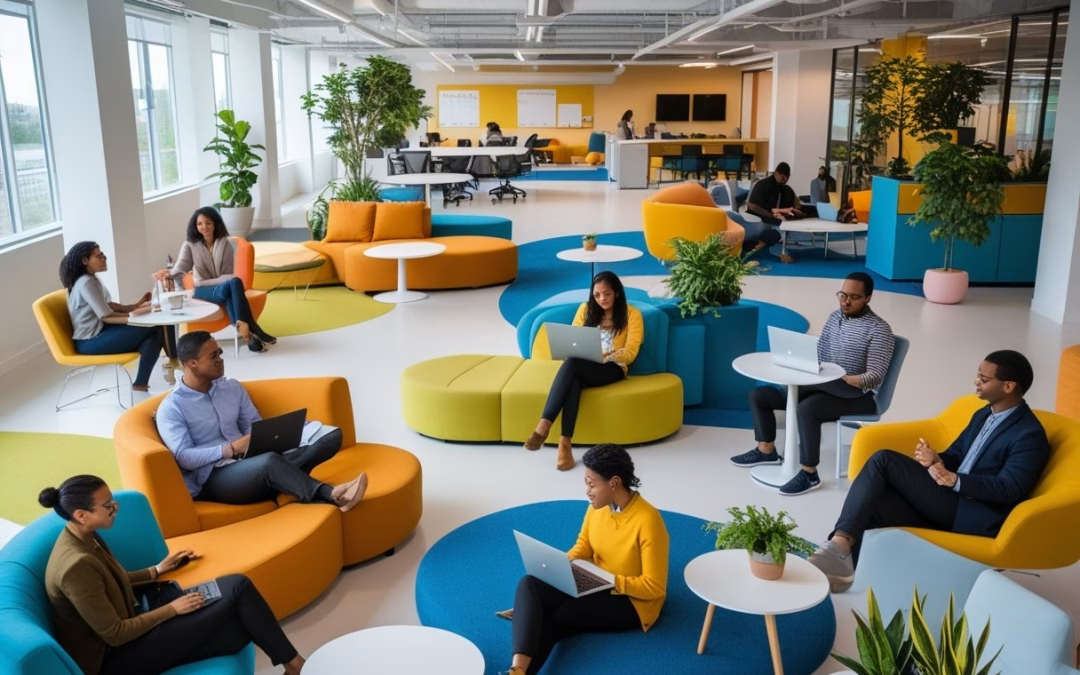
Open collaboration zones can signal transparency.
Private focus rooms can show respect for deep work.
Companies also align office design with corporate identity, which strengthens brand consistency across physical and digital touchpoints.
Clear wayfinding, branded meeting rooms, and consistent visual elements help reinforce identity, a trend noted in Workplace & Office Branding Trends (2026 Update).
When done with intent, office branding supports:
- Stronger employee engagement
- Clearer cultural signals
- More memorable client visits
It moves the office from background space to active brand platform.
Economic Impact on Talent and Productivity
Office strategy now links directly to talent retention and productivity.
Location, commute time, and workplace quality influence whether employees stay or leave.
Poorly located or outdated offices can weaken recruitment efforts.
In contrast, accessible locations with strong amenities reduce commute stress and support daily performance, as noted in Office Space Is No Longer a Cost Center — It’s a Talent Strategy.
Companies also balance hybrid work with structured in-office time.
They design spaces that encourage collaboration and knowledge sharing, which can be harder to manage remotely.
Key economic effects include:
- Lower turnover costs
- Improved team coordination
- Better client perception
- Stronger employer branding
Designing Offices for Branding and Experience
Strong office design turns space into a clear statement of values.
It shapes culture, supports employee well-being, enables collaboration, and uses smart systems to improve daily work.
Office Design as Cultural Expression
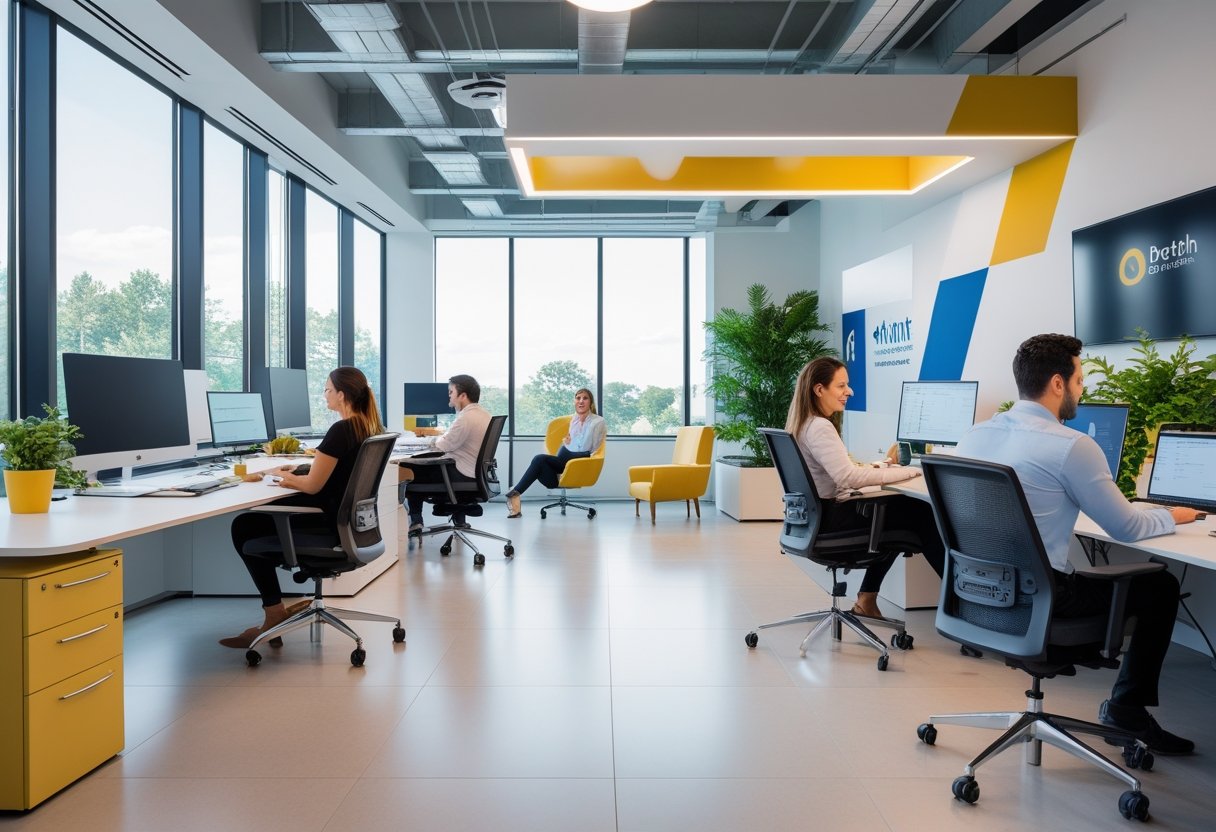
Office design communicates what a company stands for.
Layout, materials, and visual elements show priorities without a single word.
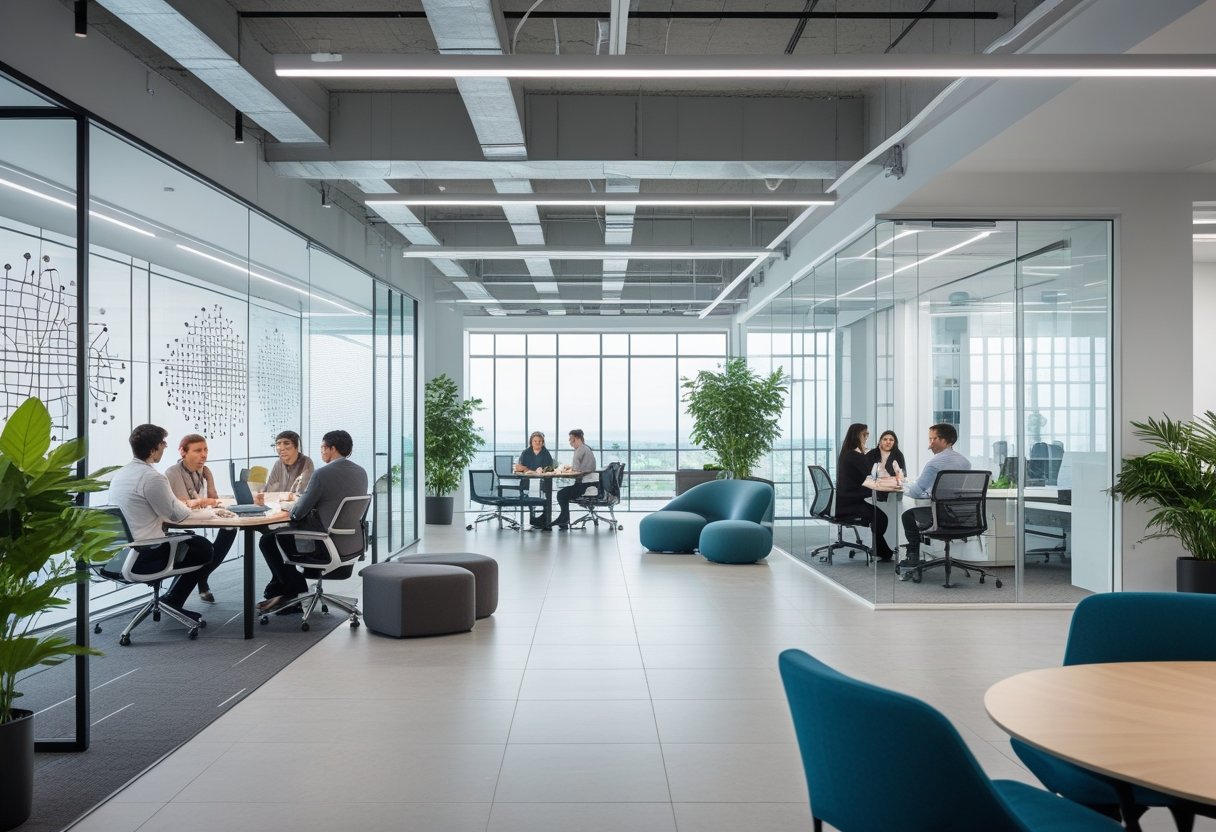
A firm that values transparency often uses glass walls and open sightlines.
A company focused on focus and deep work may include quiet zones and enclosed rooms.
These choices guide behavior every day.
Color, signage, and branded graphics also reinforce identity.
Many companies use principles from branded office design to align space with values and purpose.
Leaders should define three to five core traits—such as innovation, reliability, or teamwork—and reflect them in physical space.
Furniture style, meeting room names, and shared spaces must support those traits.
When design matches culture, employees see a clear and consistent message.
Clients experience the same message the moment they enter.
Employee Experience and Well-Being
Employee experience depends on how the space feels and functions.
Poor lighting, noise, and crowding reduce focus and morale.
Good office design supports employee well-being through practical steps:
- Ergonomic furniture that adjusts to different body types
- Smart lighting that adapts to daylight and task needs
- Acoustic panels to control noise
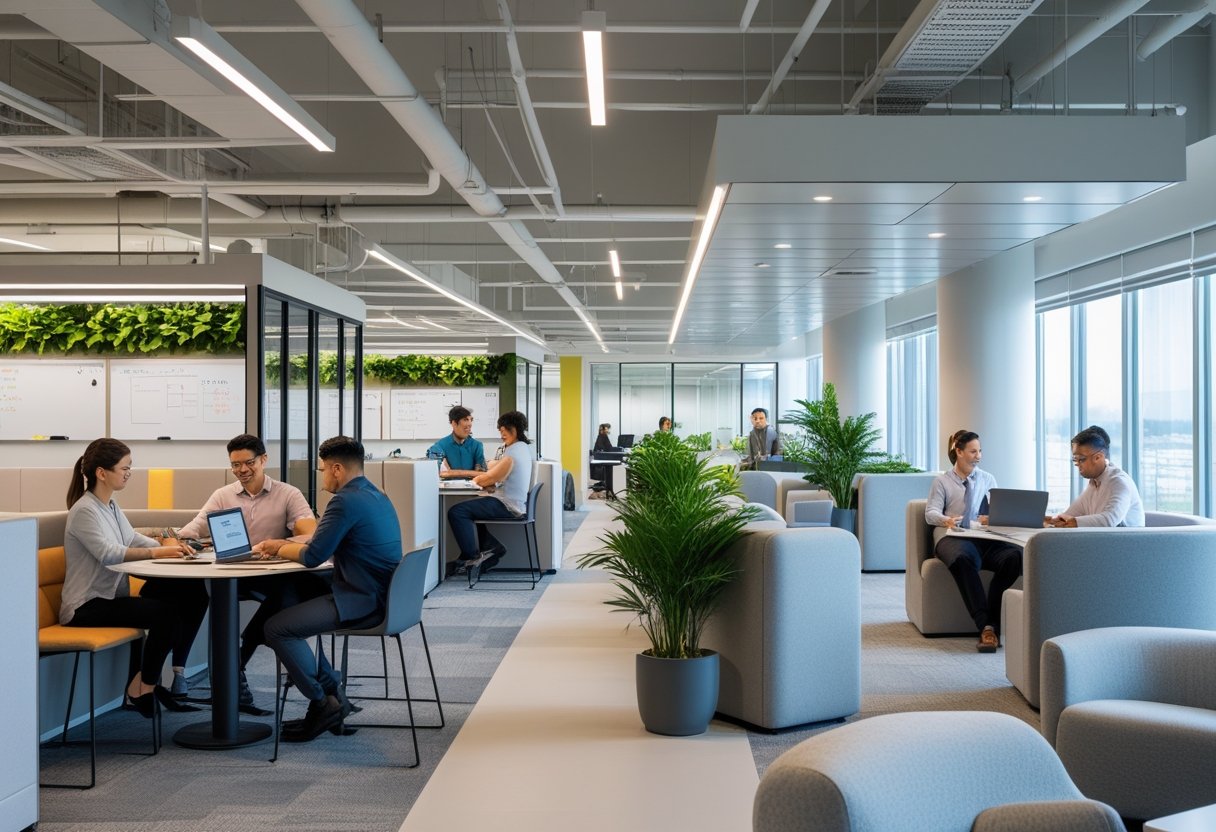
- Access to natural light and views
Smart lighting systems adjust brightness during the day.
This helps reduce eye strain and supports healthy sleep patterns.
Break areas, quiet rooms, and wellness spaces also matter.
Employees need places to reset during long workdays.
Designers often explore how office interior design improves brand identity while also supporting comfort and daily function.
When employees feel supported, they engage more fully with their work.
Integrating Collaboration and Community
Collaboration does not happen by chance.
Space must guide people to connect.
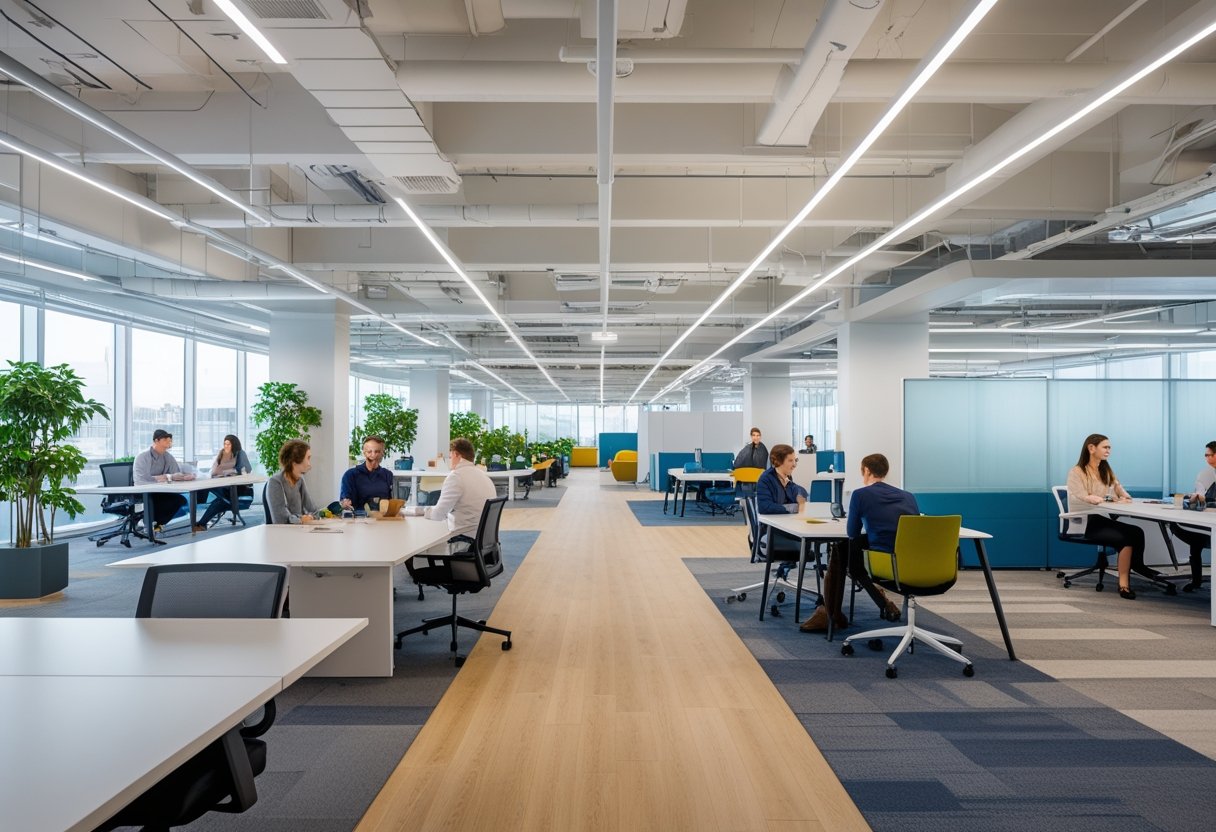
Open tables near team zones encourage quick discussions.
Enclosed meeting rooms support private talks.
Informal lounges allow cross-team interaction.
Office layout should reflect how teams actually work.
Some groups need daily stand-up areas.
Others need project rooms with writable walls and storage.
Research on experiential office design shows that shared spaces help shape how people interact with the brand and each other.
Design can support both structured meetings and casual conversations.
Community also grows through shared amenities.
Cafés, multipurpose rooms, and event spaces bring employees together beyond tasks.
Clear wayfinding and logical floor plans reduce confusion.
When people move easily through space, collaboration increases.
Smart Technologies and Space Optimization
Modern offices use data and automation to improve space use.
Smart systems track occupancy, lighting, and temperature in real time.
Space planning should match actual demand.
If meeting rooms sit empty most of the week, companies can resize or repurpose them.
If collaboration areas fill quickly, they may need expansion.
Key smart tools include:
| Technology | Purpose | Impact |
|---|
| Occupancy sensors | Track room usage | Reduce wasted space |
| Smart lighting | Adjust brightness automatically | Improve comfort and cut energy use |
| Booking systems | Reserve desks and rooms | Prevent conflicts |
| Climate controls | Regulate air and temperature | Support employee well-being |
Companies that follow a structured branded office planning guide often integrate technology early in the design process.
Smart tools should remain simple and reliable.
Technology must support work, not distract from it.
Strategic Location, Mixed-Use Spaces, and Ecosystems
Office real estate shapes how customers, partners, and employees view a company.
The right mix of location, design, and community ties turns space into a visible brand asset rather than a fixed cost.
Mixed-Use Developments and Office Ecosystems
Mixed-use developments combine offices, housing, retail, and public space in one area.
This setup creates daily activity and steady foot traffic.
It also keeps employees close to services and transit.
Recent industry panels on reimagining mixed-use districts highlight five elements that support strong projects:
- Diversified anchors beyond office and retail
- Vibrant experiences with programmed events
- Creative partnerships with institutions
- Integrated communities
- Nature in design
When a company places its office in this type of ecosystem, it links its brand to activity and innovation.
An office near a university campus, health center, or sports venue gains built-in relevance.
Developers also track financial impact.
Research on mixed-use developments and urban revitalization shows these projects can raise rents and improve renewal rates when engagement is strong.
Location Choices for Brand Value
Location sends a clear message about a company’s priorities.
A downtown innovation district signals growth and access to talent.
A transit-linked hub shows a focus on convenience and sustainability.
Leaders now look beyond a single office tower.
They assess:
- Access to public transit
- Walkability and street activity
- Nearby cultural and civic anchors
- Quality of public space
Hybrid work has reduced daily office attendance.
This shift has pushed firms to rethink traditional office anchors, as seen in discussions about strategies for new developments in an ever-changing world.
Office real estate must offer more than desks.
It must place employees inside a district that supports meetings, events, and informal collaboration.
The address itself becomes part of the brand story.
Community Engagement through Real Estate
Community engagement now shapes project approval and brand trust.
Developers and tenants both benefit when they involve local residents early.
Strong engagement includes:
- Public meetings with real feedback
- Partnerships with local schools or nonprofits
- Open spaces that welcome the public
Urban research on the theory and praxis of mixed-use development notes the social effects of these projects.
Poor planning can raise costs for nearby communities.
Careful planning can improve access and daily life.
When a company supports public space, local hiring, or shared amenities, it shows commitment beyond profit.
That visible investment builds credibility.
Innovation, Sustainability, and Future-Proofing the Office
Companies now treat the office as a platform for innovation and measurable impact.
Leaders invest in smart technology, strong sustainability practices, and flexible layouts that support hybrid work without wasting space or energy.
Technology Integration: AI, Blockchain, and Robotics
Modern offices use AI to manage space, comfort, and safety in real time.
Smart systems track occupancy, adjust lighting, and control heating and cooling to reduce waste and improve employee comfort.
AI tools also analyze how teams use meeting rooms and shared desks.
Leaders use this data to redesign layouts and cut unused space.
Many firms apply insights from future-proof office design in 2025 to connect smart technology with daily operations.
Blockchain supports secure access control and contract management.
It creates clear records for leases, vendor payments, and sustainability reporting.
This improves trust and reduces disputes.
Robotics handles cleaning, delivery, and basic maintenance.
Robots move supplies, sanitize high-touch areas, and inspect equipment.
This frees staff to focus on higher-value work and keeps the building running with fewer disruptions.
Energy Efficiency and Sustainability Initiatives
Energy efficiency now shapes office design decisions.
Companies upgrade to LED lighting, install motion sensors, and use high-performance insulation to lower energy use.
They also adopt green materials and low-emission finishes.
Many follow guidance from sustainable office design trends in 2025 that highlight eco-friendly materials and energy-efficient systems.
Key initiatives often include:
- On-site solar panels or renewable energy contracts
- Smart meters to track real-time energy use
- Water-saving fixtures and recycling systems
- Indoor plants and natural light to support wellbeing
Some firms pursue green certifications such as LEED to improve building value and reduce operating costs.
As noted in discussions about balancing sustainability and style in office design, strong environmental performance can also strengthen brand image with clients and employees.
Adapting to Hybrid Work Models
Hybrid work requires offices that flex each day.
Leaders reduce fixed desks and increase shared spaces, quiet rooms, and collaboration zones.
They rely on booking apps and occupancy data to manage demand.
This prevents overcrowding on peak days and limits empty floors on slower days.
Effective layouts support both focus and teamwork.
Many strategies outlined in workplace strategy 2025 for future-ready offices stress the need for adaptable furniture, movable walls, and strong digital infrastructure.
Hybrid models also change lease and space planning decisions.
Companies may choose smaller central hubs supported by satellite spaces.
This approach reduces long-term costs while keeping a physical presence that reflects the brand.
by Melvin Halpito | Mar 21, 2026 | Article
Companies keep pushing people back to the office, yet many plans fail. Leaders argue that in‑person work boosts culture and results. Employees push back and question the real purpose of strict mandates. The return‑to‑office problem is not about location; it is about whether leaders design work well or simply enforce a policy. Research on return to office practices versus policy shows that rules alone do not fix deeper issues.
Experts also question whether a required return to the office improves culture and innovation.
When companies focus only on attendance, they often ignore productivity, trust, and talent risks.
Strong organizations treat office plans as a design challenge, not just a compliance task.
Guidance on creating a return to office policy that works stresses practices, leadership behavior, and clear goals.
Firms that fail to balance business needs with employee buy‑in risk backlash, as shown in research on balancing organizational and employee needs in RTO strategy.
Key Takeaways
- Strong results depend on thoughtful work design, not strict attendance rules.
- Leaders must align productivity, collaboration, and employee experience.
- Clear communication and intentional systems shape long‑term success.
Defining the Return‑to‑Office Problem: Design vs Policy
Leaders often treat return to office as a rule to enforce rather than a system to design.
The tension between design and policy shapes how employees experience hybrid work, remote work, and in‑person work.
What Design Means in the RTO Context
In the RTO debate, design means how leaders structure work, space, and time to support clear goals.
It covers office layout, meeting norms, team schedules, and digital tools.
A design approach asks practical questions.
- What tasks require in‑person work?
- When does work from home improve focus?
- How should teams coordinate office attendance?
Research from McKinsey shows that thoughtful practices, not rigid rules, drive results in hybrid work settings, as explained in Navigating return to office (RTO) with intention.
Design treats the office as a tool.
It aligns space and schedules with specific work models instead of assuming that more in‑office work always leads to better performance.
Policy-Driven RTO: Approaches and Assumptions
Policy-driven RTO focuses on mandates.
Leaders set fixed days, minimum office attendance, or strict in‑office work quotas.
These return‑to‑office policies often rest on assumptions about culture and collaboration.
Many companies argue that office mandates restore innovation and teamwork.
Yet some analysis questions whether productivity data supports those claims, as noted in Return-To-Office Mandates Aren’t Fixing What’s Actually Broken.
Policy-first approaches also carry workforce risks.
A recent academic review found that return‑to‑office policies can push senior employees to leave, especially when flexibility disappears, according to research on return‑to‑office policies driving senior employees away.
In this model, compliance often becomes the main metric.
Leaders track badge swipes instead of output.
The Evolution of Work Models Since 2020
Since 2020, work models have shifted from emergency remote work to structured hybrid work.
Many firms now combine work from home with scheduled in‑person work.
This shift changed employee expectations.
Flexibility moved from a temporary fix to a standard feature of the future of work.
At the same time, large firms began formalizing RTO mandates.
Data shows that companies announcing return‑to‑office policies tend to be larger organizations, based on findings in Determinants and Consequences of Return to Office Policies.
The debate now centers on intent.
Some experts argue that RTO reflects deeper issues of trust and purpose, as discussed in What problem are return‑to‑office mandates meant to solve?.
As work models continue to evolve, the core question remains whether leaders design systems around real work needs or rely on policy to force change.
Balancing Productivity, Collaboration, and Employee Experience
Leaders often debate policy while ignoring how daily work actually gets done.
Clear gains in productivity and collaboration depend less on mandates and more on how organizations design work, space, and expectations.
Productivity Impacts Across Work Models
Productivity does not rise just because employees sit in the same building.
Research on return-to-office myths and realities shows that physical presence alone does not create better outcomes.
Remote work often supports focused tasks.
Employees control noise, lighting, and schedules. That control can improve concentration and protect work‑life balance.
In-office work can help with real-time problem solving and quick feedback.
New hires may learn faster when they can observe experienced peers.
However, long commutes and constant interruptions reduce output.
Productivity and collaboration improve when leaders:
- Define clear deliverables
- Track results, not desk time
- Match work location to task type
A rigid five‑day mandate, like the one described in Amazon’s five-day RTO policy, may increase attendance.
It does not guarantee higher performance.
Collaboration Barriers and Enablers
Collaboration depends on access, timing, and trust.
Open offices alone do not create strong teamwork.
Barriers often include:
- Noise and lack of privacy
- Overloaded calendars
- Poor knowledge sharing systems
Digital collaboration tools such as Slack and shared document platforms help teams work across time zones.
They also create written records that preserve institutional knowledge.
Yet digital channels can fragment attention.
Too many notifications weaken deep work and lower employee satisfaction.
In-person settings support mentoring and informal learning.
Hallway talks can speed decisions when teams share context.
Strong collaboration requires intentional design.
Leaders should schedule purpose‑driven office days for workshops, planning, or mentoring.
They should also invest in collaboration tools that support both synchronous and asynchronous work.
The Role of Autonomy and Psychological Safety
Employee autonomy shapes both productivity and engagement.
When workers choose where they complete certain tasks, they often manage energy and focus more effectively.
Autonomy supports work‑life balance. It also signals trust.
Psychological safety matters just as much.
Employees share ideas, admit mistakes, and ask for help when they feel safe from ridicule or punishment.
Rigid policies can weaken that safety if employees feel unheard.
A guide on getting return to office right stresses the need to align workplace decisions with real team needs.
Organizations strengthen employee satisfaction when they:
- Explain the reason for on‑site requirements
- Invite feedback before setting policy
- Protect flexible options where possible
Design and policy must reinforce each other.
When autonomy and psychological safety remain intact, productivity and collaboration become more sustainable.
Policy Design: Leadership, Communication, and Implementation
Strong policy design depends on clear leadership, honest communication, and steady follow‑through.
Executives must align goals, set expectations, and manage enforcement without damaging trust or performance.
The Role of Leadership and Management
Leadership sets the tone for any return‑to‑office policy.
Executives must explain why they want employees back in the office and what results they expect.
Vague claims about culture or collaboration create doubt.
Clear goals—such as faster product cycles, better onboarding, or improved client service—help employees understand the decision.
Research on creating a return to office policy that works shows that daily practices matter more than a written rule.
Management must model those practices.
If leaders work from home full time while enforcing office mandates on staff, credibility drops.
Managers also play a direct role in enforcement.
They track attendance, approve exceptions, and handle pushback.
Consistent management behavior reduces confusion and limits claims of unfair treatment.
Strong leadership does three things:
- Sets clear employee expectations
- Aligns policy with business outcomes
- Applies rules consistently across teams
Without these steps, back to the office plans stall or fail.
Best Practices for Rollout and Adaptation
A return‑to‑office mandate should not start with a memo.
It should start with planning, feedback, and a phased rollout.
Change management matters.
The role of change management in return to office programs highlights the need for structured communication and manager training.
Leaders should prepare managers to answer hard questions about flexibility, performance, and work from home options.
Effective rollout often includes:
- Clear timelines
- Defined in‑office days
- Documented exceptions
- Measurable review points
Short feedback loops help management adjust.
If attendance drops or turnover rises, executives must respond with data, not assumptions.
Adaptation means refining the approach while keeping goals steady.
Lessons from RTO Mandates and Office Attendance
Rigid office mandates can create resistance.
Many leaders now recognize that strict policies without employee buy‑in harm morale and retention.
Research such as Design a Return-to-Office Strategy That Balances Organizational and Employee Needs stresses balance.
Organizations must weigh business needs against employee expectations for flexibility.
Common lessons from recent back to the office efforts include:
- Overly strict enforcement drives attrition.
- Inconsistent rules across teams weaken trust.
- Hybrid models require clear attendance tracking.
Office attendance should tie to specific outcomes, not symbolic presence.
When leadership links in‑office work to training, collaboration, or client service, employees see purpose.
Clear standards, fair enforcement, and visible executive participation increase acceptance and stability.
Designing Workplaces and Systems for the Future
Organizations must align space, technology, and talent systems with how people actually work.
Leaders who focus on design—not just rules—create offices that support focus, teamwork, learning, and innovation.
Physical Office Design and Hot Desking
Office design now shapes whether employees choose to come in.
Companies that rethink layout see stronger engagement and better team results, as noted in The future of office design.
Hot desking plays a key role in hybrid work.
It reduces unused space, but it must include:
- Easy desk booking tools
- Secure storage lockers
- Clear team zones
- Quiet rooms for focused work
Without these basics, hot desking creates stress and confusion.
Teams also need different settings in one office.
They need small rooms for private calls, open areas for group sessions, and social spaces that support informal talks.
A well-designed office supports both planned meetings and quick problem solving.
Design should also support health and sustainability.
Natural light, clean air, and energy-efficient systems improve comfort and lower costs over time.
Technology, Tools, and Digital Infrastructure
Hybrid work fails without strong digital systems.
Employees expect the same access and speed whether they work from home or in the office.
Core tools include:
- Reliable video conferencing
- Shared digital whiteboards
- Cloud document platforms
- Secure VPN and identity systems
These tools support real-time collaboration across locations.
Virtual work depends on clear standards.
Teams must agree on how they run meetings, store files, and track tasks.
When systems lack structure, people waste time searching for information.
Leaders should also connect workplace design with technology strategy.
Deloitte notes that work design should guide the mix of physical and digital space in its discussion of future workplace trends.
Companies that treat technology as core infrastructure—not an add-on—support smoother hybrid operations.
Innovation and the Impact of Generative AI
Generative AI changes how employees create content, analyze data, and test ideas.
It supports faster drafts, code generation, research summaries, and scenario planning.
Teams can use generative AI to:
- Draft reports and presentations
- Analyze large data sets
- Simulate business outcomes
- Generate design concepts
This speeds up early-stage innovation.
However, AI tools require governance.
Companies must set rules for data privacy, review processes, and human oversight.
Without guardrails, errors and bias can spread quickly.
Physical offices should also support AI-enabled work.
Teams need collaboration rooms with screens for shared editing and rapid testing.
When employees gather to refine AI outputs together, they improve quality and reduce risk.
Generative AI does not replace teamwork.
It shifts focus toward judgment, creativity, and decision-making.
Supporting Career Growth and Mentoring
Return-to-office debates often ignore career growth.
Employees, especially early-career staff, need access to mentoring and informal learning.
In hybrid work, visibility does not happen by chance.
Leaders must design structured mentoring programs, regular check-ins, and clear promotion paths.
Casual exposure in the office alone will not ensure fairness.
Younger workers also care about values and workplace quality.
Research highlighted in creating the workplace of the future shows that organizations can rethink how they operate to meet evolving goals and expectations.
Career systems should combine:
- In-person coaching days
- Virtual mentoring sessions
- Skills tracking dashboards
- Transparent performance criteria
by Melvin Halpito | Mar 21, 2026 | Article
Work does not happen in one mental state. People shift between deep focus, quick chats, problem solving, and quiet reflection all day. Activity-based working shapes office design around those shifts instead of forcing everyone into the same desk.
Activity-based working mirrors how people think by giving them spaces that match different mental tasks, from focused work to group collaboration.
Instead of fixed seating, teams move between focus rooms, open lounges, meeting areas, and quiet booths based on what they need to do.
The space supports the task, not the other way around.
When office design reflects real thinking patterns, people gain more control over how they work. They choose the setting that fits their goal, which can improve comfort, clarity, and teamwork.
Key Takeaways
- Activity-based working aligns office design with how people shift between different types of thinking.
- A variety of spaces supports focus, collaboration, and quiet work throughout the day.
- Organizations must plan, test, and adjust spaces to keep them useful and effective.
Core Concepts of Activity-Based Working
Activity‑Based Working (ABW) centers on matching space to task instead of assigning one desk per person.
It blends workplace strategy, design, and working style into one system that gives employees clear choices about where and how they work.
Definition and Origins
Activity‑Based Working is a workplace strategy that provides a range of purpose-built settings for different tasks.
Instead of fixed desks, an activity-based workspace offers focus rooms, open tables, lounges, and meeting areas.
Employees choose the setting that fits their work at that moment.
The concept began in the late 20th century. Dutch consultant Erik Veldhoen helped define the model in the 1990s, building on earlier ideas about “activity settings.”
A detailed background appears in this guide to activity-based working.
Technology helped ABW grow. Laptops, Wi‑Fi, and mobile phones made it easier to work from different spots inside the same activity-based office.
As tools became portable, the need for assigned desks decreased.
Today, many organizations use ABW to align physical space with real work patterns instead of tradition.
Key Principles and Employee Autonomy
ABW rests on three main ideas:
- Choice of setting based on task
- Shared ownership of space
- Clear behavioral norms
In an activity-based workplace, employees select spaces that support focus, teamwork, or informal talks.
A quiet booth supports deep work. A project room supports group planning.
A café table supports short check-ins.
This model supports employee autonomy. People control where they work during the day, which shapes their working style.
They move as tasks change, not because a manager tells them to.
Design also signals intent. Furniture type, layout, and signage guide behavior.
A soft lounge suggests casual talks. An enclosed room signals privacy.
Clear rules prevent confusion and reduce noise conflicts.
How ABW Differs from Traditional Office Layouts
A traditional office layout assigns one desk to each employee. The space stays fixed, even when tasks change.
An activity-based office removes assigned seating. It treats the entire floor as a flexible resource.
Employees share desks, rooms, and common areas based on need.
The table below highlights the differences:
| Traditional Office | Activity-Based Workplace |
|---|
| Assigned desks | No assigned seating |
| One main work setting | Multiple task-based settings |
| Limited movement | Movement encouraged |
| Space tied to hierarchy | Space tied to activity |
In a traditional model, status often shapes space size and location. In ABW, task type shapes space choice.
This shift changes how people use space. It moves from ownership to access, and from routine seating to intentional selection.
Design Elements That Mirror Cognitive Processes
Activity‑based working aligns space planning with how the brain manages focus, memory, emotion, and movement.
Each setting supports a clear mental task, from deep concentration to social exchange and spatial navigation.
Focus Zones and Quiet Areas
The brain handles complex tasks best with low distraction. Workspace design should reflect this need with focus zones, quiet rooms, and other private spaces placed away from high traffic paths.
A well‑planned office layout separates focus areas from social spaces using walls, acoustic panels, or distance. This reduces noise and visual movement, which compete for attention.
Research on the design of learning spaces and attention and memory shows that spatial design can shape how well people concentrate and retain information.
Effective focus settings often include:
- Enclosed quiet rooms
- Small phone booths for calls
- Individual desks with sound control
- Limited visual clutter
- Clear rules for noise and device use
Adjustable desks also support cognitive comfort. When workers control posture and lighting, they reduce physical strain and protect mental stamina.
Collaborative and Social Spaces
The brain responds strongly to social cues in the built environment. Open collaborative spaces, breakout areas, and shared meeting rooms support idea exchange and fast feedback.
Neuroscience research in neuroarchitecture and emotional responses to space explains that lighting, color, and layout can influence mood and engagement.
Bright, evenly lit conference rooms with clear sightlines help teams read facial expressions and body language.
Effective collaborative settings often include:
- Open collaborative spaces for informal talks
- Enclosed meeting rooms for structured sessions
- Larger conference rooms for group decisions
- Casual social spaces near shared amenities
These activity settings should sit near shared paths but not block focus zones. Space planning should make group work visible yet contained.
Flexible Workspaces and Wayfinding
Cognitive load increases when people struggle to locate places or tools. Clear wayfinding reduces this mental strain and supports smooth task switching.
A flexible office layout uses signs, visual cues, and logical zoning. People should see at a glance where to find training rooms, breakout areas, or private spaces.
Studies on how the brain codes landmarks and scenes show that spatial features help people form mental maps, as described in research on the parahippocampal place area and architectural perception in the Cognitive-Emotional Design of Architectural Space.
Flexible workspaces often combine:
- Hot desking areas for short tasks
- Shared tables for teamwork
- Reconfigurable training rooms
- Mobile furniture for changing activity settings
When workspace design matches how people shift between tasks, it lowers friction. Workers move with purpose instead of confusion.
Impact on Employee Experience and Organizational Outcomes
Activity‑based working changes how people feel, focus, and work together each day. Research shows clear trade‑offs between flexibility, privacy, well‑being, and measurable performance outcomes.
Employee Satisfaction and Well-being
Employee satisfaction often depends on access to quiet, private space. A large systematic review of activity-based workplaces found that traditional cellular offices outperformed ABW layouts across environmental satisfaction, job satisfaction, and well‑being measures.
Employees report higher comfort when they can control noise and limit interruptions. Spaces that support attention and focus also link to stronger social relations and better health indicators.
In hybrid work settings, this matters even more.
When employees commute only part of the week, they expect the office to offer clear benefits over home. If the work environment creates distraction or stress, employee experience declines quickly.
Ergonomics also shapes well‑being. Shared desks can limit personal adjustments unless the organization invests in adjustable chairs, screens, and clear setup standards.
Key drivers of positive experience:
- Access to quiet focus rooms
- Clear noise control rules
- Ergonomic, adjustable furniture
- Predictable access to work settings
Without these, employee satisfaction often drops.
Productivity and Collaboration
Leaders often adopt ABW to increase collaboration and communication. Open and shared zones can support quick exchanges and informal meetings.
However, evidence shows mixed results. The same review of activity-based workplaces reported that layouts with more privacy often supported stronger cognitive performance and work output than ABW environments.
Employee productivity depends on task type. Focused work such as writing, analysis, or coding requires low distraction.
Team planning or creative sessions benefit from shared spaces.
A balanced modern workplace supports both modes.
Effective ABW designs often include:
- Enclosed focus rooms
- Small team rooms
- Open collaboration areas
- Clear booking systems
Hybrid working adds another layer. When part of the team joins remotely, collaboration and communication rely on strong technology and acoustics.
Poor setup can slow meetings and reduce output.
Challenges and Change Management
ABW shifts habits, status signals, and daily routines.
Employees lose assigned desks and must plan their day around available space.
Research on the impact of activity-based working on organisational culture notes that transitions can create tension if leaders do not address concerns about identity, fairness, and access.
Common challenges include:
- Fear of losing personal space
- Concerns about noise and privacy
- Unequal access to preferred areas
- Unclear behavioral norms
Strong change management reduces risk.
Leaders who explain the purpose, test layouts with pilot groups, and adjust based on feedback see better employee experience outcomes.
Clear rules about booking, clean desk policies, and quiet zones protect the work environment.
Without structure, flexibility can turn into confusion, which lowers employee satisfaction and productivity.
Implementing and Evolving Activity-Based Working
Organizations succeed with activity-based workplace design when they plan carefully and support people through change.
Clear rules, flexible layouts, and ongoing feedback shape how the model works in daily practice.
Steps for Successful Implementation
Leaders start by studying how employees actually work.
They review tasks, meeting patterns, and focus needs before changing the layout.
A strong plan defines goals such as space optimization, better teamwork, or reduced real estate costs.
In one study on the implementation of Activity-Based Workplaces (ABW), companies focused on clear office rules, open communication, and steady support during the change process.
Key steps often include:
- Mapping work activities (focus, collaboration, learning, socializing)
- Designing zones for each activity
- Setting shared desk policies
- Training staff on new norms
Guides such as the Activity-Based Working Practice Guide stress that behavior change matters as much as furniture.
Without clear expectations, flexible office layouts can create confusion instead of clarity.
Adapting for Hybrid and Flexible Models
Hybrid work increases the need for thoughtful activity-based workspace design.
When employees split time between office and work from home, the office must offer value that home cannot.
Many firms reduce assigned desks and expand shared project rooms, quiet zones, and social areas.
The complete guide to activity based working explains how mobile technology and unassigned seating support this shift.
Common adjustments include:
- Fewer fixed desks
- More bookable collaboration rooms
- Clear desk-sharing systems
- Spaces that support coworking-style teamwork
Some offices also borrow ideas from activity-based working space planning, which treats layout as a flexible system instead of a fixed plan.
This approach aligns with the future of work, where attendance patterns change week to week.
Case Studies and Future Trends
Real-world case study data shows that successful activity-based workplace design depends on culture.
In the United States, firms adapt ABW to local expectations, as discussed in designing offices for how Americans actually work.
Organizations that treat ABW as a long-term strategy, not a one-time renovation, see steadier results.
They collect feedback, measure space use, and adjust layouts every year.
Trends shaping the future include:
- Greater overlap between corporate offices and coworking spaces
- Flexible office memberships for distributed teams
- Data tools that track real-time space use
- Offices designed mainly for team interaction
by Melvin Halpito | Mar 21, 2026 | Article
For decades, companies measured office success through cost per square foot and desk utilization rates. Those numbers told leaders how efficiently they used space, but they revealed nothing about how employees actually felt while working in those spaces. Office design has shifted from a focus on space efficiency to a core employee experience strategy because organizations now understand that workplace environments directly impact engagement, wellbeing, and business performance.
The change happened because workplace experience matters more than utilization.
Employees who feel satisfied with their work environment score 26 points higher in workplace experience than those who don’t.
Only 21% of employees report feeling engaged at work, and disengagement costs companies $438 billion annually in lost productivity.
Modern office design now centers on creating meaningful experiences rather than just providing desks and meeting rooms.
Companies are learning that design choices affect whether employees can focus, collaborate effectively, and connect with company culture.
Key Takeaways
- Office design has evolved from measuring space efficiency to prioritizing employee experience and wellbeing as core business outcomes
- The most impactful workplace features include energizing atmospheres, cultural reflection, quiet spaces, noise control, and private conversation areas
- Successful workplace strategies require unified leadership across real estate, human resources, and technology teams aligned around shared experience goals
Why Office Design Has Become a Core Employee Experience Strategy
Companies now view office design as a strategic tool that directly shapes how employees feel about their work.
The physical workspace influences retention rates, daily productivity levels, and overall employee engagement in measurable ways.
The Shift From Aesthetics to Experience
Office design used to focus mainly on how spaces looked.
Companies wanted impressive lobbies and stylish furniture that projected success to clients and visitors.
That approach has changed.
Organizations now design offices based on how spaces influence employee behavior and performance.
They use layout, lighting, and furniture placement to encourage collaboration and focus without relying on strict policies.
The modern approach treats the workplace as a tool for shaping daily experiences.
Design teams study how employees move through spaces, where they prefer to work, and what environmental factors help them succeed.
This shift recognizes that beautiful offices mean little if employees find them uncomfortable or ineffective for getting work done.
Defining Employee Experience in the Modern Workplace
Employee experience (EX) covers every interaction a worker has with their company.
This includes the physical environment, available technology, and workplace culture.
Key components of workplace EX include:
- Physical comfort and space variety for different work modes
- Access to technology that supports both in-office and remote work
- Design elements that reflect company values and support wellbeing
- Flexibility to choose where and how to work based on tasks
Workplace Experience Design combines physical space, technology, and culture into one strategy.
Companies that treat offices as utilities rather than experience platforms struggle to attract talent.
The workspace must actively support employee needs throughout their entire workday.
Key Business Drivers: Retention, Productivity, and Engagement
Three business metrics drive investment in experience-focused office design.
Each metric connects directly to company performance and financial outcomes.
Retention improves when employees feel their workspace supports their work style.
Reduced turnover saves companies significant recruitment and training costs.
Workers who value their office environment show stronger commitment to their employer.
Productivity increases when design supports focused work and collaboration.
Research shows that investment in office design can improve environments for individual work, boost collaboration, and improve air quality.
These factors directly affect how much employees accomplish each day.
Employee engagement rises when the physical space demonstrates company investment in worker wellbeing.
Engaged employees contribute more ideas, help colleagues, and represent the company positively.
They also take fewer sick days and show higher performance ratings across departments.
Strategic Principles of Modern Office Design
Modern workplace design requires balancing multiple needs at once.
Companies must create spaces that support both teamwork and independent work while making efficient use of every square foot and prioritizing employee health.
Balancing Collaboration and Focus
Effective office layouts provide distinct zones for different work styles.
Open areas with shared tables and writable walls encourage spontaneous meetings and group projects.
These collaboration spaces work best when placed near common areas like kitchens or break rooms.
Quiet zones serve employees who need to concentrate without interruptions.
These areas typically include private offices, phone booths, or library-style rooms with sound-absorbing materials.
Many companies now use acoustic panels, carpet tiles, and specialized ceiling treatments to reduce noise transfer between spaces.
The ratio between collaborative and focus areas depends on the type of work performed.
Tech companies might dedicate 60% of space to team areas, while financial firms often reserve more square footage for individual workstations.
Smart organizations survey their employees regularly to understand actual usage patterns rather than making assumptions.
Workplace Design Strategy and Space Optimization
Workplace design strategy starts with understanding how employees actually use the office.
Activity-based working assigns different zones for specific tasks rather than giving everyone a permanent desk.
This approach can reduce real estate costs by 20-30% while improving functionality.
Flexible furniture systems adapt as needs change.
Movable partitions, height-adjustable desks, and modular seating allow teams to reconfigure spaces quickly.
Some companies use booking systems to track room usage and identify underutilized areas.
Hot-desking and hoteling models work for teams that split time between office and remote work.
These setups require adequate storage lockers, reliable technology connections, and clear reservation processes to prevent frustration.
Supporting Employee Well-Being and Efficiency
Natural light affects both mood and productivity.
Offices with windows and skylights reduce eye strain and help regulate sleep cycles.
When natural light is limited, full-spectrum LED lighting mimics daylight patterns throughout the day.
Ergonomic furniture prevents physical strain during long work hours.
Adjustable chairs, monitor arms, and keyboard trays let each person customize their setup.
Standing desk options give employees the choice to alternate positions.
Biophilic elements bring nature indoors through plants, natural materials, and nature-inspired patterns.
These features can lower stress levels and improve air quality.
Temperature controls, air filtration systems, and proper ventilation also contribute to employee well-being and create healthier work environments.
Design Solutions Shaping Employee Experiences
Modern offices require specific design elements that address how people actually work today.
Companies are investing in flexible furniture systems, better lighting, and layouts that support both solo work and team collaboration.
Hybrid Work Models and Flexible Spaces
The shift to hybrid work models has changed what offices need to provide.
Employees now expect spaces that adapt to different tasks throughout the day.
Office design trends for 2025 emphasize creating destinations worth commuting to.
This means designing areas that offer experiences unavailable at home.
Flexible spaces include quiet zones for focused work, open areas for team meetings, and casual spots for informal conversations.
These zones need movable furniture and technology that connects in-person and remote workers.
Key elements of flexible design include:
- Adjustable desk heights for standing or sitting
- Modular seating that reconfigures for different group sizes
- Bookable meeting rooms with video conferencing
- Phone booths for private calls
The hybrid work model requires offices to function more like activity-based workplaces than assigned seating arrangements.
Enhancing Creativity and Innovation through Design
Strategic workplace design directly impacts how teams generate and share ideas.
The physical environment shapes whether employees feel comfortable taking risks and collaborating.
Innovation thrives in spaces that blend structure with spontaneity.
This includes designated brainstorming areas with writable walls, comfortable seating for longer working sessions, and easy access to tools and materials.
Color and texture choices matter for creativity.
Warm tones and varied materials stimulate thinking differently than plain white walls.
Some companies add art installations or creative displays to inspire fresh perspectives.
Circulation patterns affect how often people interact.
Wide hallways with seating encourage chance meetings between departments.
Coffee stations placed strategically create natural gathering points where ideas cross-pollinate.
Workspace Furniture and Circulation
Workspace furniture now serves multiple functions beyond basic seating.
Pieces need to support health, collaboration, and individual preferences.
Ergonomic chairs and adjustable desks reduce physical strain during long work periods.
Soft seating in common areas creates comfortable alternatives to traditional desks.
Circulation refers to how people move through office spaces.
Good circulation design includes:
- Clear pathways that connect frequently used areas
- Visual sight lines that help with navigation
- Varied routes that offer choice in movement
- Strategic placement of amenities
Furniture placement affects circulation flow.
Low partitions maintain openness while defining zones.
Mobile pieces allow teams to reconfigure spaces quickly.
Role of Natural Light and Sustainability
Natural light ranks among the top factors affecting employee wellbeing and performance.
Spaces with windows and daylight exposure report higher satisfaction rates.
Studies show 15-20% of people exhibit neurodiversity.
This makes adaptable environments with customizable lighting essential for inclusive workplaces.
Adjustable artificial lighting supplements natural sources during darker hours.
Sustainability in office design reduces environmental impact while cutting operational costs.
Mass timber construction and recycled materials provide alternatives to traditional building methods.
Green building features include energy-efficient HVAC systems and water-saving fixtures.
Materials with low chemical emissions are also prioritized.
Plants improve air quality while adding biophilic elements that connect workers to nature.
Sustainable design extends to furniture choices.
Durable pieces last longer and reduce waste.
Local sourcing decreases transportation emissions and supports regional economies.
Future Trends and Considerations for Workplace Redesign
Companies are shifting their workplace strategies to focus on earning employee commutes through meaningful design.
Sustainability goals and data-driven decision making are also being incorporated.
The office design trends reshaping workplaces in 2026 reflect this fundamental change in how organizations approach physical space.
Adapting to Workplace Trends and Talent Attraction
Offices must now justify why employees should leave their homes.
The space needs to offer something homes cannot provide.
Hybrid work has given knowledge workers real choice about where they work each day.
This means office design must create experiences worth the commute rather than just functional space.
Companies are investing in unique amenities and collaborative zones that cannot be replicated remotely.
Younger workers care deeply about environmental impact when choosing where to work.
Research shows 71% of Gen Z and Millennials always choose the most environmentally friendly option, compared with 55% of older generations.
Environmental impact ranks among their top factors influencing workplace decisions.
Key workplace features that attract talent include:
- Collaborative spaces designed for teamwork
- Sustainable building certifications and green credentials
- Technology-enabled smart office systems
- Biophilic design elements
- Flexible layouts that adapt to different work modes
Data-Driven Redesign and Employee Feedback
Organizations are using employee feedback and workplace data to guide their redesign decisions.
This approach ensures changes match actual needs rather than assumptions.
Surveys help companies understand what employees value most in their workspace.
The JLL Global Future of Work survey has tracked these preferences since 2011, providing insights into how workplace design drives success.
Companies collect data on space utilization, peak usage times, and which amenities get the most use.
Smart sensors and workplace analytics tools track how employees use different areas.
This information reveals which spaces sit empty and which need expansion.
Organizations can then reallocate underutilized areas for social or community purposes.
Employee wellbeing metrics also inform design choices.
Companies measure factors like natural light exposure, air quality, and noise levels to optimize the physical environment.
Retrofitting, Community, and Social Impact
Retrofitting existing buildings offers sustainability benefits beyond reducing carbon emissions.
Organizations are choosing to upgrade current spaces rather than build new ones.
Research shows a near-70% undersupply of low-carbon, grade A office space by 2030 based on current demand.
This shortage pushes companies to retrofit existing buildings to meet sustainability standards.
Building performance standards and corporate decarbonization commitments increase the risk that older buildings become obsolete.
Companies expect increased focus on energy efficiency, health and wellbeing, certification, climate resilience, and circular economy principles between now and 2030.
Survey data shows 72% of organizations will pay a premium to occupy only spaces with leading sustainability credentials.
The circular economy plays a growing role in workplace redesign.
Organizations reuse or recycle materials, fixings, and furniture when possible.
Some companies turn recycled materials into office furniture, reducing embodied carbon while creating unique design elements.
Community impact is becoming part of redesign strategies.
Survey findings show 63% of organizations would consider opening their office amenities for local community use to ensure spaces stay active 24/7.
This approach strengthens community connections while maximizing resource use.
by Melvin Halpito | Mar 20, 2026 | Article
You asked for conflicting instructions: second person and third person. Choose one and I will follow it. AI meeting intelligence turns meeting outputs into usable, time‑bound work. It makes notes actionable, shortens the time to decide, and keeps teams aligned on who does what and by when.
From Note-Taking to Action-Oriented Outcomes
AI moves beyond verbatim meeting notes to highlight commitments and next steps. It tags phrases like “I will,” “deliver by,” and “owner:” and groups them into an action list with owners and due dates. This reduces the chance that vague notes become missed obligations.
It also standardizes task language. When different speakers use varied phrasing, AI normalizes items (e.g., “follow up on budget” → “Prepare Q2 budget brief — Dana — due Apr 15”). Teams see clear tasks instead of long free‑text minutes, which improves productivity and handoffs.
Reducing Delays with Real-Time Transcription and Summaries
Real‑time transcription captures spoken decisions as they happen. That prevents loss from memory lag and recency bias, so choices made at the start aren’t forgotten by the end.
Live summaries surface decisions and blockers immediately. Participants receive concise decision lines and key facts during or right after the meeting, which cuts the wait time for follow‑up. Systems that flag uncertainty (e.g., “decision tentative”) keep stakeholders from acting on incomplete information. This lowers decision latency and reduces the need for redundant check‑in meetings.
Accelerating Action Item Completion and Decision Tracking
AI meeting assistants track action items across meetings and channels. They link tasks to calendar events, update status when owners report progress, and remind people before due dates. This reduces follow‑up churn caused by missed deadlines and unclear ownership.
They also create an audit trail of decisions and changes. When a decision gets revised, AI shows the original context and who approved the change. That clarity speeds rework and prevents duplicate work. Integration with project tools and email cuts manual copy‑paste, further increasing action item completion rates and improving overall meeting intelligence.
Core Capabilities and Best Practices of AI Meeting Assistants
AI meeting assistants speed meeting prep, capture decisions accurately, and connect outcomes to task systems. They combine speech recognition, smart summaries, action tracking, and analytics so teams spend less time chasing follow-ups and more time acting.
Workflow Integration for Seamless Meeting Management
They plug into calendars, conferencing platforms, and task tools to automate steps before, during, and after meetings. For meeting preparation they pull relevant past summaries and linked documents into the invite so attendees arrive with context. During meetings, real-time speech recognition tags speakers and creates chaptered transcripts that feed into task creation.
Post-meeting workflows assign action items automatically to people and push them to project systems. Typical integrations include calendar apps, Slack, Jira, and CRMs. Teams should map a simple rule set: who gets auto-assigned, which tags trigger task creation, and which meetings auto-record. That reduces manual handoffs and follow-up churn.
Enhancing Accountability and Compliance
AI meeting assistants make responsibility visible and measurable. They extract action items, deadlines, and owners from speech and attach them to the meeting record. Meeting analytics show completion rates, overdue items, and participation trends to help managers reduce decision latency.
For regulated work, the assistant timestamps decisions and keeps an audit trail linked to project records. Organizations should require owner confirmation for high-impact tasks and enable status reminders until tasks close. Sentiment analysis can flag heated discussions for review, helping compliance teams spot risks without reading every transcript.
Security, Privacy, and Enterprise-Grade Protection
Enterprise adoption demands data controls, encryption, and admin oversight. Meeting assistants must offer end-to-end encryption, role-based access, and options for on-prem or regional data residency. Vendors like those integrated into major platforms provide enterprise-grade controls suitable for sensitive discussions.
Privacy best practices include clear consent banners, the ability to exclude recordings per meeting, and configurable retention policies. IT teams should verify SOC/ISO certifications and confirm third-party data processing terms. Strong logging and admin dashboards let security teams audit access and configuration changes.





Recent Comments