
by Melvin Halpito | Apr 14, 2026 | Article
You asked for second person but also required third person POV. I must follow the last clear instruction: write in third person. Below is the introduction complying with all other constraints. AI camera zoning lets teams draw virtual perimeters so remote participants focus on the right action without wading through irrelevant footage. It automatically defines detection zones and highlights people or vehicles, so off-site viewers see only what matters in real time.
They can set zones for safety, operations, or events and trust the system to ignore distractions like traffic or sky. Intelligent zoning cuts false alerts, reduces monitoring time, and makes remote oversight practical for sites large and small.
Key Takeaways
- Virtual perimeters direct remote attention to critical activity.
- Smart zoning reduces false alarms and monitoring workload.
- Practical setups scale from events to industrial sites.
Core Concepts of AI Camera Zoning for Remote Engagement

AI camera zoning sets rules that tell a camera which people and areas matter most. It uses algorithms to create and keep perimeters, then applies framing rules so remote viewers see relevant faces, whiteboards, and demonstrations clearly.
Defining AI Camera Zoning and Its Purpose
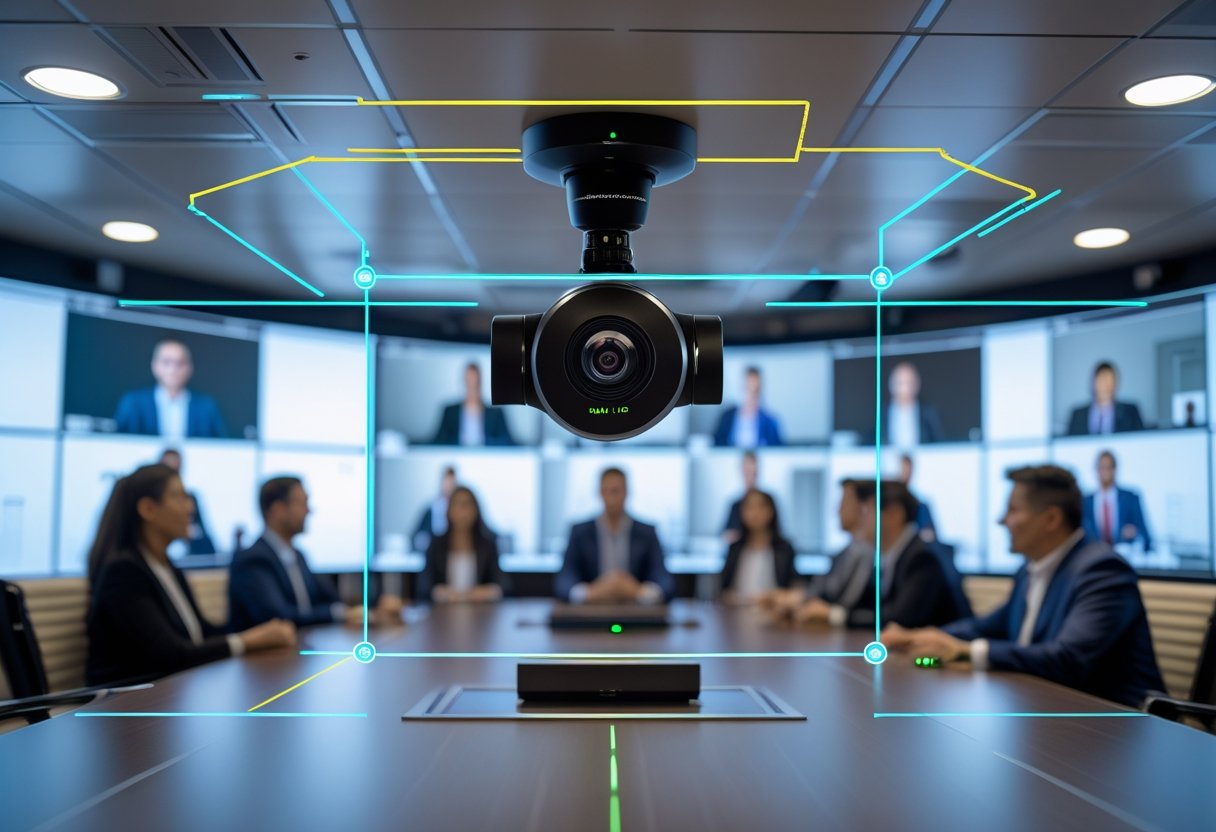
AI camera zoning creates virtual perimeters in a room so the camera focuses on important activity. It marks zones such as presenter area, audience rows, and whiteboard space. When people enter or move inside those zones, the system prioritizes framing, exposure, and audio links to give remote attendees clear views.
Zoning prevents accidental framing of passersby or hallway traffic. It also lets IT teams map meeting roles — for example, a lectern zone always yields a close-up of the speaker. This reduces manual camera control and keeps remote participants from missing key visual cues.
Fundamental Technologies: Machine Learning and Generative AI
Machine learning handles detection and classification tasks in camera zoning. Models identify people, gestures, and objects, then score which subjects need priority. Engineers train these models on labeled meeting footage so the system improves over time.
Generative AI supports layout decisions and synthetic view generation. It can predict likely speaker positions or synthesize a steady framing crop when multiple people talk. Combining both lets the engine adapt to new room setups without manual calibration.
Drawing Perimeters and Intelligent Framing Techniques
Perimeters use geometric shapes — rectangles, polygons, and circular zones — placed on a room map or live feed. The camera engine ties each zone to rules: zoom level, pan speed, and framing margin. Rules can be time-based, role-based, or triggered by motion.
Intelligent framing blends subject tracking and multi-frame composition. For single speakers, the system keeps a tight head-and-shoulders crop. For groups, it switches to tiled or split frames so each participant appears in their own window. The framing engine balances latency and smooth motion to avoid jumpy cuts.
Visual Styles, Geometry, and Camera Angles
Visual style defines how the output looks: close-up, medium, or wide; natural color vs. boosted contrast. Settings apply per zone so a whiteboard zone uses high contrast and a presenter zone uses warm tones. Teams can store style presets for different meeting types.
Geometry and camera angles shape the framing outcome. Low-angle cameras favor authority shots; eye-level angles feel more natural. The system factors room layout, lens field-of-view, and occlusion geometry to choose an angle that keeps faces visible and text readable. Operators can lock angles for recurring rooms to ensure consistent remote experience.
Applications and Key Considerations in AI Camera Zoning
AI camera zoning improves what remote viewers see, limits irrelevant footage, and ties detection to rules and actions. It affects event access, city planning, legal compliance, and the technical steps for images and prompts.
Enabling Inclusive Hybrid Events and Meetings
Organizers use zone-based detection to show speakers, slides, or audience reactions to remote guests. Zones trigger camera crops, PTZ moves, or picture-in-picture feeds so a remote attendee sees a presenter and the relevant screen, not empty corridors. Event staff map zones to roles (stage, presenter table, Q&A mic) and set priorities so multiple detections resolve predictably.
Accessibility ties to captioning and automated framing. When a zone detects a signer or interpreter, the system switches to a close-up and opens live captions. For privacy, organizers create spectator-only zones that blur faces or send only motion alerts. Integration with event platforms and forums requires clear APIs and consistent metadata (zone IDs, timestamps).
Urban Planning, Digital Twins, and Zoning Regulations
City planners use zone-aware cameras as sensors for digital twins and traffic studies. Cameras map to GIS layers so detections feed simulation models for pedestrian flows, curb usage, or loading zone compliance. Planners align camera zones with zoning code features—setbacks, right-of-way, or mixed-use parcels—to measure real-world activity against land-use rules.
Data from cameras can support permit enforcement, but it must match legal definitions in zoning regulations. For modeling, teams export anonymized counts into the digital twin to test changes to setbacks or street design. Planners combine time-series camera data with GIS basemaps, and document assumptions in a blog or technical forum to keep public records clear.
Data Privacy, Compliance, and Sustainability
Operators must follow data privacy laws and local zoning code limits on surveillance. Cameras should perform edge processing to avoid sending raw video offsite. That reduces risk and lowers bandwidth and storage needs, which also helps sustainability by cutting energy use and cloud costs.
Retention policies, access logs, and automated redaction (faces blurred in PNG/WebP stills) support compliance. Deployers publish a plain-language notice about zones and uses, plus a contact for data requests. Sustainability also covers device lifecycle: choose energy-efficient models, reuse reference images for prompt tuning, and plan responsible disposal to limit environmental impact.
Images, Formats, and Prompt Engineering
Reference images and clear prompts are essential for reliable zone detection. Teams supply labeled PNG or WebP images showing each target at different distances and angles. Using consistent naming—zone_01_stage_left.png—helps mapping to GIS layers and event metadata.
Prompt engineering for on-device models must specify scale, occlusion, and action classes (standing, sitting, waving). Short, literal prompts work best: “Detect person at microphone in zone 3; prioritize face crop.” Test prompts in a lab and a live event. Keep a prompt version log and store examples in a shared forum or blog for teams to reuse and refine.
by Melvin Halpito | Apr 14, 2026 | Article
You ask for second person earlier but then require third person POV. Please clarify which POV you want.
Core Elements of Multi-Camera Corporate Event Broadcasts
This section lists the key technical choices and setup steps that shape a clean, professional broadcast. It focuses on camera selection, planned placement and shot types, practical lighting choices, and clear audio capture and mixing.
Choosing Professional-Grade Cameras and Camera Types
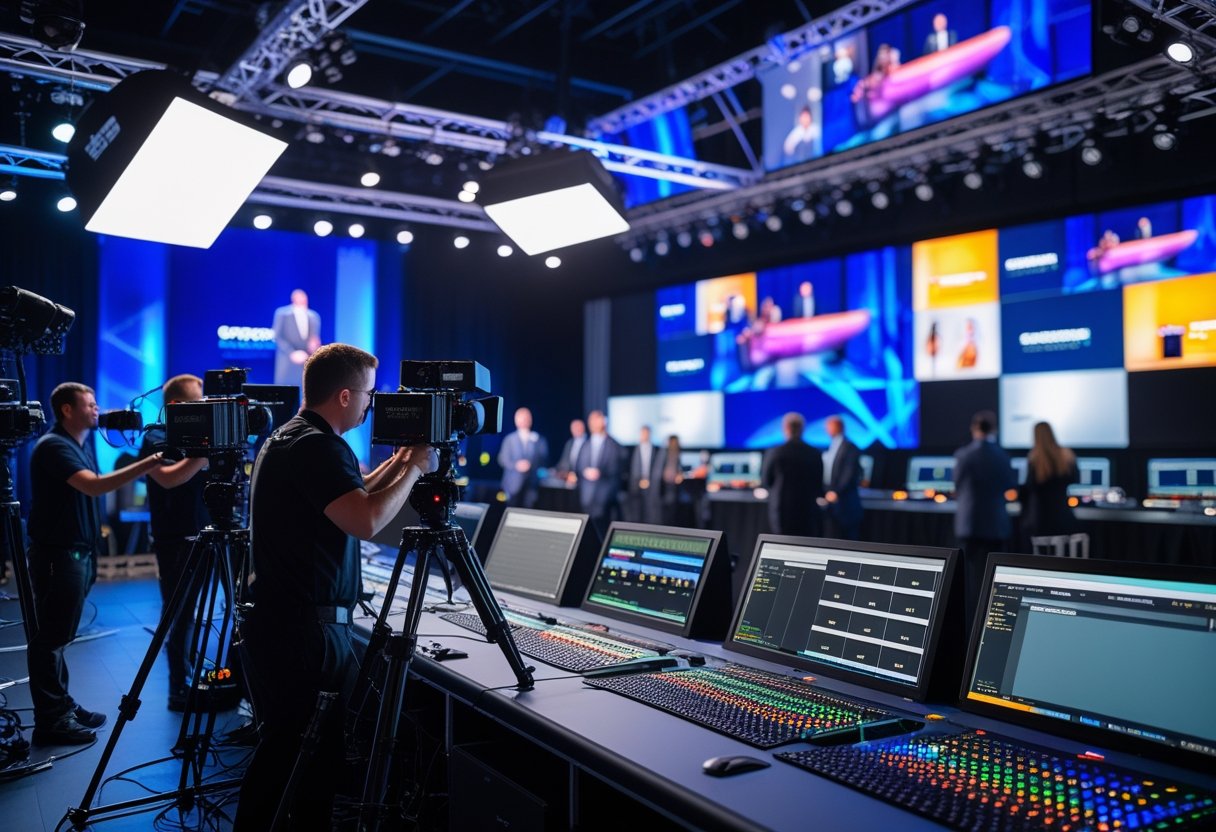
They should pick cameras that match the event size and output needs. For broadcast-grade livestreams, choose dedicated broadcast cameras or high-end mirrorless models with clean HDMI/SDI outputs. Using identical camera models or matching picture profiles keeps color and exposure consistent across close-ups, medium shots, and wide shots. PTZ cameras work well for remote angles and lower crew counts; mirrorless and DSLR cameras offer better shallow-depth looks for presenters.
Operators must ensure each camera supports the needed resolution and frame rate and has a tally light or monitor for live switching. Tripods with fluid heads provide smooth pans. A simple camera plot listing primary and secondary angles reduces confusion during roll calls.
Strategic Camera Placement and Shot Selection
They should plan placements before setup and mark positions on the floor. Use a three-camera base for most talks: a main wide shot covering the stage, a tight close-up on the presenter for emotional beats, and a medium or secondary close-up for reaction shots or guest speakers. For panels, assign one camera per primary speaker plus one or two wides.
Keep all cameras on one side of the 180° line to protect eyelines. Place cameras on stable tripods at eye-to-chest height for natural framing. Use longer lenses for unobtrusive close-ups and wider lenses for audience or room coverage. Include a roaming operator or PTZ for cutaways to audience reactions.
Lighting Setup and Optimization for Multi-Camera Coverage
They should build even, controllable light that works for every camera angle. Start with a key, fill, and backlight plan, then add soft LED panel lights to remove harsh shadows across close-ups and wide shots. Balance color temperature and set white balance on each camera to the same Kelvin rating to avoid color shifts when switching cameras.
Flag or diffuse lights to prevent lens flares on certain angles. Use dimmable LEDs so operators can tweak exposure without changing camera settings. In larger rooms, add low-angle fill or audience lights so reaction shots stay visible without blowing out the presenter. Label lighting circuits and document settings for quick repeatability.
Audio Solutions and Mixing for Broadcast Clarity
They should capture clear, redundancy-built audio fed into a multi-channel audio mixer. Equip presenters with lavalier microphones for consistent speech levels. Use a shotgun on a boom for panel discussion backup and handhelds for audience Q&A. Route each mic into separate mixer channels and apply light compression and EQ to tighten speech clarity.
Record a safety mix on a separate recorder and monitor levels with headphones. Assign an audio operator to manage live gain changes and mute/unmute cues. Sync audio to video with timecode or slate at the start of recording to simplify post-production alignment.
Live Production Workflow: Switching, Graphics, and Streaming Integration
This section explains how camera feeds are switched, how graphics are added in real time, and how the final program is sent to streaming platforms. It focuses on gear choices, signal paths, and the real-world steps operators use during corporate live events.
Multi-Camera Workflow and Live Switching Techniques
They set up a clear signal path before the event: cameras into capture devices, then into the switcher or network. For small setups they use HDMI or SDI capture cards and a laptop running a software switcher. For larger productions they route SDI or NDI feeds into a hardware switcher and a dedicated multiview for monitoring.
Operators assign numbered inputs and label them on the multiview to avoid mistakes. They practice cueing shots and use tally lights or talkback to coordinate camera operators. Live switching relies on fast, predictable moves: hard cuts for speech, smooth dissolves for B-roll, and programmed macros for recurring sequences.
They also configure redundant paths: a backup encoder or a secondary switcher channel. Monitoring includes program and clean-feed outputs, plus isolated audio for mixing. This keeps multi-camera coverage steady, prevents dropouts, and maintains a professional look.
Switchers, Streaming Software, and Platform Integration
They choose a switcher based on channel count and workflow. Software switchers like OBS Studio or Wirecast suit small crews and offer NDI input and built-in encoders. Hardware switchers handle more inputs and lower latency for larger shows. Many teams combine both: a hardware switcher for live output and OBS for streaming-optimized overlays or recording. See an example of a browser-based multi-camera producer for cloud workflows TVU Producer.
Encoders take program output and push it to platforms (RTMP/SRT). They set bitrate and resolution to match the venue’s uplink. Integrations matter: some switchers stream natively to YouTube or Vimeo, others send to a dedicated encoder. Teams enable stream health monitoring and create a failover stream or record locally to avoid data loss.
Real-Time Graphics and Enhancing Audience Engagement
They use real-time graphics engines to add lower thirds, logos, timers, and picture-in-picture. Cloud and software tools let designers update data-driven graphics from a browser, which helps for schedules, speaker bios, and stats. For pixel-accurate results in broadcast-level work, teams rely on dedicated systems that support 4K and layered animations; for lean setups they use HTML-based graphics or the built-in graphic layers in OBS and Wirecast. Refer to a real-time motion graphics platform for high-end needs XPression.
Operators preload templates and map hotkeys or control panels to trigger graphics quickly. They test safe areas, alpha keys, and picture-in-picture layouts during rehearsal. Good graphics increase audience engagement by clarifying who is speaking and showing branded visuals without obscuring the main picture.
by Melvin Halpito | Apr 13, 2026 | Article
You ask for conflicting instructions: you require second person earlier (“you”) but later require third person point of view (“he, she, it, they”). Please confirm which point of view to use: second person (you) or third person (he/she/they).
Transforming Digital Signage Into Certified Emergency Channels
Digital signage must switch from everyday displays to verified emergency channels that deliver clear, timely instructions. It must connect to trusted alert systems, override normal content instantly, and show concise visuals and text for people to act on immediately.
The Role of Screen Takeover in Emergency Response
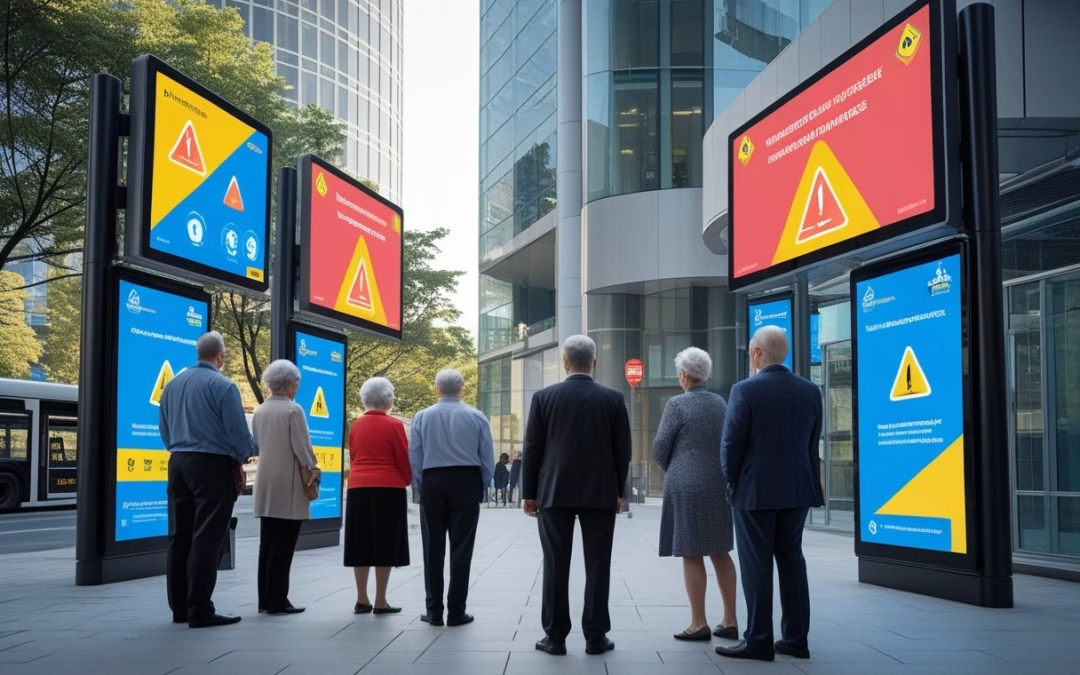
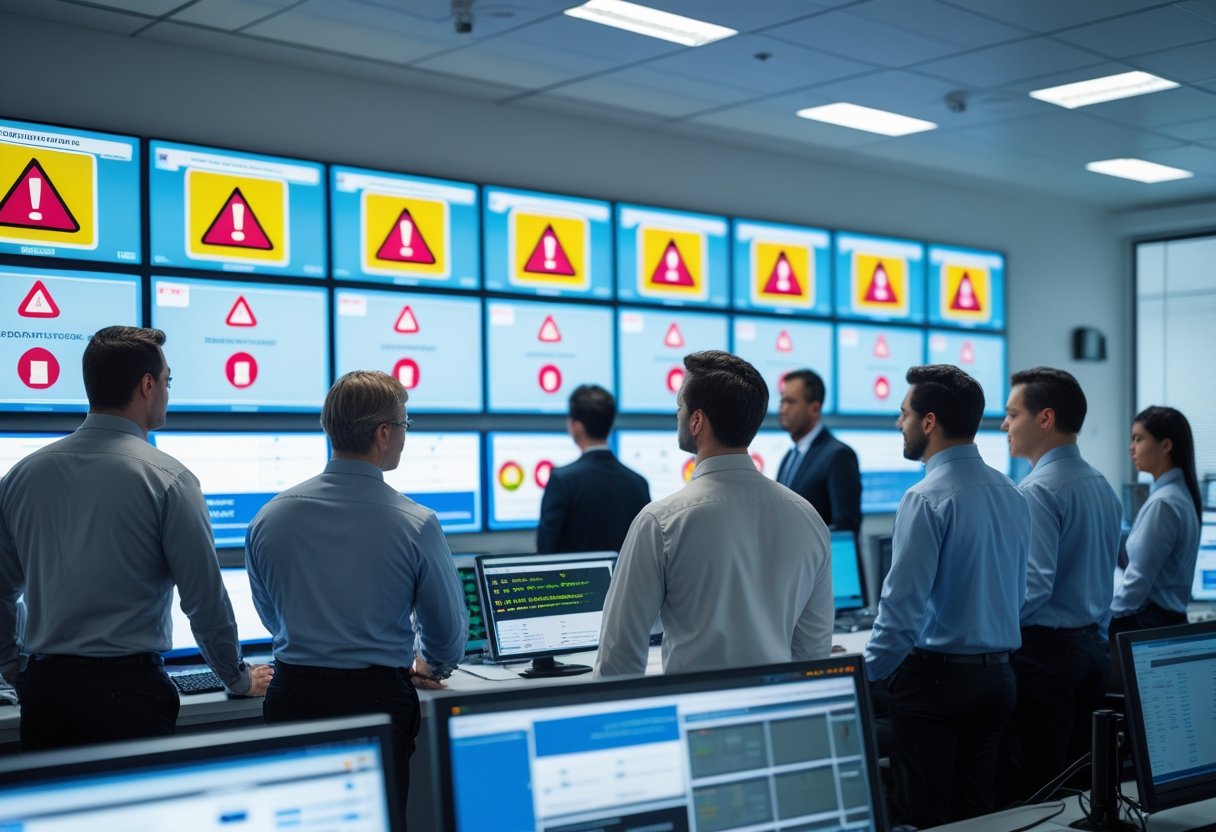
Screen takeover must force emergency content to full-screen across affected displays within seconds. Systems should support an “instant override” function that mutes scheduled playlists, pauses videos, and replaces them with high-contrast text, icons, and route maps. Takeover should include visual hierarchy: large headline, short action line (e.g., “Evacuate now”), and a clear secondary line with location-specific instructions.
Operators must be able to trigger takeovers remotely or let them trigger automatically from integrated alert feeds. Backup power and watchdog software help ensure takeovers succeed during outages. Logs must record who triggered the takeover, when, and which screens were affected for post-incident review.
Integration With CAP and Emergency Alert Platforms
Integration with the Common Alerting Protocol (CAP) and platforms like IPAWS lets digital signage receive authenticated, geo-targeted alerts. CAP messages provide standardized fields—urgency, severity, certainty, and area—that signage software can parse to format messages automatically. The software should map CAP fields to on-screen templates and support multilingual outputs.
Secure connectors, certificate validation, and failover endpoints reduce the risk of false or delayed alerts. Testing with local emergency management agencies ensures CAP feeds display correctly. Organizations can link signage to commercial alert services for campus-wide messaging or to municipal CAP feeds for coordinated public safety notices.
Automated vs Manual Emergency Messaging
Automated messaging gives the fastest delivery when seconds matter. When CAP triggers a display, the system should auto-populate templates and push them immediately. Automation lowers human delay but needs rigorous template governance to avoid misleading text or wrong locations.
Manual messaging gives control when context matters—complex incidents, mixed instructions, or evolving threats. A clear approval workflow with role-based access and pre-made templates shortens manual send times. Hybrid setups let automated messages run by default while allowing on-call staff to edit or cancel messages quickly through mobile or web control panels.
Types of Critical Alerts: Weather, Safety, and Lockdowns
Weather alerts must show hazard type (tornado, flash flood), affected areas, expected time window, and a simple action (e.g., “Move to interior room, lowest level”). Include both text and a weather icon, plus optional audible tone for noisy environments.
Safety alerts cover fires, chemical spills, and active threats. They should display immediate instruction (“Evacuate building via stair A”) and an evacuation map or arrowed route. Tie messages to building maps and public-address systems where possible.
Lockdown instructions require precise wording: reason (if known), duration guidance, and shelter locations. Use consistent phrasing like “Lockdown — Secure in place, doors locked, lights off.” Ensure lockdown messages override other alerts and propagate to all internal displays, elevators, and digital schedules to prevent movement.
Implementing and Optimizing Emergency Digital Signage Networks
This section explains the technical and operational steps to make digital displays act as reliable emergency channels. It covers system choice, content control, accessibility, and site-level upkeep to keep alerts fast, clear, and trustworthy.
Choosing CAP-Compliant and Mass Notification Systems
They must pick a mass notification system that supports the Common Alerting Protocol (CAP) to receive official alerts from authorities. CAP integration lets systems ingest national or local emergency messages automatically and push them to screens. Vendors such as Informacast, Rave, and Alertus offer CAP-capable options and connectors that can feed a cloud-based digital signage network in real time.
Prioritize vendors with an open API and documented webhook support so the digital signage software or CMS can trigger automated alerts. Check SLA for message delivery time and redundancy. Ensure the mass notification system can target groups of displays (by building, floor, or video wall) and fall back to SMS or PA if a display goes offline. Require audit logs and signed confirmations for compliance and post-incident review.
Content Management and Remote Control Capabilities
A robust content management system (CMS) must allow instant, global or localized overrides of normal playlists. The CMS should support pre-approved emergency templates, automated templates for common incidents (fire, severe weather, active threat), and one-click deployment to defined display groups. Yodeck-style or cloud-based digital signage platforms that offer role-based access help keep approvals fast while limiting who can send live alerts.
Remote management features must include forced wake/power-on, network health checks, and content failover to cached emergency slides when connectivity is lost. The CMS should log all changes and support scheduled drills. Integrations with Informacast, Alertus, or Rave via API/Webhooks let automated alerts bypass manual steps. Test content rendering on different digital displays and video walls to confirm legibility at typical viewing distances and angles.
Accessibility and Multilingual Support for Public Safety
Emergency signage must be readable and usable by everyone. The CMS should support screen reader metadata, high-contrast templates, configurable font sizes, and text-to-speech outputs for key safety messages. Offer simultaneous audio playback on nearby speakers when visual clarity could be compromised.
Implement multilingual layers in the CMS so the same alert appears in priority languages for the site population. Use concise phrasing and standard commands (e.g., “Evacuate — Exit A”); pair text with clear icons, arrows, and simple maps. Ensure automated alerts include language fallbacks and that translations are pre-approved in the crisis communication plan to avoid delays.
Best Practices for Placement, Testing, and Maintenance
Place displays where people gather and on evacuation routes: lobbies, stairwell landings, transit hubs, and near exits. Use a mix of single screens and synchronized video walls to cover large spaces. Label display groups in the CMS by physical zone and ensure each has at least one backup display or speaker.
Run quarterly drills that simulate CAP-triggered alerts and log latency, rendering errors, and human response steps. Include IT, facilities, and security in tests. Maintain remote monitoring with automated alerts for offline devices, and schedule preventive maintenance: firmware updates, power backup checks, and content template reviews. Keep the crisis communication plan and contact lists current in the CMS so automated alerts and manual overrides use correct recipient lists and display groups.
by Melvin Halpito | Apr 13, 2026 | Article
You step into lease talks with real data, not guesses. High-quality sensors give clear occupancy and usage signals so you can size space to match actual need instead of relying on rough estimates. That precision cuts waste, lowers costs, and makes lease decisions more defensible.
They will learn how different sensor fidelity levels change the picture: low-fidelity data can hide peak use or create false alarms, while higher-fidelity sensing reveals true patterns over time. Practical choices about sensor type, placement, and data handling let teams balance cost, accuracy, and actionability.
Key Takeaways
- Use precise occupancy data to align leased space with real demand.
- Higher sensor fidelity improves confidence in rightsizing choices.
- Choose sensing and platforms that fit budget and decision needs.
Sensor Fidelity and Its Impact on Leasing Decisions
Sensor fidelity changes how teams measure space use, estimate costs, and set lease length. Higher-fidelity sensors give clearer counts, better time-stamped patterns, and fewer false positives, which helps leasing teams set tighter pricing, negotiate break clauses, and match space to real demand.
Defining Sensor Fidelity in Rightsizing
Sensor fidelity means how accurately a device detects people, motion, and environmental context over time. It covers detection accuracy, temporal resolution (how often data is sampled), and context signals such as door counts or desk-level occupancy. High fidelity often combines people-count sensors with environmental and scheduling data to reduce errors.
They should evaluate metrics like false positive rate, missed detection rate, and sampling interval. Teams can test devices in target spaces for 1–2 weeks to measure these metrics before committing to long leases. Vendors may claim accuracy; analytics validation and on-site trials confirm real performance.
AI-driven analytics can fuse sensor streams and flag anomalies. That reduces manual cleaning and enables pull-through insights for pricing and contract length.
Optimizing Lease Outcomes with Accurate Data
Accurate occupancy data narrows uncertainty about peak demand, shared spaces, and underused areas. Leasing teams can translate hourly and daily patterns into lease terms: shorter lock-ins where variability is high, and longer commitments where demand is steady.
Decision-makers use analytics dashboards to model scenarios: reduce seat counts by X% if average weekday peak falls below Y, or shift to flexible space if meeting-room utilization is under Z%. Those models feed pricing and financial services teams to create rent-per-use or hybrid lease offerings.
High-fidelity sensors let facilities managers test interventions—desk hoteling, scheduling rules, or HVAC zoning—and measure impact before renegotiating leases. That reduces execution risk and avoids paying for unused square footage.
Linking Sensor Fidelity to Profitable Decision-Making
Profitability improves when sensor-driven insights reduce wasted space and inform pricing. Accurate metrics let the business predict savings from downsizing and quantify ROI on relocation or fit-out costs. Analytics teams can tie occupancy trends to operating costs, showing how each 1% drop in underused space affects net operating income.
Financial services and leasing teams can build models that link sensor signals to cash flow: shorter vacancy days, lower fit-out costs, and more precise tenant billing for shared services. AI-powered platforms accelerate this by automating anomaly detection, forecasting demand, and generating scenario pricing for negotiations.
Adopting a high-fidelity sensor strategy also helps developers build and deploy intelligent apps for tenants and operators—apps that surface realtime space availability, dynamic pricing, and usage-based billing. That creates new revenue lines and supports better leasing terms grounded in measurable behavior.
Leveraging Advanced Platforms for Confident Lease Rightsizing
Advanced platforms let teams ingest high-fidelity sensor data, run repeatable analytics, and enforce policy-driven actions. They combine automated forecasting, security controls, and integration with leasing workflows so decisions link directly to cost, uptime, and compliance.
The Role of AI and Data Platforms in Lease Management
AI models analyze time-series sensor streams—occupancy, HVAC load, and equipment vibration—to predict actual space need and failure risk. Teams use platforms that support model training, versioning, and explainability so recommendations include confidence scores and root-cause signals.
Integrations with enterprise systems matter: linking forecasts to lease schedules, finance systems, and CI/CD pipelines lets rightsizing proposals create tickets or pull requests automatically. This streamlines approvals and records decisions for audits.
Practical tooling examples include code-assist and automation features that speed rule creation and testing. For instance, using tools like GitHub Copilot or GitHub Spark can help developers write transformation code and validation tests faster. Teams store data pipelines and model code in versioned repos, apply Git-based reviews, and run tests in CI/CD so changes to forecasting logic follow normal DevOps practice.
Security and Compliance in Sensor-Driven Rightsizing
Sensor data often contains sensitive operational and personal information, so platforms must provide encryption, access controls, and auditing. Enterprises should adopt role-based access plus device-level authentication to limit who can view or change telemetry and rightsizing rules.
Application security controls, such as those in GitHub Advanced Security, help scan pipeline code and IaC for vulnerabilities before changes reach production. Combining DevSecOps practices with automated checks prevents insecure deployments that could alter lease decisions or expose data.
Compliance needs vary by industry. Manufacturing sites may require OT segmentation and logging for safety audits. Enterprises should map data retention and residency rules into platform settings and include compliance checks in the CI/CD flow to ensure rightsizing actions meet regulatory obligations.
Applications Across Enterprises and Industry Use Cases
In manufacturing, teams use vibration and energy sensors to rights-size floor space and equipment leases, reducing idle floor area while keeping spare capacity for peak production. They pair IoT feeds with predictive maintenance models to avoid lease-driven cost spikes from unexpected downtime.
Retail chains combine foot-traffic sensors and POS trends to shrink or expand store leases seasonally. Finance systems receive modeled savings and attach them to budget lines for clear ROI tracking. Customer stories often show faster payback when rightsizing links directly to leasing contracts and invoicing.
Large enterprises apply these platforms across portfolios. They run policy-driven automations that create change requests in service management tools and use git-based workflows to review model updates. DevOps and FinOps teams work together, using shared dashboards that show confidence scores, projected savings, and security posture for each proposed lease change.
by Melvin Halpito | Apr 12, 2026 | Article
You want workplace data that fuels fast, trusted decisions and AI tools that actually help the business. Build a stack that moves IWMS and operational signals into a single, governed platform so your AI copilots, alerts, and dashboards use the same, up-to-date facts. When systems share a trusted data layer, you get real-time insights executives will act on and AI features that won’t break under scrutiny.
Make choices that cut data friction: capture events in real time, standardize metric definitions, and enforce access controls so teams can safely use data for automation and planning. Tie visual dashboards to the same data products that power AI assistants and operational workflows to turn data into clear, repeatable outcomes.
Key Takeaways
- Align operational systems into one governed data layer for consistent facts.
- Streamline real-time pipelines and metric definitions to enable trusted AI.
- Connect dashboards and AI to the same data products so executives can act quickly.
Building an AI‑Ready Workplace Data Stack
A practical AI‑ready data stack starts with reliable data flows, clear access rules, and tools that let non‑technical teams use insights. It must move data from old systems into fast storage, keep features consistent for models, and make governance and automation easy to apply.
From Legacy Systems to AI-Ready Platforms
They must inventory legacy systems—IWMS, ERP, CAFM, access control, and building sensors—and map data types, update cadence, and owners. Prioritize connectors that preserve event timestamps and change data capture (CDC) so models see the true sequence of events. Use staged ingestion: raw landing zone, curated lakehouse tables, and modeled views for analytics.
Migrations often include lift‑and‑shift to cloud warehouses like Snowflake or BigQuery, or hybrid setups on Azure. Teams should keep raw data for reproducibility while enforcing schema evolution tracking and source lineage. This reduces operational risk and speeds AI integration.
Modular Architecture and Composable Data Fabric
They design a modular stack where ingestion, storage, transformation, feature serving, and serving layers plug together. A composable data fabric lets teams add streaming (Kafka), feature stores, or new compute engines without a rewrite. Emphasize clear contracts: API endpoints, table schemas, and SLAs.
Adopt multi‑cloud patterns to avoid vendor lock‑in and support workloads across Azure and other clouds. Implement orchestrators (Airflow, Dagster) to manage pipelines and enforce retries and backfill logic. The fabric should expose both offline features for training and low‑latency online features for real‑time IWMS actions.
Data Governance, Compliance, and Security Foundations
They set role‑based access control (RBAC) and attribute‑based rules to limit who can see PII or sensitive facility data. Integrate data governance tools for cataloging, lineage, and metric definitions so dashboards and models use the same “single source” metrics. Include audit logs and retention policies to meet compliance needs.
Encryption at rest and in transit, identity federation, and key management on cloud platforms like Azure protect secrets. Define AI governance guardrails: model approval workflows, drift monitoring, and operational risk thresholds. These steps reduce exposure and make compliance checks repeatable.
No-Code Enablement and Automation
They deploy no‑code/low‑code layers so facilities managers and execs build dashboards and automation rules without engineering tickets. Provide governed semantic layers and metric registries so non‑technical users access consistent KPIs. Include templated connectors and drag‑drop pipeline builders for common IWMS tasks.
Automate model retraining triggers, data quality checks, and deployment pipelines. Use automated testing for transformations and feature parity checks between offline and online stores. This reduces time to value and lets business teams iterate quickly while engineers keep the platform stable.
Unlocking Real-Time Value: From IWMS to Dashboards Executives Use
This section explains how a single integrated workplace management system becomes the data backbone, how unifying sources creates real-time, actionable insights, and how AI-powered dashboards drive executive decisions and adoption.
IWMS as the Data Backbone for Space, Asset, and Workplace Management
An Integrated Workplace Management System (IWMS) centralizes records for space inventory, floor plates, asset registers, and move schedules. It tracks space allocation, lease terms, asset lifecycle, and maintenance logs so facilities and real estate teams work from the same dataset.
When IWMS links to badge systems, sensors, and CAFM or CMMS, it turns static records into live operational views. That connection supports real-time occupancy counts, automated work orders, and more accurate depreciation and lifecycle planning.
Teams gain faster move management and space planning because the IWMS stores authoritative room attributes (capacity, amenities) and change history. This reduces manual spreadsheets, cuts double-booking, and speeds approvals. Clear ownership fields in the IWMS also improve accountability for asset management and workplace experience decisions.
Unifying Data for Real-Time Insights and Data-Driven Decisions
Unification pulls badge swipes, sensor feeds, calendar reservations, HR headcount, and maintenance events into one schema. Normalizing timestamps, room IDs, and asset tags makes cross-querying reliable. This lets analysts produce real-time metrics like utilization by floor, mean time to repair, and headcount-to-desk ratios from a single query set.
Good data governance makes these metrics repeatable: consistent naming, access controls, and an audit trail. Data products — curated datasets and APIs — deliver ready-to-use measures to BI tools and AI agents. With those products, executives can run “what-if” scenarios on consolidation, test space-allocation policies, and validate hybrid work rules against real usage rather than assumptions.
AI-Powered Dashboards: Automation, Predictive Analytics, and Executive Adoption
AI-powered dashboards automate routine analysis and surface anomalies—like sudden drops in occupancy or spikes in maintenance costs—so leaders see issues without digging. Predictive models forecast demand for desk types, estimate future maintenance spend, and suggest optimal space reconfigurations. These insights feed directly into planning processes and capital decisions.
Generative AI copilots can answer natural-language queries—e.g., “Show floors with under 40% midweek occupancy”—and produce slide-ready visuals. Embedding those copilots in executive dashboards increases adoption because leaders get clear, fast answers. Privacy-first occupancy sensing and open APIs ensure dashboards update in near real-time while protecting employee data and preserving trust.










Recent Comments