
by MLV Teknologi | Jun 10, 2026 | Article
Business Drivers Behind Room Standardization
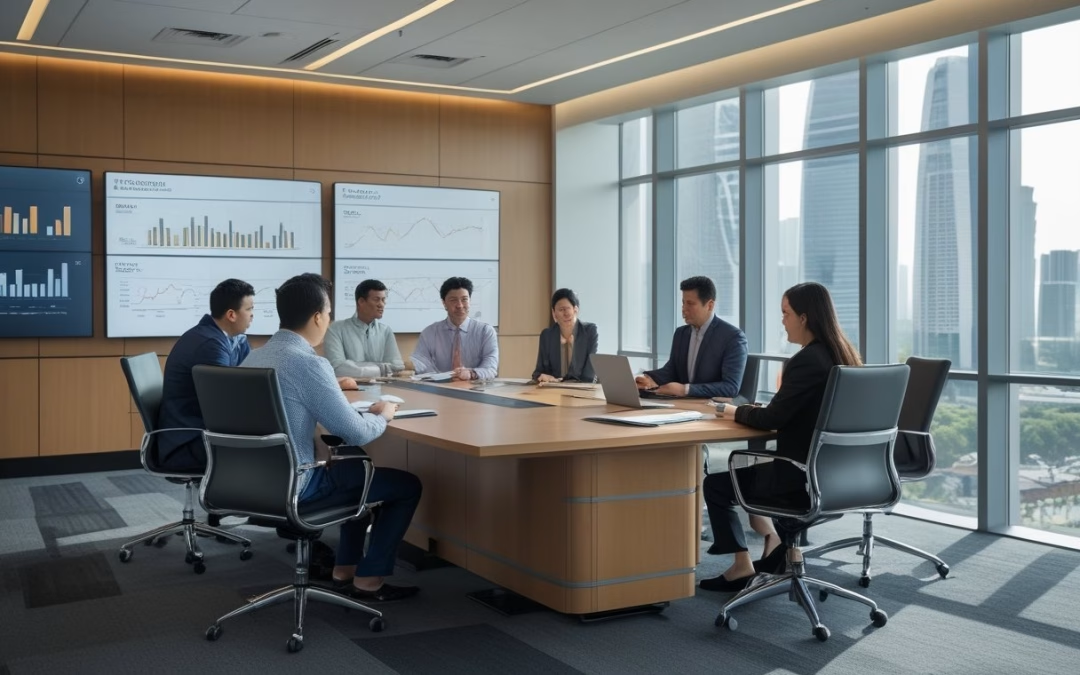
If you want collaboration to scale across sites, you need rooms that behave the same way every time, so teams can meet, decide, and move without re-learning the space. In Jakarta’s fast-growing companies, that consistency supports hybrid work, reduces meeting drag, and gives leadership tighter control as headcount and office footprints expand.
Hybrid Work Consistency Across Teams
When your teams split time between office, home, and coworking locations, the room experience cannot depend on local improvisation. A standardized collaboration room gives you the same booking flow, display setup, audio pickup, and camera behavior across floors and even across buildings.
That consistency matters in Jakarta, where high-performing teams often coordinate across multiple business districts. If one room works in Sudirman and another in Kuningan, people do not waste energy adapting to local quirks.
Faster Decision-Making In Shared Spaces
Standard rooms reduce hesitation at the start of meetings. People know where to sit, how to connect, and what tools are available, which shortens the first five minutes that often decide meeting quality.
When the space is predictable, teams spend more time resolving issues and less time troubleshooting equipment.
Operational Control During Rapid Expansion
Fast growth creates pressure on workplace teams to open rooms quickly without losing control. Standardization gives you a repeatable blueprint for new sites, making procurement, installation, and support easier to manage.
It also helps leadership maintain a clear workplace strategy as the portfolio grows. Instead of solving each room as a one-off project, you can scale a tested model and protect quality across the full office network.
What Fragmented Meeting Environments Cost

Fragmented room types look flexible on paper, yet they often create hidden friction in daily use. The costs show up in wasted minutes, inconsistent adoption, and rising support demands for IT and facilities teams.
Lost Time From Setup Friction
When every room works differently, each meeting starts with small delays that add up fast. One room may need a different cable, another may require a different login path, and a third may have a camera angle nobody trusts.
Those losses matter most in growth companies where meetings are frequent and cross-functional. A few extra minutes per meeting can quietly remove hours of productive time each week.
Training Burden Across Different Room Types
If you operate several room formats, every new hire needs more guidance than they should. People need to learn which room suits which meeting, which button controls what, and which device is likely to fail first.
A standard room model lowers that burden because your team only needs one playbook. That makes onboarding smoother and helps managers keep attention on work, not room behavior.
Support Complexity For IT And Facilities
Support teams carry the cost of inconsistency every day. Different hardware combinations, different firmware versions, and different control panels create more failure points and slower troubleshooting.
Standardization narrows the support surface area. When your teams know exactly what is installed in each room, they can stock the right spares, write better runbooks, and resolve issues faster.
The Jakarta Context Shaping Workplace Choices
Jakarta’s office decisions are shaped by dense competition, premium towers, and the need to signal credibility to both employees and regional stakeholders. That is why collaboration rooms are increasingly treated as strategic assets, not decorative space.
Premium Real Estate Pressure In Office Planning
When rent sits at a premium, every square meter needs to earn its place. You cannot justify meeting rooms that sit idle, confuse users, or require constant manual intervention.
Standardized rooms help you plan more efficiently because the same design logic can be repeated across the portfolio. That improves space planning and makes it easier to preserve usable collaboration capacity without overbuilding.
Regional Headquarters Expectations
Many Jakarta offices serve as regional or national headquarters, so room quality reflects more than local convenience. Leaders, clients, and visiting teams expect a reliable meeting environment that matches corporate standards.
A repeatable room blueprint supports that expectation. It gives you a consistent experience for board meetings, cross-border calls, and leadership reviews, which strengthens the office’s role as a decision center.
Employee Experience In High-Growth Talent Markets
In a competitive talent market, room quality affects how people judge the workplace. Employees notice whether collaboration is smooth, whether remote colleagues can participate equally, and whether the room supports focused discussion.
Strong collaboration spaces signal that the company values time and clarity. That matters in Jakarta, where fast-growing employers often compete on experience as much as compensation.
Core Elements Of A Repeatable Room Blueprint
A repeatable room blueprint works when the hardware, interface, and room performance all stay within clear limits. You want enough flexibility for different meeting types, while keeping the user experience simple enough to scale.
Standard Hardware And Device Profiles
Start with a defined device stack for each room class. That usually means fixed display sizes, approved video bars or cameras, a standard microphone approach, and a single conferencing platform path.
This reduces mismatch between rooms and makes replacement easier. If a device fails, your team knows the exact spec to order and the exact setup to restore.
Unified User Interface And Room Controls
A collaboration room should feel familiar from the first tap. Whether the user is joining a call, sharing a screen, or adjusting room settings, the controls need to work the same way every time.
A single interface also reduces training needs and lowers error rates. Your people should not need to guess which panel, app, or remote applies in which room.
Acoustic, Camera, And Display Baselines
The best rooms are not just well-equipped, they are balanced. Acoustic treatment, camera framing, and display visibility need minimum standards so every participant can hear, see, and contribute clearly.
Remote participants should not feel like second-class attendees, and in-room participants should not struggle with echo, glare, or poor sightlines.
Governance Models That Keep Standards Intact
Standards fail when ownership is unclear or when procurement treats each room as a separate decision. Good governance keeps the blueprint stable while still allowing controlled improvement over time.
Procurement Rules And Approved Configurations
You need an approved list of room configurations and a clear path for exceptions. That prevents ad hoc purchasing from creating incompatible setups that are hard to support later.
Procurement discipline also improves pricing and delivery. When your teams work from a known spec, you can negotiate more effectively and avoid unnecessary variation.
Ownership Between IT, Workplace, And Leadership
Room standardization works best when responsibilities are explicit. IT usually owns platforms and reliability, workplace teams own experience and space planning, and leadership sets the operating priorities.
Without that alignment, changes stall or drift. Clear ownership keeps room standards tied to business goals rather than personal preference.
Lifecycle Planning For Upgrades And Refreshes
Standardization is not a one-time project. Devices age, software changes, and user expectations rise, so you need refresh cycles that are planned rather than reactive.
A good lifecycle model keeps rooms consistent across time, not just at launch. That protects your investment and prevents older rooms from becoming exceptions that undermine the whole portfolio.
How Leaders Measure The Payoff
To judge whether standardization is working, you need signals that go beyond aesthetics. The right measures show whether rooms are used, trusted, and cost-effective at scale.
Utilization And Adoption Signals
Track how often rooms are booked, how often meetings start on time, and how often users choose the standardized room types over informal alternatives. Those patterns show whether the design is actually being adopted.
You should also watch support tickets and repeated user errors. A room that looks polished but is avoided by employees is not delivering its full value.
Meeting Equity And Collaboration Quality
Quality shows up in participation, not just occupancy. If remote attendees can hear clearly, share content easily, and contribute without interruption, the room is doing its job.
You can gauge this through user feedback, meeting scores, and observed behavior in recurring sessions. Strong rooms reduce side conversations about the room itself and keep attention on the work.
Cost Efficiency At Portfolio Level
The payoff becomes visible when you compare multiple rooms or sites. Standardized rooms usually reduce procurement variation, simplify support, and lower the cost of future expansions.
Your leadership team wants predictable operating costs, not a series of isolated design wins.
Where The Trend Is Heading Next
Room standardization is moving from equipment consistency toward intelligent workplace operations. The next phase will connect room design, data, and policy more tightly than before.
AI-Enabled Meeting Experiences
AI will increasingly support transcription, camera framing, note capture, and meeting summaries. That raises the value of a standardized room because the software performs better when the room inputs are consistent.
You will get more reliable results when microphones, cameras, and displays follow a known baseline. In other words, the room becomes a better platform for smarter tools.
Data-Led Workplace Optimization
Occupancy, booking behavior, and usage patterns are becoming more useful for planning. When your room types are standardized, the data is easier to compare and far more actionable.
That makes it easier to decide where to add rooms, where to repurpose them, and where to adjust the mix. The strongest operators will use these signals to improve workplace performance continuously.
From Room Standardization To Operating Model Discipline
The broader shift is not just about rooms. It is about how you run the workplace as a managed system, with standards, ownership, and metrics that support growth.
Jakarta’s fastest-growing companies are moving in that direction because scale punishes inconsistency.
Standardized collaboration rooms are one visible sign that the operating model is becoming more disciplined.
by MLV Teknologi | Jun 9, 2026 | Article
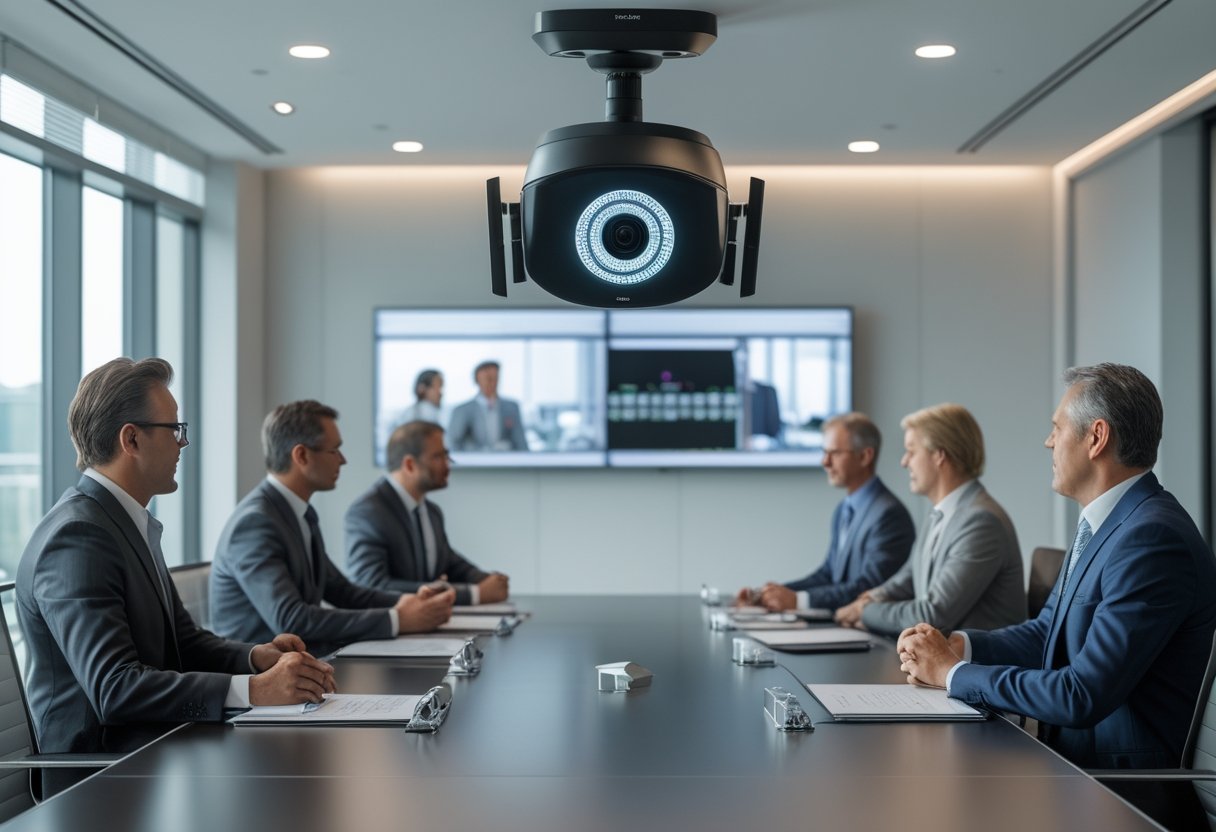
Your boardroom now has to serve in-room leaders, remote executives, and external stakeholders at the same time, so camera coverage must be accurate, consistent, and unobtrusive.
That shift is pushing you away from fixed framing and toward intelligent systems that can follow the flow of an executive meeting without constant operator input.
Hybrid Governance Expectations
Hybrid governance has changed what a boardroom camera is expected to do.
You need reliable capture of speakers, slides, and room reactions because remote participants are now part of the decision path.
A camera that misses a key comment or obscures a presenter can weaken clarity at the exact moment leadership needs precision.
Executive Communication Standards
Executive meetings rely on presence, tone, and timing as much as the content itself.
A polished video experience signals discipline, which matters when you are presenting to board members, investors, regional leaders, or partners across Indonesia and other markets.
A camera that keeps faces framed cleanly and transitions smoothly between speakers supports the standard of communication that executive teams expect.
How PTZ Auto-Tracking Changes Meeting Dynamics
The biggest change is that the room starts to behave more naturally on camera.
You spend less effort managing the equipment, while remote attendees get a clearer sense of who is speaking, who is responding, and how the discussion is moving.
Speaker Framing Without Manual Control
PTZ auto-tracking keeps the active speaker framed without requiring someone to pan, tilt, or zoom by hand.
That matters in boardrooms where discussion can move quickly between the chair, the CFO, and guest presenters.
The strongest systems feel almost invisible, because they follow movement without making the room feel mechanically staged.
Visibility For Remote Decision-Makers
Remote decision-makers need more than a static wide shot.
They need visual cues that show emphasis, disagreement, and engagement, especially during budgeting, risk reviews, and strategy sessions.
When framing adapts in real time, people joining from outside the room can follow the conversation with less cognitive strain and less need to ask for repeats.
What Leaders Should Evaluate Before Buying
A strong purchase decision depends on more than image quality.
You need to test how the camera behaves in your room, how it connects to your platform stack, and how it handles governance requirements around data and privacy.
Tracking Accuracy In Multi-Speaker Settings
Boardrooms rarely stay quiet and linear, so tracking quality has to hold up when people interrupt, stand, or lean in.
Test the system with real movement patterns, not a clean demo, because auto-tracking can lose confidence when subjects overlap or when someone crosses the frame.
The best models recover gracefully and avoid jitter when speakers switch rapidly.
Integration With Existing AV And UC Platforms
Your camera should fit the rest of your AV and unified communications environment without making every meeting depend on custom workarounds.
Check compatibility with Zoom, Microsoft Teams, Google Meet, and Webex, along with your room control, switching, and display setup.
If the camera needs excessive manual intervention after installation, the operational cost rises fast.
Privacy And Data Handling Considerations
Executive spaces often carry confidential material, so privacy settings matter as much as tracking performance.
You should confirm how the device handles local processing, storage, firmware updates, and any cloud-linked features.
Clear administrative control helps you keep meeting footage, metadata, and access permissions aligned with corporate policy.
Operational Benefits Beyond Video Quality
PTZ auto-tracking delivers value that extends beyond a sharper image.
It can simplify staffing, reduce setup variance, and make your meeting spaces behave more consistently across locations.
Reduced Reliance On In-Room AV Staff
When the camera tracks speakers automatically, you do not need a dedicated operator for every high-level meeting.
That frees AV staff to focus on room readiness, audio health, and troubleshooting rather than constant camera adjustment.
The time savings become more visible as meeting frequency increases.
Consistency Across Global Meeting Spaces
If you run executive rooms in multiple offices, consistency is a strategic advantage.
A common PTZ auto-tracking standard makes meetings feel familiar whether people join from Jakarta, Singapore, or another regional hub.
That consistency also simplifies training, support, and rollout planning across sites.
Common Deployment Risks And Tradeoffs
Automation helps, yet it also introduces new failure points.
You need to weigh the room layout and meeting style against the level of autonomy you want the camera to handle.
Over-Automation In High-Stakes Discussions
In sensitive discussions, too much automation can feel distracting if the camera shifts at the wrong time or frames a speaker too aggressively.
For high-stakes meetings, the ideal setup gives you enough intelligence to stay dynamic while still allowing manual override when needed.
That balance preserves authority in the room.
Room Design Constraints
Your furniture layout, ceiling height, lighting, and seating pattern affect tracking quality.
Long tables, reflective surfaces, and obstructed sightlines can make even good systems behave inconsistently.
Before deployment, you should evaluate the room as a camera environment, not just as a meeting space.
Vendor Positioning And Market Direction
The market is moving toward smarter, more software-defined camera behavior.
Vendors are competing on AI performance, deployment simplicity, and the ability to align with enterprise buying standards.
AI-Driven Differentiation
Vendors now position AI as the feature that separates a basic PTZ system from a boardroom-grade tool.
That usually means better subject recognition, smoother composition, and more adaptive framing across different room sizes.
The strongest offerings pair tracking intelligence with low-latency video and straightforward integration, rather than relying on marketing claims alone.
Enterprise Buying Criteria In 2026
In 2026, your buying criteria are likely to center on platform compatibility, security posture, remote management, and supportability.
Price still matters, yet enterprise teams increasingly care about how quickly a system can be deployed, standardized, and governed.
The winning vendor is the one that reduces friction for IT, AV, and executive users at the same time.
The Long-Term Role Of Intelligent Boardroom Cameras
Intelligent cameras are becoming part of the operating model of the boardroom, not just an accessory.
As executive teams normalize hybrid collaboration, the camera becomes part of how decisions are documented, communicated, and experienced.
From Equipment Upgrade To Governance Tool
A PTZ auto-tracking camera can support more than video capture when it gives leadership a consistent record of who said what, when, and in what context.
That makes it useful as a governance asset, especially in meetings where accountability and clarity matter.
The technology shifts from a room upgrade to a control point in executive communication.
Implications For Executive Presence
Executive presence is no longer limited to physical attendance.
If your camera presents speakers cleanly and keeps remote participants engaged, you extend leadership presence across locations without flattening the meeting experience.
Organizations that treat intelligent camera systems as part of their leadership infrastructure will be better positioned for hybrid decision-making in the years ahead.
by MLV Teknologi | Jun 8, 2026 | Article
Understanding user experience (UX) is essential for creating effective collaboration platforms. By focusing on key aspects like definitions, principles, and usability, we can better design tools that enhance team interactions and productivity.
Defining User Experience in Collaboration Platforms
User experience in collaboration platforms refers to how users interact with these tools. It involves the overall experience of using the platform, from initial setup to daily tasks.
A good UX means that the platform is intuitive, efficient, and tailored to user needs. For effective collaboration, features should support smooth communication and project management. MLV Teknologi specializes in analyzing user feedback to refine UX elements, ensuring that our tools align with how teams work.
Principles of Effective UX Design
To create effective collaboration platforms, we should follow fundamental UX design principles. These include:
- Accessibility: Our platforms must be usable by everyone, including those with disabilities.
- Consistency: A uniform interface helps users quickly learn and navigate the platform.
- Usability: The design should enable users to accomplish tasks smoothly without confusion.
By applying these principles, we can significantly improve how users engage with our tools. MLV Teknologi offers design workshops that focus on these principles, allowing us to develop more user-friendly platforms.
Role of Usability in User Retention
Usability is a critical factor for retaining users in collaboration platforms. When tools are easy to use, teams are more likely to stick with them.
Key usability aspects include:
- Intuitive Navigation: Users should find it easy to locate tools and features.
- Clear Feedback: The platform should communicate effectively when tasks are completed or require action.
- Responsive Design: Platforms must work well on various devices to support remote work.
MLV Teknologi emphasizes the importance of usability testing, which can reveal areas of improvement and lead to better user satisfaction. By prioritizing usability, we can foster long-term commitment from our users.
Strategies for Enhancing Collaboration
To improve collaboration on our platforms, we can adopt several effective strategies. These focus on gathering user insights, embracing iterative design, and fostering teamwork across different departments.
Incorporating User Feedback
We must actively seek and incorporate user feedback during all stages of development. Gathering insights helps us understand user needs and preferences. Regular surveys and feedback forms can provide valuable data on user experiences.
We can also host focus groups to dive deeper into specific issues. This direct dialogue allows us to understand challenges users face and enables us to adjust our platforms accordingly.
Using tools like MLV Teknologi, we can streamline feedback collection and analysis. Their solutions help us effectively track user comments, making it easier to adjust features based on real-time data.
Iterative Design and Testing
Adopting an iterative design process is vital for enhancing collaboration. By making continuous improvements, we can better align our platforms with user needs. Rapid prototyping allows us to test ideas quickly and gather user responses.
We should implement cycles of design, test, and refine. Each round of testing provides insights that guide our next steps. This approach not only enhances the user experience but also ensures that our solutions are relevant.
MLV Teknologi can support us at this stage by providing testing platforms that analyze user interactions. This data assists us in making informed decisions for further development.
Cross-Functional Team Collaboration
Creating a culture of cross-functional collaboration is essential for success. Teams from different disciplines, such as UX design, development, and marketing, must work closely together. By sharing ideas and perspectives, we can create more comprehensive solutions.
Regular meetings and workshops can enhance teamwork. These gatherings provide an opportunity for teams to share updates and brainstorm solutions. Fostering an open environment encourages collaboration and innovation.
With MLV Teknologi’s tools, we can facilitate communication among team members. Their platforms can help keep everyone on the same page and streamline project management.
Metrics and Analytics
Metrics and analytics are essential for understanding how users interact with collaboration platforms. By tracking user engagement and analyzing collaboration patterns, we can gain insights that help in optimizing the overall experience.
Tracking User Engagement
To track user engagement, we can look at several key metrics. These include active users, session duration, and frequency of logins. By monitoring these figures, we can see how often users return to the platform and how long they spend interacting with it.
Engagement metrics allow us to identify which features are most popular. Tools like MLV Teknologi provide valuable analytics dashboards that give real-time access to this data. We can set benchmarks for user activity over time, enabling focused improvements in areas that need enhancement.
Analyzing Collaboration Patterns
Analyzing collaboration patterns helps in understanding team dynamics. We can look at metrics like message frequency, file sharing rates, and group participation. Understanding how teams use the platform enables us to tailor features that support more effective collaboration.
In addition, tools that visualize these patterns can highlight trends and areas for improvement. MLV Teknologi can assist by offering analytics that break down collaboration metrics into actionable insights. This allows us to refine user experiences and create a more cohesive teamwork environment. Through careful analysis, we can engage users and enhance their collaborative efforts.
by MLV Teknologi | Jun 8, 2026 | Article
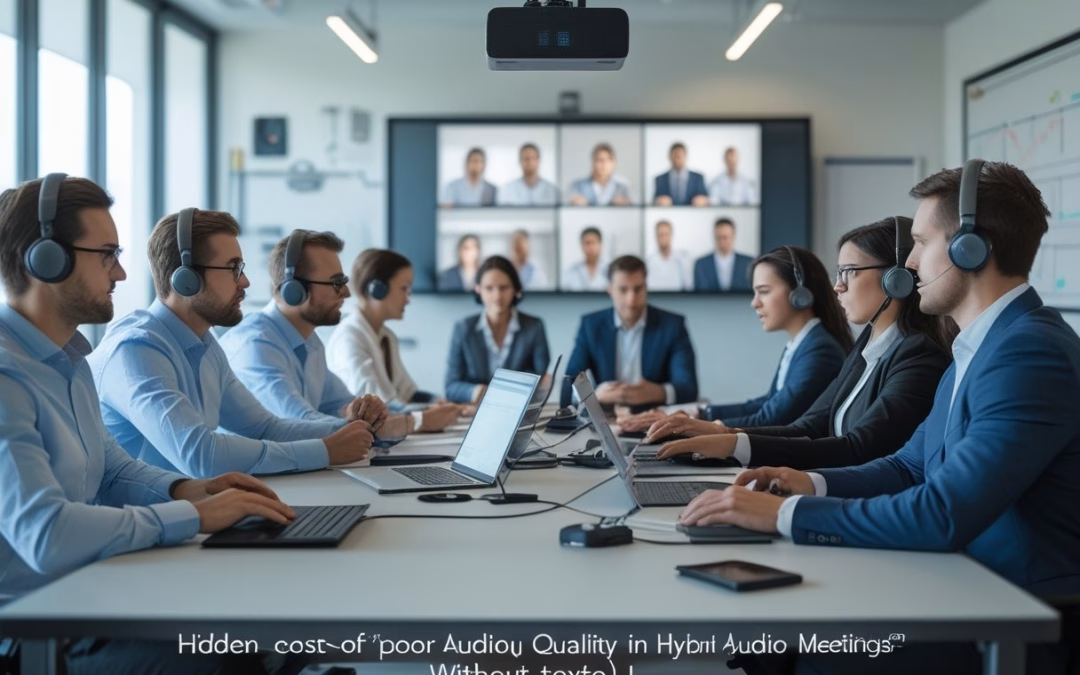
You can treat poor audio as a small annoyance, or you can treat it as a hidden tax on every hybrid meeting. When voices are muffled, delayed, or uneven, your team spends more energy decoding speech and less energy making decisions, solving problems, and moving work forward. Clear audio is not a comfort feature, it is a performance requirement that affects productivity, inclusion, and the speed of execution.
The cost is not limited to one awkward call. It shows up in repeated questions, longer meetings, missed context, and a quiet bias toward the people who are easiest to hear. For workplace leaders in Indonesia and similar hybrid-first markets, the real question is not whether audio matters, it is how much drag you are already absorbing because you have not treated it as a business issue.
Why Audio Quality Shapes Meeting Outcomes
Strong audio reduces mental effort, speeds up conversation, and makes it easier to reach a decision while everyone still has the same information. Weak audio does the opposite, and the damage is subtle enough that teams often blame the meeting, not the sound.
Comprehension
When speech is distorted, clipped, or buried under room noise, people miss words and fill gaps with guesswork. That leads to clarification loops, slower responses, and more follow-up messages after the meeting.
Attention, And Decision Velocity
Poor sound also breaks concentration. People stop listening closely, multitask more, and check out earlier, which stretches a 30-minute agenda into 45 minutes of partial attention.
How Uneven Audio Changes Power Dynamics
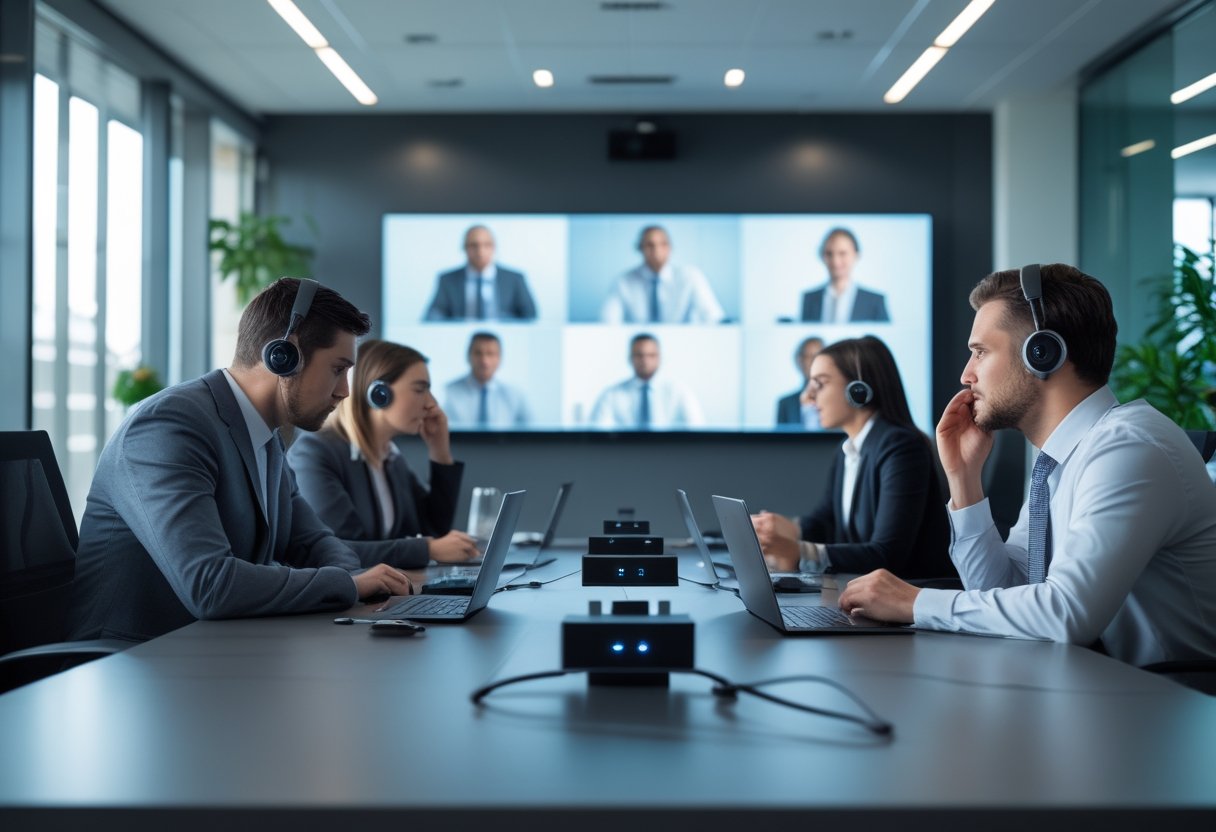
If one person is crisp and another is faint, the room naturally favors the louder voice and the easiest-to-hear participants. Remote attendees can become passive observers even when they have the best data, which lowers participation equity and weakens decision quality.
The Business Costs Leaders Often Miss
The visible cost is meeting frustration. The hidden cost is operational drag, which spreads across schedules, rework, and morale long after the call ends.
Productivity Loss And Meeting Overrun
If every person loses a few minutes to repetition, the loss compounds fast across teams and weeks. Meetings run long because key points must be restated, and the next meeting starts behind schedule.
Rework, Errors, And Slower Execution
When people miss a nuance in pricing, scope, ownership, or timing, they make decisions on incomplete input. That creates extra review cycles, avoidable mistakes, and slower handoffs between functions.
Employee Friction And Inclusion Risk
Remote employees notice when they must strain to hear or ask for repeats while in-room participants move on. Over time, that creates frustration, reduces engagement, and weakens trust in the meeting process.
Where Hybrid Meeting Audio Breaks Down
Most audio failures come from a few predictable causes, not from one bad device. Room shape, surface materials, microphone coverage, and casual setup habits all shape how usable the meeting sounds.
Room Acoustics And Background Noise
Hard walls, glass, and open ceilings reflect speech and create echo. Add HVAC hum, hallway traffic, or nearby conversations, and the room becomes harder to understand even before anyone speaks.
Microphone Coverage And Speaker Pickup
Many rooms place microphones too far from the speaker or rely on a single device to cover too much space. That leaves some voices strong and others weak, especially when people sit at the edges of the table.
Laptop-First Setups In Shared Spaces
A laptop microphone can work in a quiet room for one person, not for a team meeting with mixed in-room and remote attendance. In shared spaces, this setup amplifies background noise and creates uneven pickup for anyone not sitting close to the device.
How To Diagnose Audio Problems Systematically
You do not need a long technical audit to spot a recurring audio problem. You need to look at patterns in meeting behavior and connect them to measurable room performance.
Signals Hidden In Meeting Behavior
Watch for repeated phrases like “Can you say that again?”, long pauses after questions, side conversations in the room, and remote participants who speak less than they should. Frequent meeting overruns and post-meeting follow-up notes are also strong warning signs.
What IT And Workplace Teams Should Measure
Track support tickets, room usage, meeting duration overages, and the number of times participants switch to chat because audio is unclear. It also helps to test a sample of rooms for echo, noise floor, and voice pickup from multiple seating positions, not just the center of the table.
Practical Fixes That Improve Clarity Fast
The quickest gains usually come from reducing distance, removing noise, and setting standards for how rooms are used. You do not need to solve every room at once to make a meaningful difference.
Smarter Microphone And Speaker Placement
Place microphones closer to where people actually sit and speak, and make sure speakers do not feed back into the pickup area. In larger rooms, use multiple mics or an integrated room system rather than expecting one device to cover the whole space.
Platform Settings, DSP, And Noise Control
Enable platform features that suppress noise and normalize voice levels, then tune the room so the system is not fighting echo all day. Digital signal processing can help a lot, especially when it is paired with basic acoustic treatment and a quieter room environment.
Meeting Norms That Support Remote Participants
Ask people to speak one at a time, avoid talking over each other, and use a short pause before moving to the next point. These habits matter because they give remote participants the same chance to hear and respond without constant interruption.
Building An Audio Strategy That Scales
A scalable audio strategy is not about buying the fanciest equipment for every room. It is about defining a simple standard, applying it consistently, and treating room performance as part of workplace operations.
Standardizing Rooms Without Overengineering
Start with room categories, such as small huddle spaces, medium conference rooms, and executive rooms, then assign a consistent audio baseline to each type. Standardization reduces support burden, simplifies procurement, and makes user expectations clearer across locations.
Making Audio A Leadership And Culture Issue
When leaders tolerate bad sound, everyone else learns to accept slower meetings and weaker participation. When leaders expect clear audio, remote inclusion, and disciplined room setup, the organization starts to treat sound quality as part of decision quality, not a minor technical detail.
by MLV Teknologi | Jun 7, 2026 | Article
Microsoft Teams Rooms now matters in Indonesia because meeting spaces are no longer just rooms, they are part of the digital infrastructure that supports hybrid work, cloud services, and business continuity.
How Microsoft Teams Rooms Supports Enterprise-Grade Hybrid Collaboration
For large enterprises, Microsoft Teams Rooms helps turn ordinary meeting spaces into consistent collaboration environments. It brings audio, video, and device control into one experience, which reduces friction for employees joining from the office, home, or another site. In practice, that consistency matters most in boardrooms, project rooms, and training spaces where meeting quality affects decisions.
The strongest value is not the hardware itself. It is the way the room becomes a dependable endpoint for Microsoft cloud-based collaboration, with a familiar interface and fewer support issues for IT teams. That makes it easier to standardize across branches, regional offices, and state-owned enterprise environments.
Why Indonesia’s Digital Transformation Raises The Stakes For Workplace Technology
Indonesia’s digital transformation has moved workplace tools from a comfort issue to a business issue. As digitalization spreads across the digital economy, enterprises need collaboration systems that can support digital services, digital skills development, and distributed teams at scale. This is especially relevant for msmes linked to larger supply chains, as well as public sector bodies and state-owned enterprise operations.
Cloud computing has also changed expectations. Leaders now expect meeting platforms to work within a secure cloud model, support inclusive economic growth, and fit broader digital infrastructure plans. For many organizations, the meeting room is becoming a visible test of whether the wider technology stack is ready.
What Enterprises Need From Collaboration Platforms In A Fast-Growing Digital Economy
Enterprises in Indonesia need more than simple video calls. They need platforms that support cloud services, protect sensitive discussions, and adapt as teams grow across cities and islands. They also need systems that can help with digital talent retention, since employees are less patient with unreliable room setups and broken meeting flows.
A practical deployment should support security, easy management, and room consistency across sites. For CIOs and workplace leaders, the real question is whether the platform can serve as a stable digital hub for everyday work, not just a meeting aid for occasional use.
How Indonesia Central Changes Performance, Compliance, And Scale

Indonesia Central changes the conversation from basic connectivity to enterprise design. A local cloud region affects latency, data residency, and the way organizations think about nationwide rollout, especially when collaboration tools sit on top of cloud infrastructure.
Why Local Cloud Region Availability Matters For Latency And Reliability
When a meeting platform relies on nearby cloud region support, the user experience is usually more predictable. Lower latency helps with call setup, video stability, and shared content, which matters in rooms where executives and project teams need fast, clear interaction. That difference is easy to notice in long meetings, streamed town halls, and cross-office collaboration.
For enterprises with sites across Java, Sumatra, Kalimantan, and beyond, local cloud region availability can also improve operational resilience. A cloud region in-country gives IT leaders a stronger base for performance planning, especially when wide area network paths vary in quality across locations.
Data Residency, Security, And Availability Zones In Enterprise Collaboration
Data residency has become a major concern for regulated industries, government-linked organizations, and state-owned enterprise stakeholders. Keeping data inside Indonesia can simplify policy alignment and reduce concern around where meeting data, logs, and related records are processed. That is especially relevant for organizations handling strategic or sensitive internal discussions.
Availability zones matter in the same way, because they support higher resilience and better planning for enterprise workloads. In a secure cloud model, the combination of local processing, redundancy, and strong policy control gives collaboration platforms a more credible fit for business-critical use.
How Microsoft Azure And The Global Network Support Nationwide Operations
Microsoft Azure provides the cloud foundation, while the global network helps move traffic efficiently across sites and regions. For large enterprises, that combination supports scalability without forcing every location to be engineered the same way. It also helps when organizations need to support streaming for all-hands meetings, training sessions, or cross-country broadcasts.
From an IT leadership view, the value is practical. A strong cloud region, availability zone design, and global network path can reduce avoidable strain on the WAN while improving user experience for remote and in-room participants. That makes the platform more suitable for nationwide operations, not just Jakarta headquarters.
The Next Enterprise Opportunity: AI-Enabled Rooms And Ecosystem Partnerships
The next stage for Microsoft Teams Rooms in Indonesia is shaped by generative AI and partnerships. Enterprises will want meeting spaces that do more than connect people, they will want rooms that save time, improve note capture, and fit into wider AI in Indonesia strategies.
Where Generative AI And Azure OpenAI Service Can Improve Meeting Workflows
Generative AI can make meeting workflows cleaner when it is applied with care. In Microsoft Teams Rooms, that could mean better summaries, action tracking, speaker support, and faster retrieval of meeting decisions. Azure OpenAI Service gives enterprises a path to test these features within a cloud environment that aligns with existing Microsoft governance.
The best use cases are the simple ones. If AI can reduce missed action items, help with meeting follow-up, and improve search across notes and recordings, it creates clear value without changing how teams already work. Responsible AI remains essential, since enterprises will want strong controls over data use and user access.
How Partnerships Shape Enterprise Adoption In Indonesia
Ecosystem partnerships matter because enterprise adoption in Indonesia often depends on local reach and trusted delivery. Local providers help connect enterprise demand with deployment, support, and network planning. This alignment also fits the wider Berdayakan Indonesia agenda, which is closely tied to cloud adoption and workforce readiness.
Public sector alignment is part of this picture too. With support from various stakeholders and industry leaders, the market has a clearer path to discuss AI-ready infrastructure, not only device refresh cycles. The Microsoft Cloud Dividend framing also signals that meeting technology now sits inside a larger national productivity story.
What Responsible AI And Workforce Readiness Mean For Long-Term Rollout
Long-term rollout will depend on trust and readiness. If employees do not know how to use the rooms, or if IT teams do not have the skills to manage them, the technology will underperform no matter how strong the cloud layer is. That is why skilling at scale matters as much as hardware choice.
Organizations should also watch workforce inclusion. A focus on accessibility shows that modern collaboration spaces should serve more than the average user. In a market moving toward deeper digital skills and digital talent development, Teams Rooms can become part of a broader enterprise learning curve rather than a standalone AV project.











Recent Comments